
Querying databases from a terminal works until you need to compare table layouts, save repeatable SQL, or tunnel through SSH to a remote host. To install Beekeeper Studio on Debian, use Beekeeper’s APT repository or the Flathub package to add a desktop SQL client for MySQL, MariaDB, PostgreSQL, SQLite, SQL Server, MongoDB, Redis, CockroachDB, and other common back ends.
Both methods work on Debian 13 (trixie), Debian 12 (bookworm), and Debian 11 (bullseye). Upstream also publishes AppImage, direct .deb, Snap, and Arch packages, but this Debian workflow keeps to the repository and Flathub paths because updates stay tied to apt or flatpak instead of a separate download routine.
Install Beekeeper Studio on Debian
Beekeeper Studio is not in Debian’s default repositories, so on Debian the maintained installation choices are the official Beekeeper APT repository and the Flathub package. The APT route fits Debian desktops on amd64 or arm64 hardware, while Flatpak is useful when you already manage desktop apps through Flathub or want the app separated from APT.
| Method | Source or Channel | Update Behavior | Best For | Trade-offs |
|---|---|---|---|---|
| APT repository | Official Beekeeper repository | APT-managed updates | Debian desktops on amd64 or arm64 | The package can create a legacy duplicate source on Debian 12 and 11; the cleanup command removes that file and any legacy key |
| Flatpak | Flathub | Updates through flatpak update | Users who already manage desktop apps with Flatpak | Flathub lists the app as unverified and potentially unsafe; local SQLite files may need a filesystem override |
Use the APT repository for the closest Debian package-manager workflow. Use Flatpak when the Flathub app and runtime model match the way you already manage desktop apps. If you specifically need upstream’s direct .deb, treat it as a bootstrap fallback for the same repository rather than a separate long-term method.
Update Debian Before Installing Beekeeper Studio
Refresh Debian’s package lists and install any pending updates before adding a new software source.
sudo apt update && sudo apt upgrade -yThese commands use
sudofor package-management tasks that need root privileges. If your account does not have sudo access yet, follow the guide on how to add a user to sudoers on Debian.
The -y flag accepts APT’s confirmation prompt so the upgrade can finish in one pass.
Install Beekeeper Studio from the Official APT Repository
The official repository is the most direct APT-managed option when you want Beekeeper Studio to update alongside the rest of your desktop software.
sudo apt install ca-certificates curl gpg -yUse the curl command in Linux to download the signing key, then store it in a dedicated APT keyring instead of the deprecated apt-key workflow.
curl -fsSL https://deb.beekeeperstudio.io/beekeeper.key | sudo gpg --dearmor --yes -o /usr/share/keyrings/beekeeper.gpg
sudo chmod 0644 /usr/share/keyrings/beekeeper.gpg
The sudo gpg --dearmor command converts the ASCII-armored key into a binary keyring that APT can trust from /usr/share/keyrings/. The chmod step keeps the saved key readable to the APT sandbox user.
(
    set -e
    arch="$(dpkg --print-architecture)"

    case "$arch" in
    amd64 | arm64)
        printf '%s\n' \
            'Types: deb' \
            'URIs: https://deb.beekeeperstudio.io' \
            'Suites: stable' \
            'Components: main' \
            "Architectures: ${arch}" \
            'Signed-By: /usr/share/keyrings/beekeeper.gpg' | sudo tee /etc/apt/sources.list.d/beekeeper-studio.sources >/dev/null
        ;;
    *)
        printf 'The Beekeeper Studio APT repository currently supports amd64 and arm64, not %s.\n' "$arch" >&2
        exit 1
        ;;
    esac
)
The shell snippet detects the current Debian architecture and writes the DEB822 repository file only on amd64 or arm64, the two architectures with Beekeeper Studio DEB packages in the repository. The tee command writes the file as root; a plain > redirection would still run in your unprivileged shell and fail when it tried to write into /etc/apt/sources.list.d/.
sudo apt updateAPT should now fetch the Beekeeper metadata from the new repository. On an amd64 system, relevant output includes the Beekeeper package index.
Get:1 https://deb.beekeeperstudio.io stable InRelease
Get:2 https://deb.beekeeperstudio.io stable/main amd64 Packages
Reading package lists... Done
sudo apt install beekeeper-studio -yDebian 12 and Debian 11 still provide apt-key, and the Beekeeper package post-install script can create an extra legacy beekeeper-studio-app.list file. If a later apt update reports duplicate Beekeeper repository entries, use the duplicate-source cleanup command to remove the legacy source and any leftover legacy key.
apt-cache policy beekeeper-studioUse the package policy output to confirm the installed version and the repository source.
beekeeper-studio:
  Installed: 5.x.x
  Candidate: 5.x.x
  Version table:
 *** 5.x.x 500
        500 https://deb.beekeeperstudio.io stable/main amd64 Packages
        100 /var/lib/dpkg/status
The
5.x.xvalues represent the moving release number. Your output will show the current Beekeeper Studio release available from the repository, and the architecture label will match your system, such asamd64orarm64.
Install Beekeeper Studio from Flathub
The Flathub build uses Flatpak’s app and runtime model and follows the same install flow across all supported Debian releases.
If Flatpak is not installed yet, follow the guide to install Flatpak on Debian before continuing.
sudo flatpak remote-add --if-not-exists flathub https://dl.flathub.org/repo/flathub.flatpakrepoThe --if-not-exists flag skips the remote-add step when Flathub is already configured.
flatpak remotesFlathub should appear as a system remote before you install the application.
flathub system
sudo flatpak install flathub io.beekeeperstudio.Studio -yflatpak info io.beekeeperstudio.StudioThe Flatpak metadata confirms the application ID, installation scope, and active runtime.
Beekeeper Studio - The SQL Editor and Database Manager Of Your Dreams

          ID: io.beekeeperstudio.Studio
         Ref: app/io.beekeeperstudio.Studio/x86_64/stable
        Arch: x86_64
      Branch: stable
     Version: 5.x.x
      Origin: flathub
Installation: system
The Flathub manifest includes network access, Wayland and fallback X11 sockets, GPU access, and ssh-auth, so normal remote database connections and SSH tunneling do not need extra Flatpak override commands. The Flathub listing currently labels the app as unverified and potentially unsafe, so treat this method as a packaging choice rather than a stronger trust signal.
Launch Beekeeper Studio on Debian
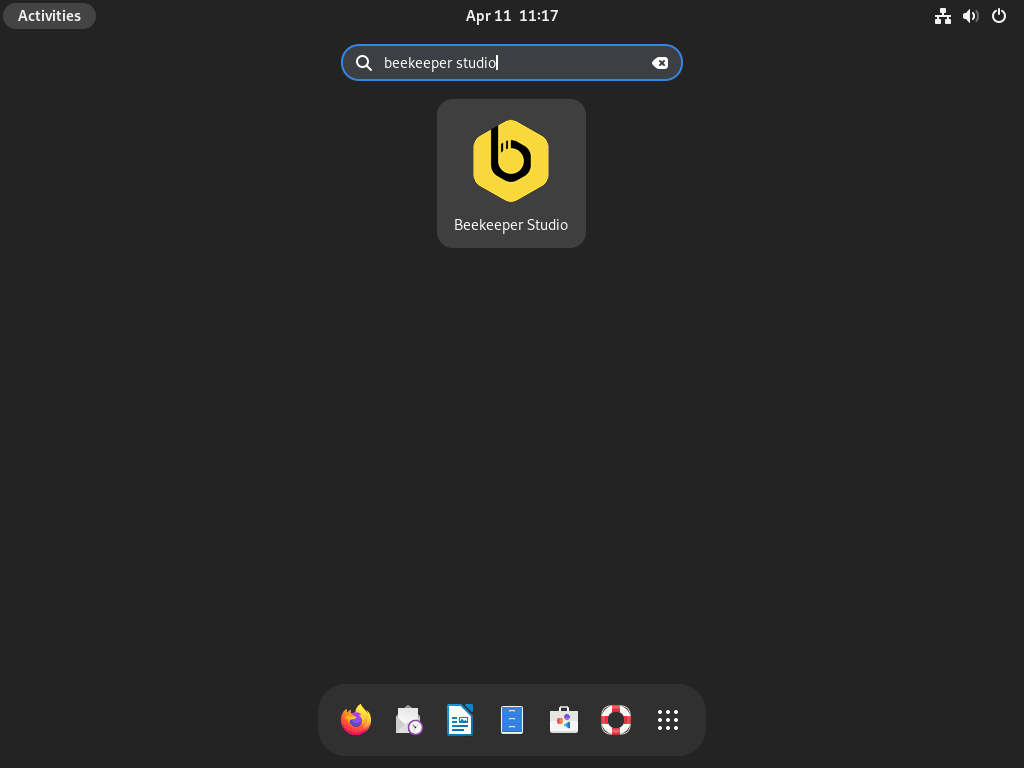
Start Beekeeper Studio from Debian’s application menu, or use these commands from a local desktop terminal. These launch commands need an active graphical session, so over plain SSH you should verify the install with apt-cache policy or flatpak info instead of trying to open the GUI.
# APT installation
beekeeper-studio

# Flatpak installation
flatpak run io.beekeeperstudio.Studio
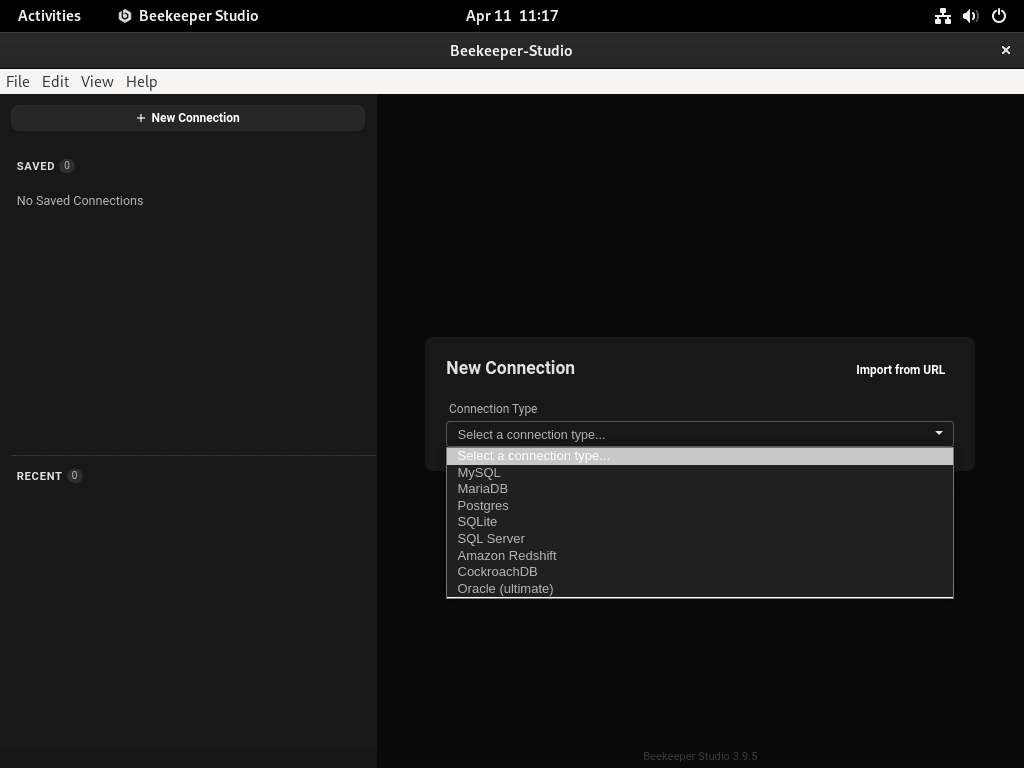
When the window opens, choose the database driver, fill in the host, port, username, and database name, then save the connection if you expect to reuse it. If the database sits behind a private network or firewall, enable Beekeeper Studio’s SSH tunnel option and point it at a host where you already install SSH and enable it on Debian.
For a quick test backend, you can install MariaDB on Debian, install MySQL 8.0 on Debian, install PostgreSQL 15 on Debian, or install SQLite on Debian and connect to it from the Beekeeper Studio start screen.
Update Beekeeper Studio on Debian
Use the update command that matches your installation method so Beekeeper Studio stays current without touching unrelated packages.
APT installations update cleanly with a targeted package upgrade.
sudo apt update && sudo apt install --only-upgrade beekeeper-studio -yIf Debian 12 or Debian 11 recreates the legacy beekeeper-studio-app.list file during a reinstall or package configure run, run the duplicate-source cleanup command before the next upgrade so the legacy source and any legacy trust entry are removed.
Flatpak installations update with the app’s Flathub ref.
sudo flatpak update io.beekeeperstudio.Studio -yTroubleshoot Beekeeper Studio on Debian
Most Debian problems with Beekeeper Studio come from duplicate APT source files on Debian 12 or 11, trying to launch the desktop app in a shell that has no graphical session, or Flatpak file access when opening local SQLite databases.
Fix Duplicate Beekeeper Repository Warnings on Debian 12 or 11
If apt update warns that Beekeeper targets are configured multiple times, the package likely created both beekeeper-studio.sources and the legacy beekeeper-studio-app.list file.
W: Target Packages (main/binary-amd64/Packages) is configured multiple times in /etc/apt/sources.list.d/beekeeper-studio-app.list:1 and /etc/apt/sources.list.d/beekeeper-studio.sources:1
Remove the legacy .list file, remove the legacy trusted key if the package added it through apt-key, then refresh APT so Debian only keeps the DEB822 source entry.
sudo rm -f /etc/apt/sources.list.d/beekeeper-studio-app.list

if command -v apt-key >/dev/null 2>&1 && sudo apt-key list 2>/dev/null | grep -q 'AD1B 460B'; then
    sudo apt-key del AD1B460B
fi

sudo apt update
List the remaining Beekeeper-related source files to confirm only the DEB822 source remains.
find /etc/apt/sources.list.d -maxdepth 1 -name '*beekeeper*' -printf '%f\n' | sortAfter cleanup, Debian should only show the DEB822 source file.
beekeeper-studio.sources
Allow the Flatpak App to Open Local SQLite Files
Beekeeper Studio can connect to SQLite database files, but the Flatpak package does not grant broad filesystem access by default. If a SQLite file outside the sandbox cannot be selected or opened, grant host filesystem access to the Beekeeper Studio Flatpak.
Granting host filesystem access is broad. Use this override only when local SQLite files need it; network database connections and SSH tunneling do not require it.
sudo flatpak override --filesystem=host io.beekeeperstudio.StudioRestart Beekeeper Studio after changing the override, then try the SQLite connection again. To remove that broad file access later, undo the override and restart the app.
sudo flatpak override --nofilesystem=host io.beekeeperstudio.StudioRun Beekeeper Studio in a Local Desktop Session on Debian
Beekeeper Studio is an Electron desktop application, so launching it from a plain SSH session or a TTY without X11 or Wayland will fail even when the package is installed correctly.
Missing X server or $DISPLAY
That error usually means the GUI was started from a shell that has no graphical session attached. Verify the install with apt-cache policy beekeeper-studio or flatpak info io.beekeeperstudio.Studio, then start the app from Debian’s desktop menu or a local graphical terminal instead.
Remove Beekeeper Studio from Debian
Removing the package or Flatpak does not automatically erase saved connections or local history. Those stay in your home directory until you delete them yourself.
Remove the APT Build of Beekeeper Studio
Remove the Debian package first, then delete the repository files, keyring, and any legacy apt-key trust entry left on older Debian releases.
sudo apt remove beekeeper-studio -ysudo rm -f /etc/apt/sources.list.d/beekeeper-studio.sources /etc/apt/sources.list.d/beekeeper-studio-app.list /usr/share/keyrings/beekeeper.gpg
if command -v apt-key >/dev/null 2>&1 && sudo apt-key list 2>/dev/null | grep -q 'AD1B 460B'; then
sudo apt-key del AD1B460B
fisudo apt update && apt-cache policy beekeeper-studioThe package should show as removed, and the repository should no longer offer a candidate version.
beekeeper-studio:
  Installed: (none)
  Candidate: (none)
  Version table:
     5.x.x -1
        100 /var/lib/dpkg/status
The remaining
/var/lib/dpkg/statusentry is normal afterapt remove. It shows the last installed package version until you purge it or reinstall it later.
Remove the Flatpak Build of Beekeeper Studio
Reset any custom Flatpak overrides first, remove the Flathub application, then confirm it no longer appears in the installed app list.
sudo flatpak override --reset io.beekeeperstudio.Studio
sudo flatpak remove io.beekeeperstudio.Studio -y
flatpak list --app | grep -F io.beekeeperstudio.Studio || echo "not installed"If the Flatpak app is gone, the check prints a simple confirmation string.
not installed
Remove Beekeeper Studio Data Directories
APT installs leave data in ~/.config/beekeeper-studio/, while Flatpak installs also use ~/.var/app/io.beekeeperstudio.Studio/. If you tested both methods, you may have both directories.
These commands permanently delete saved connections, query history, and local Beekeeper Studio preferences. Keep a copy of any connection details you still need before you remove the directories.
rm -rf ~/.config/beekeeper-studio/
rm -rf ~/.var/app/io.beekeeperstudio.Studio/
test ! -d ~/.config/beekeeper-studio && test ! -d ~/.var/app/io.beekeeperstudio.Studio && echo "Beekeeper Studio data directories removed"If both directories are gone, the cleanup check prints a success message.
Beekeeper Studio data directories removed
Conclusion
Beekeeper Studio is ready on Debian for local database work and SSH-tunneled remote sessions. If you still need a backend, install MariaDB on Debian or install PostgreSQL 15 on Debian. For remote hosts, install SSH and enable it on Debian before saving a tunneled connection.


Formatting tips for your comment
You can use basic HTML to format your comment. Useful tags currently allowed in published comments:
<code>command</code>command<strong>bold</strong><em>italic</em><a href="https://example.com">link</a><blockquote>quote</blockquote>