
Querying databases from a terminal works until you need to compare table data, save repeatable SQL, or tunnel through SSH to a remote server. You can install Beekeeper Studio on Ubuntu as a desktop SQL client for MySQL, MariaDB, PostgreSQL, SQLite, SQL Server, and other databases without turning the Ubuntu system itself into a database server.
The official APT repository is the best fit when you want a native Ubuntu package that integrates with apt updates and installs the desktop launcher. Snap and Flatpak remain useful alternatives when you prefer store-managed packages, and the official Beekeeper Studio download page also publishes direct DEB and AppImage downloads for readers checking Linux package formats.
Beekeeper Studio Community Edition is free and open source for common SQL workflows. Paid editions add commercial features and database connectors such as MongoDB and Oracle Database, so the install method and the license tier are separate decisions.
Install Beekeeper Studio on Ubuntu
Supported Ubuntu releases here are Ubuntu 26.04 (Resolute), Ubuntu 24.04 (Noble), and Ubuntu 22.04 (Jammy). The Beekeeper Studio APT repository uses a codename-neutral stable suite and publishes current amd64 and arm64 packages.
Update Ubuntu Packages
Refresh the package index before adding a new desktop application source.
sudo apt updateThese commands use
sudofor package and repository changes. If your account does not have administrator access yet, follow the guide on how to add a new user to sudoers on Ubuntu before continuing.
Apply any pending upgrades if the package manager reports them.
sudo apt upgradeChoose an Installation Method
Use one method on a system. Mixing APT, Flatpak, and Snap for the same desktop app creates duplicate launchers and makes later updates or removal harder to reason about.
| Method | Package Source | Update Path | Use When |
|---|---|---|---|
| APT repository | Beekeeper Studio repository | apt | You want the native Ubuntu package and desktop launcher. |
| Flatpak | Flathub app io.beekeeperstudio.Studio | flatpak update | You prefer a sandboxed app and already use Flathub. |
| Snap | Snapcraft package beekeeper-studio | Automatic Snap refreshes | You want a store-managed install on a standard Ubuntu desktop. |
The official download page also offers one-off DEB and AppImage files. Use those when you specifically need a direct download or standalone AppImage; the APT repository is cleaner for routine Ubuntu installs because updates stay inside the package manager.
Install Beekeeper Studio via APT Repository
The APT method uses a dedicated keyring and a DEB822 source file. Install the small tools needed to download and convert the repository signing key.
sudo apt install curl gpgDownload the Beekeeper Studio signing key with curl, then store it as a binary keyring that APT can read.
curl -fsSL https://deb.beekeeperstudio.io/beekeeper.key | sudo gpg --dearmor --yes -o /usr/share/keyrings/beekeeper.gpg
sudo chmod go+r /usr/share/keyrings/beekeeper.gpg
Create the repository source. The printf command writes the full file through sudo tee because normal shell redirection cannot write directly to /etc/apt/.
printf '%s\n' \
'Types: deb' \
'URIs: https://deb.beekeeperstudio.io' \
'Suites: stable' \
'Components: main' \
'Signed-By: /usr/share/keyrings/beekeeper.gpg' \
| sudo tee /etc/apt/sources.list.d/beekeeper-studio.sources > /dev/null
Confirm the source file before refreshing APT.
cat /etc/apt/sources.list.d/beekeeper-studio.sourcesExpected output:
Types: deb
URIs: https://deb.beekeeperstudio.io
Suites: stable
Components: main
Signed-By: /usr/share/keyrings/beekeeper.gpg
Refresh APT and install Beekeeper Studio.
sudo apt update
sudo apt install beekeeper-studio
On Ubuntu 24.04 and 22.04, the current Beekeeper Studio package can create an extra legacy source file named beekeeper-studio-app.list and add the same signing key to the old trusted keyring. Remove that package-created duplicate source after installation so the DEB822 source remains the only active Beekeeper Studio repository.
if [ -f /etc/apt/sources.list.d/beekeeper-studio-app.list ]; then
  sudo rm -f /etc/apt/sources.list.d/beekeeper-studio-app.list
  if command -v apt-key >/dev/null 2>&1 && sudo apt-key finger 2>/dev/null | grep -q 'AD1B 460B'; then
    sudo apt-key del AD1B460B
  fi
  sudo apt update
fi
Verify that APT sees Beekeeper Studio from the vendor repository.
apt-cache policy beekeeper-studioRelevant output includes:
beekeeper-studio:
  Installed: 5.6.5
  Candidate: 5.6.5
  Version table:
 *** 5.6.5 500
        500 https://deb.beekeeperstudio.io stable/main amd64 Packages
        100 /var/lib/dpkg/status
Install Beekeeper Studio via Flatpak
Flatpak is useful when you prefer a sandboxed desktop app. Ubuntu does not install Flatpak by default, so install it first or follow the full Flatpak setup guide for Ubuntu if your system does not already have Flathub configured.
sudo apt install flatpak
sudo flatpak remote-add --if-not-exists flathub https://dl.flathub.org/repo/flathub.flatpakrepo
Confirm that the flathub remote exists at system scope.
flatpak remotes --columns=name,urlExpected output:
flathub https://dl.flathub.org/repo/
Install Beekeeper Studio from Flathub.
sudo flatpak install flathub io.beekeeperstudio.Studio -yCheck the installed Flatpak metadata.
flatpak info io.beekeeperstudio.StudioRelevant output includes:
Beekeeper Studio - Database manager and SQL editor

          ID: io.beekeeperstudio.Studio
         Ref: app/io.beekeeperstudio.Studio/x86_64/stable
        Arch: x86_64
      Branch: stable
The Flathub package is convenient, but it is separate from the vendor-managed Ubuntu repository and direct download paths in the official Beekeeper Studio Linux documentation. Use APT when you need the vendor-managed Ubuntu repository.
Install Beekeeper Studio via Snap
Snap is available by default on standard Ubuntu desktop installs. Use the Snap method when you want automatic background refreshes and do not need full host integration.
sudo snap install beekeeper-studioVerify the installed Snap package.
snap list beekeeper-studioExpected output:
Name              Version  Rev  Tracking       Publisher               Notes
beekeeper-studio  5.6.5    480  latest/stable  matthew-rathbone        -
If you use SSH tunnels with key files, connect the Snap ssh-keys interface after installation.
sudo snap connect beekeeper-studio:ssh-keys :ssh-keysSnap confinement does not expose your SSH agent to Beekeeper Studio. Use the APT or Flatpak method if your workflow depends on agent-based SSH authentication for database tunnels.
Launch Beekeeper Studio
Launch the package with the command that matches your installation method.
# APT package
beekeeper-studio

# Flatpak package
flatpak run io.beekeeperstudio.Studio

# Snap package
snap run beekeeper-studio
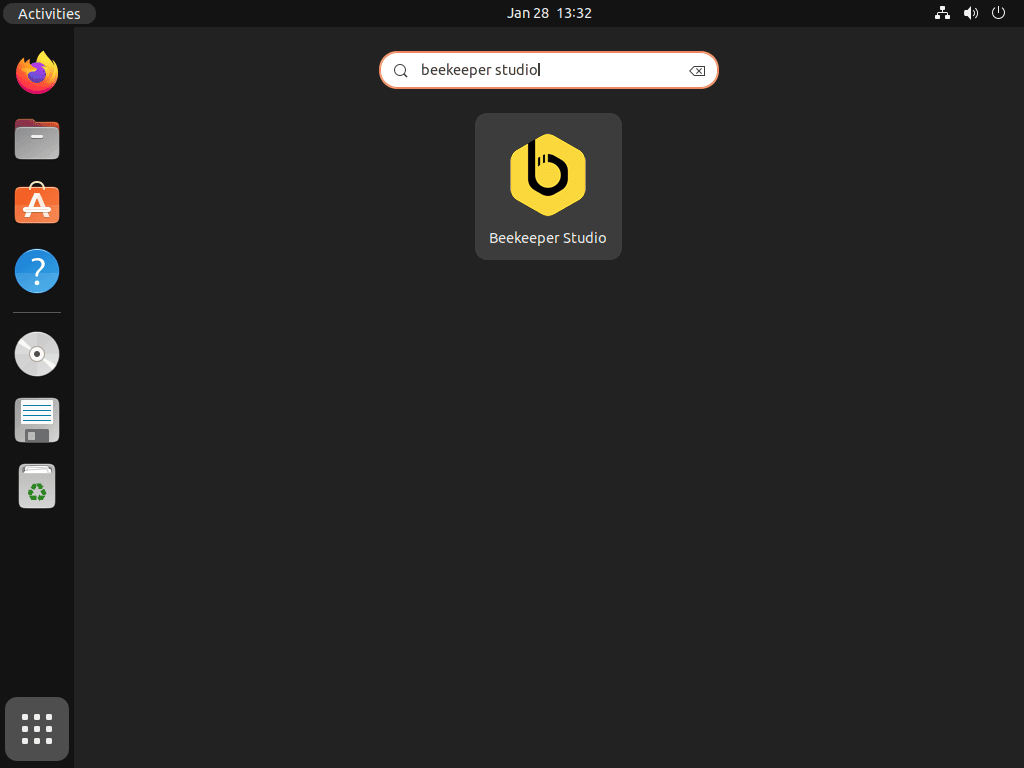
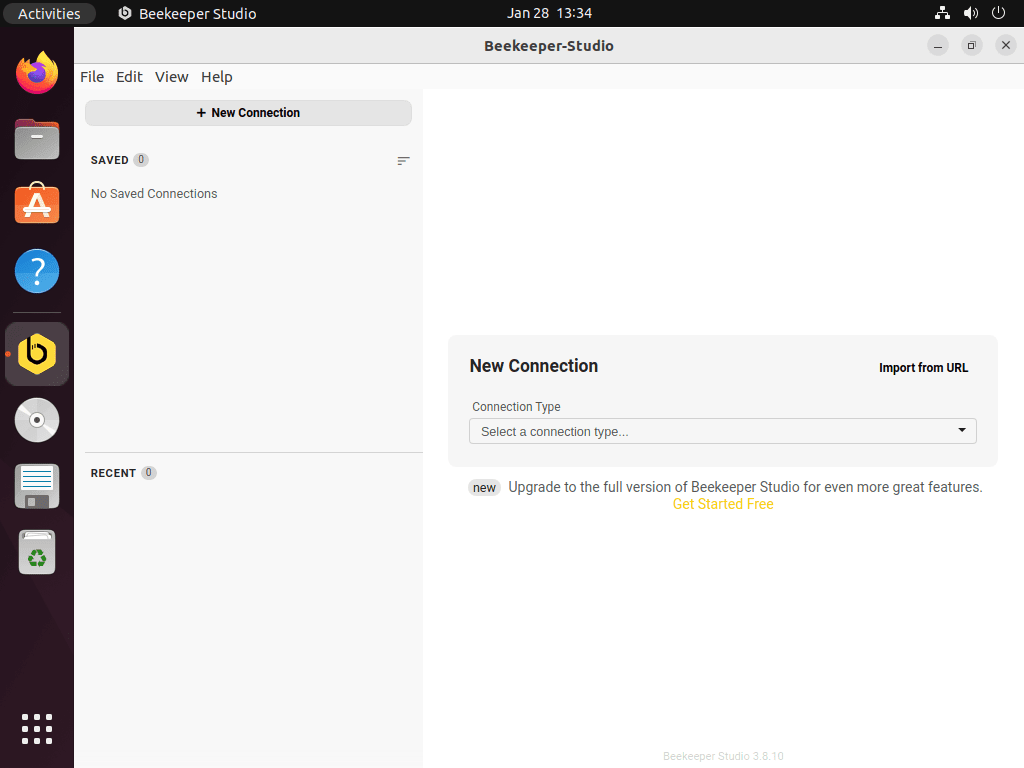
You can also open the Activities overview, choose Show Applications, and select Beekeeper Studio from the application grid.
First-Time Beekeeper Studio Setup
Connect to Local Databases
Beekeeper Studio is a client, not a database server. If you still need a local test database, use the Ubuntu guides to install MySQL 8.4 on Ubuntu, install MariaDB on Ubuntu, install PostgreSQL 17 on Ubuntu, or install SQLite on Ubuntu.
For local connections, start with the default host and port for the database engine you installed.
- MySQL or MariaDB:
localhoston port3306 - PostgreSQL:
localhoston port5432 - SQLite: browse to the local
.dbor.sqlitefile
Use SSH Tunnels for Remote Databases
For remote databases that are reachable only through a bastion host, enable SSH Tunnel in the connection settings and enter the SSH host, user, key, and database endpoint. Beekeeper Studio opens the tunnel first, then connects to the database through that encrypted path.
If the SSH login fails outside Beekeeper Studio, troubleshoot that first from the terminal.
ssh -v user@hostnamePrivate SSH keys must not be group-readable or world-readable. The chmod command guide explains the permission modes if you need more background.
chmod 600 ~/.ssh/id_rsa
chmod 644 ~/.ssh/id_rsa.pub
Community Edition and Paid Features
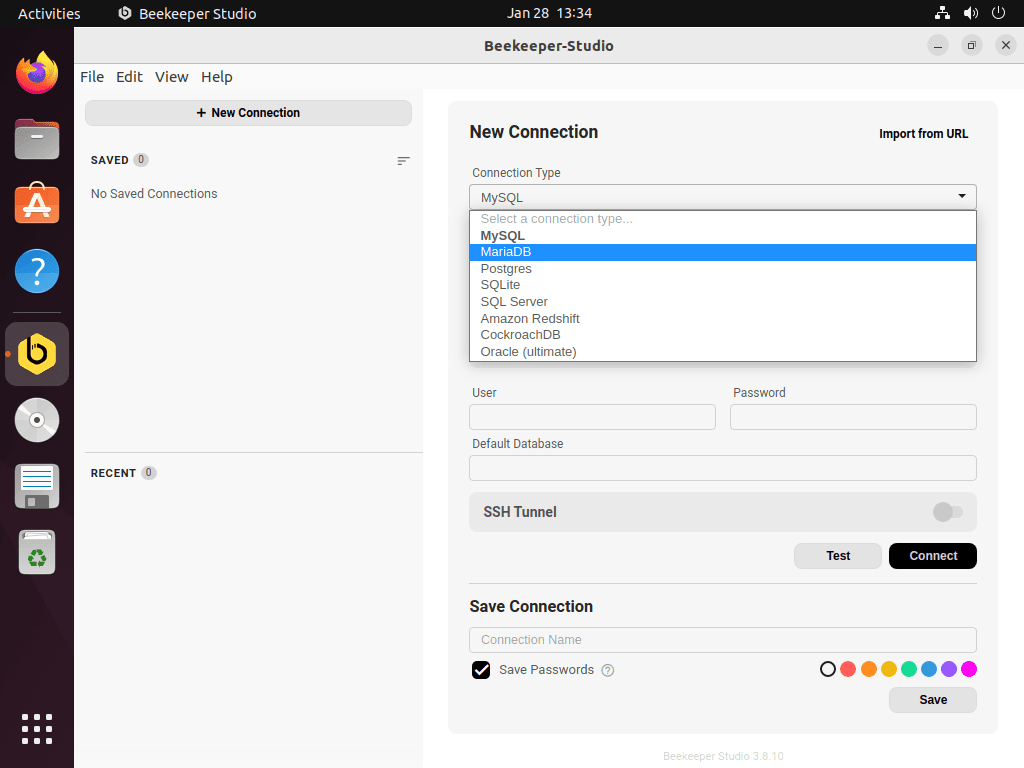
The free Community Edition covers common relational database work, including PostgreSQL, MySQL, MariaDB, SQLite, SQL Server, Redshift, CockroachDB, and TiDB connections. Beekeeper Studio’s paid editions add commercial features and additional database support such as MongoDB, Oracle Database, Cassandra, Trino, and Presto.
Use the Beekeeper Studio pricing page before buying a license, especially if you need a connector that is not part of the free Community Edition. Install from the official APT repository, Snapcraft, Flathub, or upstream downloads rather than third-party repacks.
Query Shortcuts and Export Options
After you connect, Beekeeper Studio exposes common editor shortcuts directly in the SQL editor.
Ctrl+Space: trigger autocompleteCtrl+Enter: execute the current queryCtrl+Shift+Enter: execute all queries in the editorCtrl+A: select all result rows
Use the History panel for previous queries and the result-grid export menu for CSV, JSON, or SQL output when you need to move query results into another tool.
Update or Remove Beekeeper Studio
Update Beekeeper Studio
Update Beekeeper Studio with the package manager that installed it.
APT repository:
sudo apt update && sudo apt install --only-upgrade beekeeper-studioIf an APT upgrade on Ubuntu 24.04 or 22.04 recreates the package’s legacy source file, remove it again so the DEB822 source remains authoritative.
if [ -f /etc/apt/sources.list.d/beekeeper-studio-app.list ]; then
  sudo rm -f /etc/apt/sources.list.d/beekeeper-studio-app.list
  if command -v apt-key >/dev/null 2>&1 && sudo apt-key finger 2>/dev/null | grep -q 'AD1B 460B'; then
    sudo apt-key del AD1B460B
  fi
  sudo apt update
fi
Flatpak:
sudo flatpak update io.beekeeperstudio.Studio -ySnap:
sudo snap refresh beekeeper-studioRemove Beekeeper Studio
Use the matching removal command for your installation method.
APT repository:
sudo apt remove --purge beekeeper-studio
sudo rm -f /etc/apt/sources.list.d/beekeeper-studio.sources
sudo rm -f /etc/apt/sources.list.d/beekeeper-studio-app.list
sudo rm -f /usr/share/keyrings/beekeeper.gpg

if command -v apt-key >/dev/null 2>&1 && sudo apt-key finger 2>/dev/null | grep -q 'AD1B 460B'; then
  sudo apt-key del AD1B460B
fi

sudo apt update
Flatpak:
sudo flatpak remove io.beekeeperstudio.Studio -ySnap:
sudo snap remove --purge beekeeper-studioBeekeeper Studio user data is separate from the package. Check
~/.config/beekeeper-studio/for the APT package,~/.var/app/io.beekeeperstudio.Studio/for Flatpak, and~/snap/beekeeper-studio/for Snap before deleting saved connections, query history, or preferences.
Troubleshoot Beekeeper Studio on Ubuntu
Fix Repository Key or Source Errors
If sudo apt update reports NO_PUBKEY or still warns about the legacy trusted keyring, recreate the dedicated keyring and remove the package-created legacy source.
sudo rm -f /usr/share/keyrings/beekeeper.gpg
curl -fsSL https://deb.beekeeperstudio.io/beekeeper.key | sudo gpg --dearmor --yes -o /usr/share/keyrings/beekeeper.gpg
sudo chmod go+r /usr/share/keyrings/beekeeper.gpg

sudo rm -f /etc/apt/sources.list.d/beekeeper-studio-app.list
if command -v apt-key >/dev/null 2>&1 && sudo apt-key finger 2>/dev/null | grep -q 'AD1B 460B'; then
  sudo apt-key del AD1B460B
fi

sudo apt update
Fix Connection Failures
When Beekeeper Studio cannot connect to a local database, confirm that the database service is running before changing Beekeeper Studio settings.
sudo systemctl status mysql
sudo systemctl status mariadb
sudo systemctl status postgresql
Only one of those services may exist on your system. A missing unit means that database engine is not installed through Ubuntu packages.
Use Native Wayland Mode
Ubuntu 26.04 and 24.04 use Wayland by default in standard GNOME sessions. If Beekeeper Studio looks blurry with fractional scaling, create the Beekeeper Studio flags file and restart the app.
mkdir -p ~/.config
printf '%s\n' \
'--ozone-platform-hint=auto' \
'--enable-features=UseOzonePlatform' \
> ~/.config/bks-flags.conf
If native Wayland mode causes rendering problems, delete
~/.config/bks-flags.confand restart Beekeeper Studio to return to the default launch behavior.
rm -f ~/.config/bks-flags.confConclusion
Beekeeper Studio is installed on Ubuntu with the package source that matches your update model: APT for the native vendor repository, Flatpak for a sandboxed Flathub app, or Snap for store-managed refreshes. From there, connect to a local database, add an SSH tunnel for remote hosts, and keep the app updated through the same manager you used to install it.


Formatting tips for your comment
You can use basic HTML to format your comment. Useful tags currently allowed in published comments:
<code>command</code>command<strong>bold</strong><em>italic</em><a href="https://example.com">link</a><blockquote>quote</blockquote>