
Debian gives KeePassXC users a clean default APT package, while Flathub, a third-party APT repository, and a source build cover readers who need a newer desktop build or custom compile path. To install KeePassXC on Debian, start with the Debian package unless you specifically need Flathub’s upstream-maintained release, accept the trust trade-off of an external repository, or want to compile KeePassXC from the official source tarball.
If you searched for KeePass on Debian, the package covered here is KeePassXC: the Debian package and terminal command are both named keepassxc. Debian also offers a separate keepass2 package, so use keepassxc when you want this KeePassXC desktop application.
Install KeePassXC on Debian
Choose the KeePassXC Installation Method
The package source changes version freshness, update ownership, browser integration behavior, command names, and cleanup. Use one normal install method for the same user account unless you deliberately want separate APT, Flatpak, or source-built copies.
| Method | Source or Channel | Update Behavior | Best For | Trade-offs |
|---|---|---|---|---|
| Debian APT package | Debian main repository | Updates with normal APT upgrades | Most Debian desktops that prefer distro-managed packages | Version depends on Debian release; Debian 13 splits full and minimal packages |
| NotesAlexp APT repository | Third-party APT repository | Updates through APT after the source is added | Debian 12 or 11 users who want a newer package than the Debian archive provides | Unofficial source, amd64/i386 only, and not useful on Debian 13 for normal installs |
| Flatpak | Flathub | Updates with Flatpak | Users who want Flathub’s current KeePassXC app without adding an APT source | Requires Flatpak and Flathub; Flathub marks the app verified but potentially unsafe because of broad desktop permissions |
| Source build | Official KeePassXC source tarball | Rebuild with the helper when a new release is selected | Advanced users who need a custom or source-built release | Long build time, many development packages, and no Debian security update ownership |
The Debian package is the recommended default because Debian owns dependency resolution, security updates, and removal. Use Flatpak when you want the current upstream desktop app, use NotesAlexp only when the Debian 12 or 11 package is too old for a feature you need, and reserve source builds for users who are prepared to rebuild and troubleshoot compiler output.
Upstream also publishes AppImage downloads on the official KeePassXC download page. AppImage is a portable artifact rather than a Debian package, so treat it as an upstream portable download rather than a Debian-managed install method. The source-build method uses the official source tarball with a managed prefix, command links, update helper, and exact cleanup path.
Check Debian Package Versions
Debian 13, 12, and 11 currently publish these KeePassXC packages:
| Debian Release | Default Package | Version | Package Note |
|---|---|---|---|
| Debian 13 (Trixie) | keepassxc | 2.7.10 | Transitional package that installs keepassxc-full by default; keepassxc-minimal is available for a reduced feature set |
| Debian 12 (Bookworm) | keepassxc | 2.7.4 | Single Debian package from the main repository |
| Debian 11 (Bullseye) | keepassxc | 2.6.2 | Older LTS-era package from the main repository |
Debian 13 users who do not need browser integration, SSH agent support, Freedesktop secret storage, or networking-related features can install keepassxc-minimal instead of the default full package.
Update the APT Package Index
Refresh APT before installing KeePassXC so Debian uses the current package metadata from enabled sources:
sudo apt updateInstall KeePassXC from the Debian Repository
Install the standard Debian package with APT:
sudo apt install keepassxcOn Debian 13, that command installs the full feature package through the transitional keepassxc package. If you intentionally want the reduced Debian 13 package, install it directly instead:
sudo apt install keepassxc-minimalVerify the installed package version without launching the desktop application:
dpkg-query -W -f='${binary:Package} ${Version}\n' keepassxcThe package version should match the Debian release or package source you installed. Debian 13 users who installed the reduced package can replace keepassxc with keepassxc-minimal.
Install KeePassXC from the NotesAlexp Repository
The NotesAlexp repository is an unofficial APT source maintained outside Debian. Current metadata provides KeePassXC 2.7.10 for Debian 12 and 2.7.6 for Debian 11 on amd64 and i386. Debian 13 already has KeePassXC 2.7.10 in the Debian repository, so most Trixie users should skip this method.
Install the tools needed to download the signing key and refresh HTTPS package sources. The key command uses the curl command to fetch the repository key:
sudo apt install curl gpg ca-certificatesDownload the repository signing key and store it as an APT keyring:
curl -fsSL https://notesalexp.org/debian/alexp_key.asc | sudo gpg --dearmor --yes -o /usr/share/keyrings/alexp_key.gpgCreate a DEB822 source file only when the release and architecture match the repository. If the block reports an unsupported release or architecture, stop this method and use the Debian package or Flatpak instead:
. /etc/os-release
arch=$(dpkg --print-architecture)

case "$VERSION_CODENAME" in
trixie | bookworm | bullseye) supported_release=yes ;;
*) supported_release=no ;;
esac

case "$arch" in
amd64 | i386) supported_arch=yes ;;
*) supported_arch=no ;;
esac

if [ "$supported_release" = yes ] && [ "$supported_arch" = yes ]; then
  printf '%s\n' \
    'Types: deb' \
    "URIs: https://notesalexp.org/debian/$VERSION_CODENAME/" \
    "Suites: $VERSION_CODENAME" \
    'Components: main' \
    "Architectures: $arch" \
    'Signed-By: /usr/share/keyrings/alexp_key.gpg' | sudo tee /etc/apt/sources.list.d/alexp.sources >/dev/null
else
  printf 'NotesAlexp does not publish this KeePassXC source for %s on %s.\n' "$VERSION_CODENAME" "$arch"
  false
fi
Refresh APT so it reads the new source:
sudo apt updateConfirm that APT sees the NotesAlexp package candidate before installing:
apt-cache policy keepassxcOn Debian 12, the relevant lines should resemble this pattern:
keepassxc:
  Installed: (none)
  Candidate: 2.7.10-1.1
  Version table:
     2.7.10-1.1 500
        500 https://notesalexp.org/debian/bookworm bookworm/main amd64 Packages
Install KeePassXC after the candidate points to the intended source:
sudo apt install keepassxcVerify the installed package version without launching the desktop application:
dpkg-query -W -f='${binary:Package} ${Version}\n' keepassxcInstall KeePassXC with Flatpak
Flatpak is the current upstream-recommended Linux desktop package for KeePassXC and tracks the Flathub app instead of Debian’s APT package. Use this method when you want Flathub’s current release and are comfortable managing the app through Flatpak.
If Flatpak or Flathub is not configured yet, set it up first with the Flatpak installation guide for Debian. Then install the KeePassXC app from Flathub:
sudo flatpak install flathub org.keepassxc.KeePassXCVerify the Flatpak app metadata:
flatpak info org.keepassxc.KeePassXCLaunch the Flatpak build from the terminal when needed:
flatpak run org.keepassxc.KeePassXCFlathub marks the KeePassXC listing as verified, but it also labels the app potentially unsafe because the desktop app needs broad permissions for features such as file access, browser integration, and security-token workflows. Treat Flatpak here as a packaging and update choice, not as a reason to assume narrower desktop access.
Build KeePassXC from Source
The source-build method compiles the official KeePassXC 2.7.12 source tarball into a managed prefix at /opt/keepassxc-source/2.7.12. It follows the upstream KeePassXC build workflow and Linux build-environment dependency list. Debian 13 uses libbotan-3-dev, while Debian 12 and 11 use libbotan-2-dev because the KeePassXC 2.7.12 CMake checks still accept Botan 2.11 or newer.
This method is intentionally separate from the normal keepassxc command. The helper creates keepassxc-source and keepassxc-cli-source command links, plus a KeePassXC Source Build desktop launcher, so the source build can coexist with the Debian package or Flatpak app.
Create the Source Build Helper
Create a root-owned helper that downloads the source tarball, verifies the official SHA-256 digest, builds with upstream’s full feature flag set, installs into a versioned prefix, and updates the command links only after the build succeeds:
sudo tee /usr/local/sbin/keepassxc-source-install >/dev/null <<'KEEPASSXC_HELPER'
#!/usr/bin/env bash
set -euo pipefail

version=${KEEPASSXC_VERSION:-2.7.12}
install_root=${KEEPASSXC_INSTALL_ROOT:-/opt/keepassxc-source}
prefix="$install_root/$version"
current="$install_root/current"
jobs=${KEEPASSXC_BUILD_JOBS:-$(nproc)}
force=${KEEPASSXC_FORCE:-0}
base_url="https://github.com/keepassxreboot/keepassxc/releases/download/$version"
archive="keepassxc-$version-src.tar.xz"
work_parent=${TMPDIR:-/var/tmp}
workdir=$(mktemp -d -p "$work_parent" "keepassxc-source-$version.XXXXXX")

cleanup() {
  rm -rf "$workdir"
}
trap cleanup EXIT

if [ "$(id -u)" -ne 0 ]; then
  printf 'Run this helper with sudo.\n' >&2
  exit 1
fi

install_links() {
  install -d -m 0755 /usr/local/bin /usr/local/share/applications

  if [ -e "$current" ] && [ ! -L "$current" ]; then
    printf '%s exists and is not a symlink; stop before changing it.\n' "$current" >&2
    exit 1
  fi

  ln -sfn "$prefix" "$current"

  for pair in \
    "$current/bin/keepassxc:/usr/local/bin/keepassxc-source" \
    "$current/bin/keepassxc-cli:/usr/local/bin/keepassxc-cli-source"; do
    target=${pair%%:*}
    link=${pair##*:}

    if [ ! -x "$target" ]; then
      printf 'Expected executable is missing: %s\n' "$target" >&2
      exit 1
    fi

    if [ -e "$link" ] && [ ! -L "$link" ]; then
      printf '%s exists and is not a symlink; stop before changing it.\n' "$link" >&2
      exit 1
    fi

    ln -sfn "$target" "$link"
  done

  cat > /usr/local/share/applications/keepassxc-source.desktop <<DESKTOP
[Desktop Entry]
Name=KeePassXC Source Build
GenericName=Password Manager
Exec=/usr/local/bin/keepassxc-source %f
Icon=$current/share/icons/hicolor/scalable/apps/keepassxc.svg
Terminal=false
Type=Application
Categories=Utility;Security;Qt;
MimeType=application/x-keepass2;
DESKTOP

  if command -v update-desktop-database >/dev/null 2>&1; then
    update-desktop-database /usr/local/share/applications >/dev/null 2>&1 || true
  fi
}

if [ -x "$prefix/bin/keepassxc" ] && [ "$force" != 1 ]; then
  install_links
  printf 'KeePassXC source build %s is already installed.\n' "$version"
  printf 'Command: /usr/local/bin/keepassxc-source\n'
  printf 'CLI: /usr/local/bin/keepassxc-cli-source\n'
  "$prefix/bin/keepassxc-cli" --version
  exit 0
fi

. /etc/os-release
if [ "${ID:-}" != debian ]; then
  printf 'This helper is intended for Debian systems.\n' >&2
  exit 1
fi

case "${VERSION_CODENAME:-}" in
trixie | bookworm | bullseye) ;;
*)
  printf 'Unsupported Debian release for this helper: %s\n' "${VERSION_CODENAME:-unknown}" >&2
  exit 1
  ;;
esac

botan_pkg=libbotan-3-dev
if ! apt-cache show "$botan_pkg" >/dev/null 2>&1; then
  botan_pkg=libbotan-2-dev
fi
if ! apt-cache show "$botan_pkg" >/dev/null 2>&1; then
  printf 'No supported Botan development package was found.\n' >&2
  exit 1
fi

apt-get update
DEBIAN_FRONTEND=noninteractive apt-get install -y \
  build-essential cmake g++ asciidoctor curl ca-certificates xz-utils pkg-config \
  qtbase5-dev qtbase5-private-dev qttools5-dev qttools5-dev-tools \
  libqt5svg5-dev libargon2-dev libminizip-dev "$botan_pkg" libqrencode-dev \
  libkeyutils-dev zlib1g-dev libreadline-dev libpcsclite-dev libusb-1.0-0-dev \
  libxi-dev libxtst-dev libqt5x11extras5-dev

cd "$workdir"
curl -fL --retry 3 -o "$archive" "$base_url/$archive"
curl -fL --retry 3 -o "$archive.DIGEST" "$base_url/$archive.DIGEST"
sha256sum -c "$archive.DIGEST"
tar -xf "$archive"

src_dir="$workdir/keepassxc-$version"
cmake -S "$src_dir" -B "$src_dir/build" \
  -DCMAKE_BUILD_TYPE=Release \
  -DCMAKE_INSTALL_PREFIX="$prefix" \
  -DWITH_XC_ALL=ON \
  -DWITH_TESTS=OFF
cmake --build "$src_dir/build" --parallel "$jobs"
cmake --install "$src_dir/build"

install_links
printf 'Installed KeePassXC source build %s.\n' "$version"
printf 'Command: /usr/local/bin/keepassxc-source\n'
printf 'CLI: /usr/local/bin/keepassxc-cli-source\n'
"$prefix/bin/keepassxc-cli" --version
KEEPASSXC_HELPER

sudo chmod 0755 /usr/local/sbin/keepassxc-source-install
The helper keeps build dependencies installed because those packages are general development tools and libraries that other source builds may share. It removes only its temporary build directory after each run.
Run the Source Build Helper
Build and install the selected release. Leave KEEPASSXC_BUILD_JOBS unset to use all CPU cores, or set a lower number on small systems:
sudo KEEPASSXC_BUILD_JOBS=2 /usr/local/sbin/keepassxc-source-installThe source archive check should print an OK line before the compile starts:
keepassxc-2.7.12-src.tar.xz: OK
A successful install ends with output like this:
Installed KeePassXC source build 2.7.12.
Command: /usr/local/bin/keepassxc-source
CLI: /usr/local/bin/keepassxc-cli-source
2.7.12
Verify the Source Build
Use the source-built CLI binary for a headless version check:
keepassxc-cli-source --version2.7.12
Confirm that the graphical command link points into the managed prefix:
readlink -f /usr/local/bin/keepassxc-source/opt/keepassxc-source/2.7.12/bin/keepassxc
KeePassXC also publishes PGP signatures for release artifacts. The helper performs the official SHA-256 digest check; use KeePassXC’s release signature verification instructions before building if your workflow requires PGP authenticity checks as well.
Launch KeePassXC on Debian
Launch from the Terminal
APT and NotesAlexp installations provide the normal keepassxc command:
keepassxcFlatpak installations use the Flatpak app ID instead:
flatpak run org.keepassxc.KeePassXCSource builds created by the helper use the separate command link:
keepassxc-sourceLaunch from the Desktop Menu
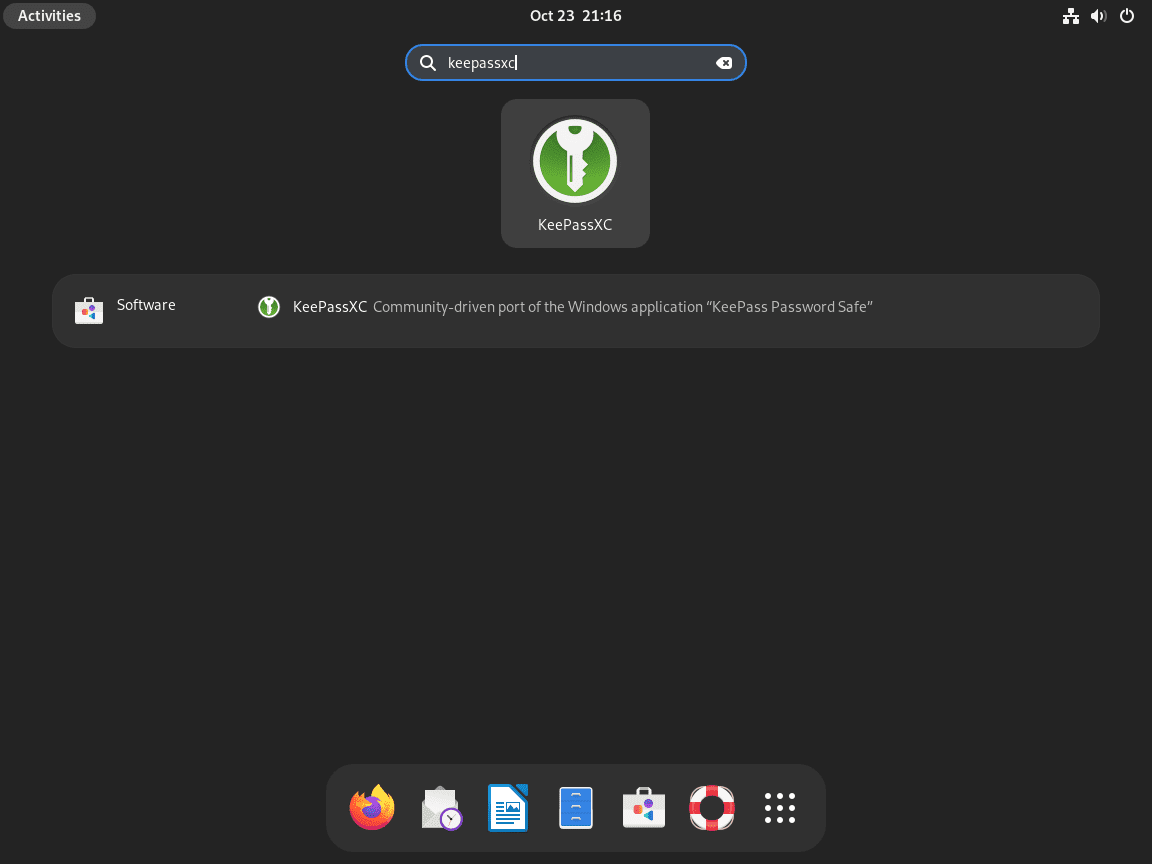
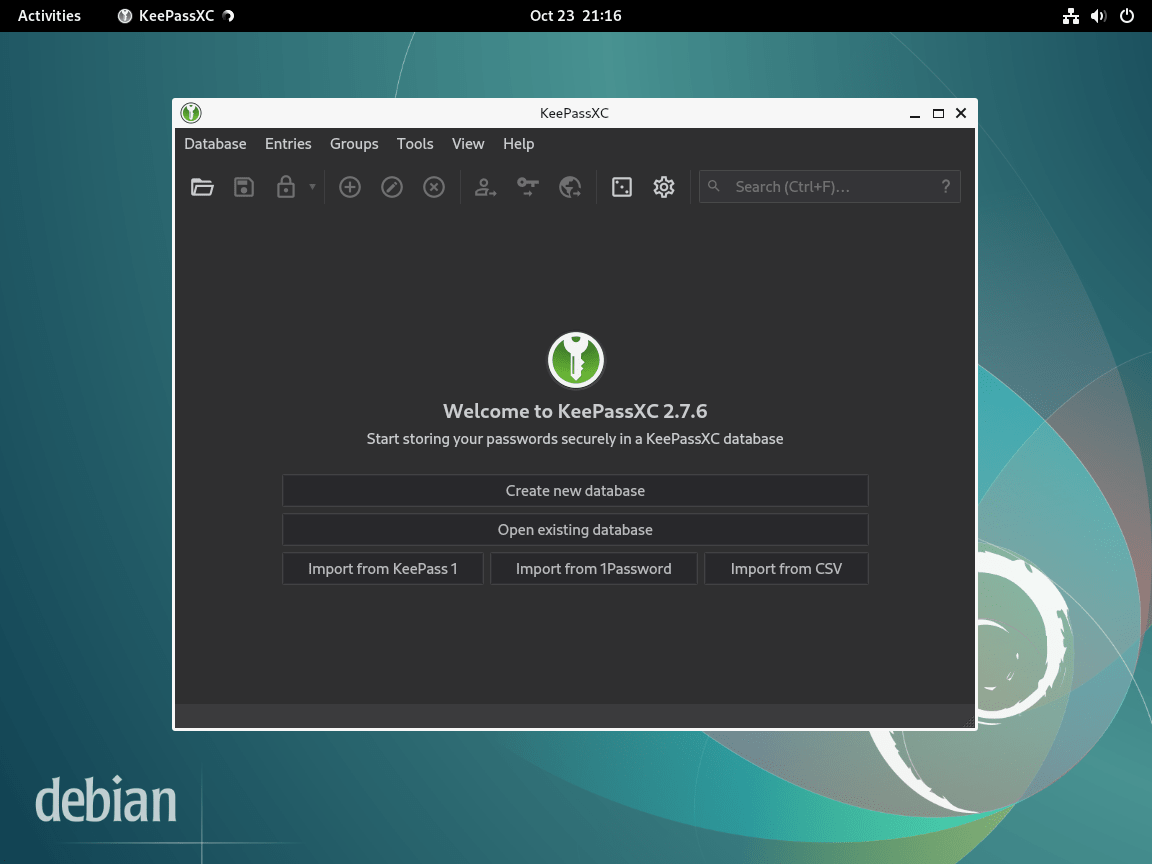
On GNOME, open the application overview and search for KeePassXC. Other Debian desktop environments place the launcher in their application menu after the desktop database refreshes. Source builds installed by the helper appear as KeePassXC Source Build.
Manage KeePassXC on Debian
Update KeePassXC
APT installations update through the enabled Debian or NotesAlexp package source. Use the normal system upgrade path so dependencies and release-specific package splits are handled together:
sudo apt update
sudo apt upgrade
Flatpak installations update through Flatpak:
sudo flatpak update org.keepassxc.KeePassXCSource builds update by rerunning the helper with the release you want to build. Replace 2.7.12 when KeePassXC publishes a newer stable source release:
sudo KEEPASSXC_VERSION=2.7.12 /usr/local/sbin/keepassxc-source-installWhen the requested version is already installed, the helper refreshes the command links and exits without rebuilding:
KeePassXC source build 2.7.12 is already installed.
Command: /usr/local/bin/keepassxc-source
CLI: /usr/local/bin/keepassxc-cli-source
2.7.12
Remove KeePassXC
Remove the Debian or NotesAlexp package with APT:
sudo apt remove keepassxcIf you installed the reduced Debian 13 package directly, remove that package instead:
sudo apt remove keepassxc-minimalReview dependency cleanup separately after the package removal finishes:
sudo apt autoremoveIf you added the NotesAlexp repository only for KeePassXC and do not use it for other packages, remove the source, refresh APT, and remove the keyring only after checking that no other APT source still references it:
sudo rm -f /etc/apt/sources.list.d/alexp.sources
sudo apt update

source_paths=()
[ -f /etc/apt/sources.list ] && source_paths+=(/etc/apt/sources.list)
if [ -d /etc/apt/sources.list.d ]; then
  while IFS= read -r -d '' file; do
    source_paths+=("$file")
  done < <(find /etc/apt/sources.list.d -maxdepth 1 -type f -print0)
fi

if [ "${#source_paths[@]}" -eq 0 ]; then
  sudo rm -f /usr/share/keyrings/alexp_key.gpg
elif grep -Fq '/usr/share/keyrings/alexp_key.gpg' "${source_paths[@]}"; then
  printf 'Another APT source still references /usr/share/keyrings/alexp_key.gpg; keep the keyring.\n'
else
  status=$?
  if [ "$status" -eq 1 ]; then
    sudo rm -f /usr/share/keyrings/alexp_key.gpg
  else
    printf 'Could not inspect APT sources safely; keep /usr/share/keyrings/alexp_key.gpg for now.\n' >&2
  fi
fi
Remove the Flatpak app with Flatpak:
sudo flatpak uninstall org.keepassxc.KeePassXCAfterward, review unused Flatpak runtimes separately because the prompt can include runtimes shared with other applications:
sudo flatpak uninstall --unusedRemove the source build helper, command links, desktop launcher, and managed install prefix with these exact paths:
sudo rm -f \
  /usr/local/bin/keepassxc-source \
  /usr/local/bin/keepassxc-cli-source \
  /usr/local/share/applications/keepassxc-source.desktop \
  /usr/local/sbin/keepassxc-source-install

sudo rm -rf /opt/keepassxc-source
Do not remove build dependencies as part of KeePassXC cleanup unless you know those development packages are not used for any other local source builds.
Removing the application does not delete your password databases. KeePassXC database files use the
.kdbxextension and remain wherever you saved them, so back them up before cleaning old documents, sync folders, or KeePassXC profile data.
Troubleshoot KeePassXC on Debian
Package Has No Installation Candidate
The error Package 'keepassxc' has no installation candidate usually means APT has stale metadata, the Debian main repository is missing, or the system is using an unsupported or damaged source configuration.
sudo apt update
apt-cache policy keepassxc
A normal Debian 13, 12, or 11 system should show a candidate from the Debian repository. If the candidate remains (none), check your active Debian sources before adding third-party repositories.
Browser Integration Cannot Connect
First install the KeePassXC browser extension in your browser, unlock your database, and enable browser integration in KeePassXC from Tools > Settings > Browser Integration. For Flatpak or Snap packaged browsers, native messaging can be limited; KeePassXC’s documentation notes that Flatpak and Snap based browsers are generally not supported on Linux, with Ubuntu’s Firefox Snap as the known exception.
Use the upstream KeePassXC browser integration documentation when the extension still cannot connect after the setting is enabled.
Hardware Key or Smart Card Is Not Detected
KeePassXC uses PC/SC services for many hardware-token workflows. Install and start the PC/SC daemon before troubleshooting the device in KeePassXC:
sudo apt install pcscd
sudo systemctl enable --now pcscd
systemctl is-active pcscd
The service check should return:
active
If the device still does not appear, reconnect it, test another USB port, and confirm that the device works with the vendor’s own management tool before changing KeePassXC settings.
Source Build Fails
If the source build fails before installation, the helper exits before moving the /opt/keepassxc-source/current symlink. First rerun with one build job on low-memory systems:
sudo KEEPASSXC_BUILD_JOBS=1 KEEPASSXC_FORCE=1 /usr/local/sbin/keepassxc-source-installIf CMake reports a Botan dependency problem, check which Botan development package your Debian release provides:
apt-cache policy libbotan-3-dev libbotan-2-devDebian 13 should show libbotan-3-dev; Debian 12 and 11 should show libbotan-2-dev. If neither package is available, use the Debian package or Flatpak method instead of mixing unrelated third-party build dependencies into the source build.
Conclusion
KeePassXC is installed from a source that matches your Debian workflow: Debian APT for the clean default path, NotesAlexp for a newer package on older releases, Flathub for the current upstream desktop app, or the source-build helper for a compiled release under a managed prefix. After launch, create or open a .kdbx database, enable browser integration only where native messaging is supported, and keep database backups separate from application removal.


Formatting tips for your comment
You can use basic HTML to format your comment. Useful tags currently allowed in published comments:
<code>command</code>command<strong>bold</strong><em>italic</em><blockquote>quote</blockquote>