
Firefox Developer Edition gives Ubuntu users a separate Beta-channel browser for layout debugging, Web API testing, and checking upcoming Firefox behavior without replacing stable Firefox. Use Mozilla’s official repository for Ubuntu’s APT package manager to install Firefox Developer Edition on Ubuntu so updates arrive through APT instead of a manually maintained tarball.
Mozilla packages the browser as firefox-devedition, with its own binary, desktop launcher, and profile directory. The same repository commands work on Ubuntu 26.04 LTS, 24.04 LTS, and 22.04 LTS; this is not a Launchpad Personal Package Archive (PPA), and the Firefox Snap does not provide a separate Developer Edition package.
Install Firefox Developer Edition on Ubuntu
Update Ubuntu System Packages
Synchronize your local package index and upgrade any outdated packages before adding external repositories, which reduces the chance of dependency conflicts during installation:
sudo apt update && sudo apt upgradeIf your account lacks sudo privileges, see our guide on adding a user to sudoers on Ubuntu before proceeding.
Install the tools needed to fetch and verify Mozilla’s signing key. These packages are present on most Ubuntu installations but may be missing from minimal or container environments:
sudo apt install curl ca-certificates gpg -yImport Mozilla GPG Key
APT uses GPG signatures to verify packages come from their claimed source and have not been tampered with. Create the standard keyrings directory, then use curl to download Mozilla’s public signing key through sudo tee:
sudo install -d -m 0755 /etc/apt/keyringscurl -fsSL https://packages.mozilla.org/apt/repo-signing-key.gpg | sudo tee /etc/apt/keyrings/packages.mozilla.org.asc > /dev/nullVerify the key fingerprint matches Mozilla’s published value. The awk command strips whitespace from GPG’s verbose output to print just the fingerprint hash:
gpg -n -q --import --import-options import-show /etc/apt/keyrings/packages.mozilla.org.asc | awk '/pub/{getline; gsub(/^ +| +$/,""); print}'Expected output:
35BAA0B33E9EB396F59CA838C0BA5CE6DC6315A3
If the fingerprint does not match, delete the downloaded file with sudo rm /etc/apt/keyrings/packages.mozilla.org.asc and re-download before continuing. A mismatched fingerprint can indicate a corrupted download or a man-in-the-middle attack.
Add Mozilla APT Repository
Create the repository configuration file in DEB822 format. The Signed-By field restricts this key to packages from this repository only, which is more secure than adding it to the global trusted keyring:
printf '%s\n' \
'Types: deb' \
'URIs: https://packages.mozilla.org/apt' \
'Suites: mozilla' \
'Components: main' \
'Signed-By: /etc/apt/keyrings/packages.mozilla.org.asc' \
| sudo tee /etc/apt/sources.list.d/mozilla.sources > /dev/null
Refresh the package index to pull metadata from the new repository:
sudo apt updateThe output should include a line confirming APT contacted the Mozilla repository:
Get:X https://packages.mozilla.org/apt mozilla InRelease
Configure APT Priority for Firefox
Ubuntu’s repositories include a firefox stub package that reinstalls the Snap version, and without explicit priority rules APT may prefer that stub if you later install regular Firefox from Mozilla’s repository. Mozilla recommends pinning packages from packages.mozilla.org at priority 1000:
printf '%s\n' \
'Package: *' \
'Pin: origin packages.mozilla.org' \
'Pin-Priority: 1000' \
| sudo tee /etc/apt/preferences.d/mozilla > /dev/null
A pin priority of 1000 exceeds APT’s default of 500, ensuring packages from Mozilla’s host win during dependency resolution. The rule covers firefox-devedition, related language packs, and any other Firefox channel you intentionally install from the same repository.
Install Firefox Developer Edition via APT
Close any open Firefox windows to prevent lock conflicts, then install Firefox Developer Edition:
sudo apt install firefox-devedition -yConfirm the installation by checking the version:
firefox-devedition --versionThe command returns a Beta-style Firefox version string such as Mozilla Firefox 151.0b6. The exact number changes with the current Beta cycle, so any Mozilla Firefox response from the firefox-devedition command confirms the binary is available.
Launch Firefox Developer Edition on Ubuntu
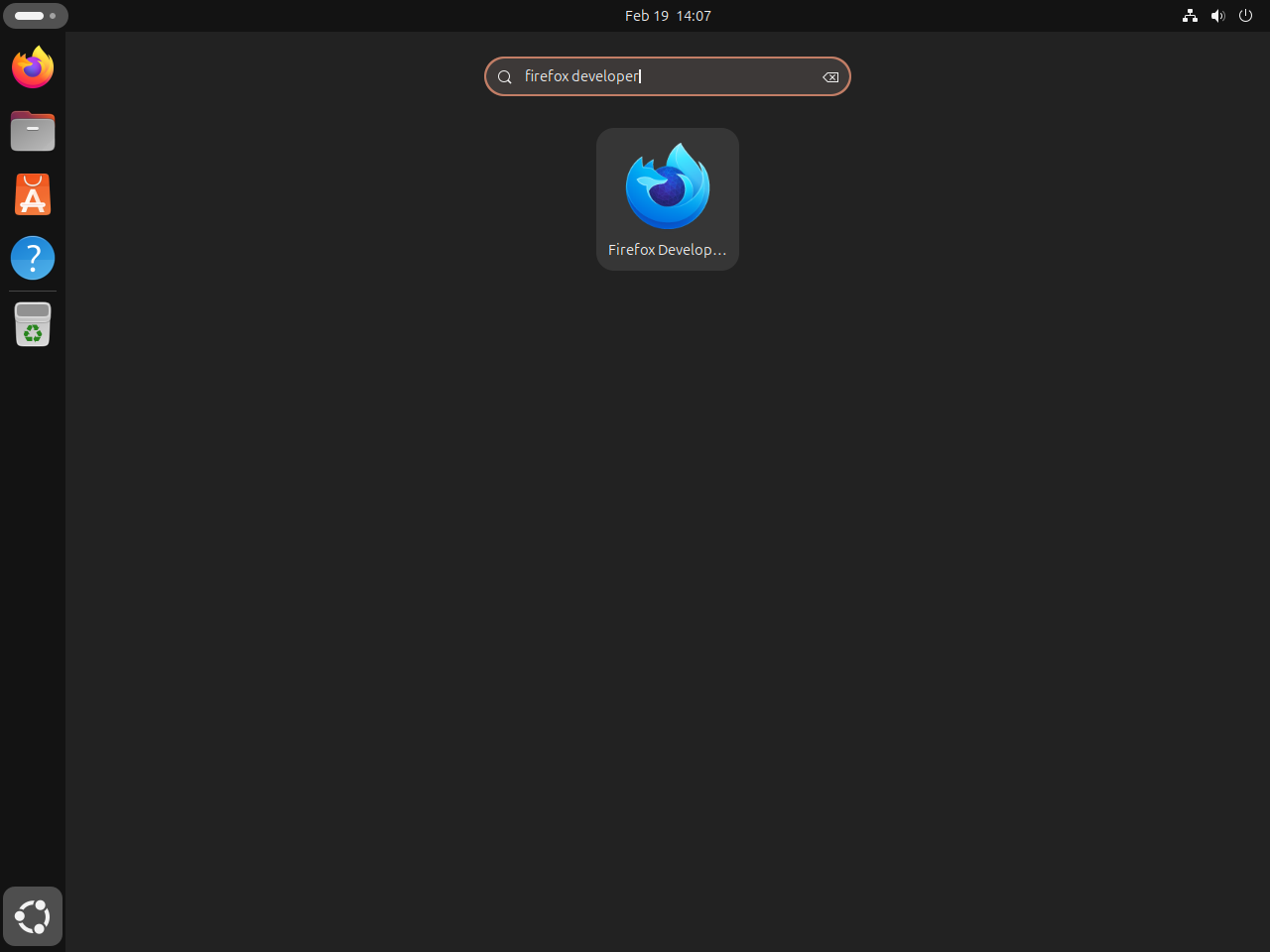
Search for “Firefox Developer Edition” in the applications menu. The installation creates a desktop entry automatically, so the browser appears alongside your other applications:
Alternatively, launch it from the terminal:
firefox-deveditionAppend & to run Firefox Developer Edition in the background and return control to your terminal session:
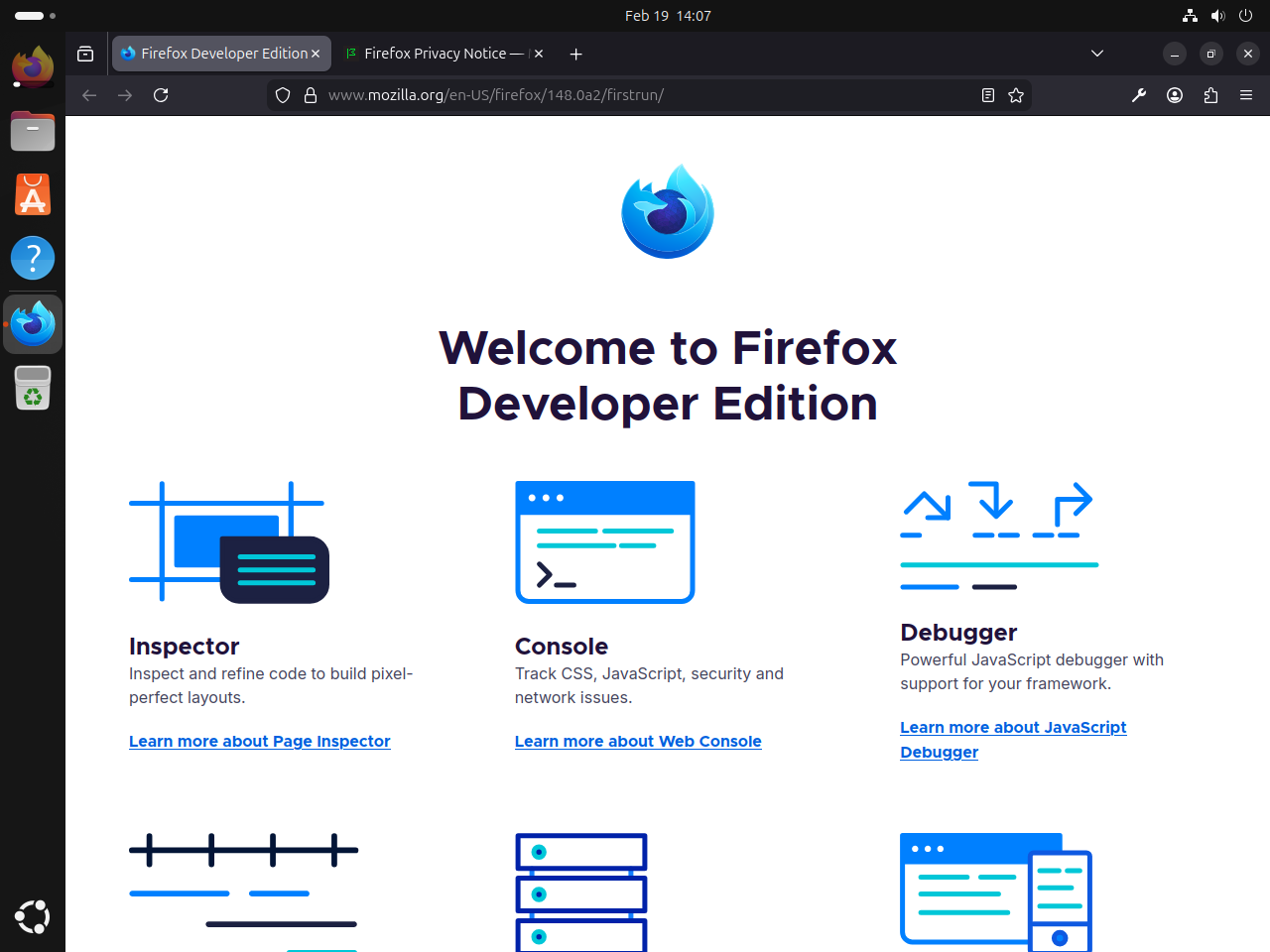
firefox-devedition &Firefox Developer Edition opens with its characteristic dark browser chrome and the developer tools panel accessible directly from the toolbar. The dark interface distinguishes it visually from stable Firefox and Beta:
Compare Firefox Channels on Ubuntu
Mozilla’s APT repository publishes four Firefox channels as distinct packages. Each channel targets a different audience and update cadence:
| Channel | APT Package | Update Frequency | Stability | Best For |
|---|---|---|---|---|
| Stable | firefox | Every 4 weeks | Production-ready | Daily browsing; most users |
| Beta | firefox-beta | ~2x per week | Generally stable | Testing upcoming features before stable release |
| Developer Edition | firefox-devedition | ~2x per week | Generally stable | Front-end development, debugging, and testing web APIs |
| Nightly | firefox-nightly | Multiple times daily | Highly experimental | Developer and contributor testing of cutting-edge code |
Firefox Developer Edition and Firefox Beta share the same codebase and release cycle. The difference is configuration: Developer Edition ships with developer-focused defaults including the CSS Grid inspector, WebSocket inspector, a dark browser chrome, and DevTools features that are off or hidden in Beta. Both channels update on the same schedule, with Developer Edition tracking the Beta branch.
Each Firefox channel installs as a separate binary with its own profile directory. You can run all four channels simultaneously without them interfering with each other’s settings, extensions, or bookmarks.
Manage Firefox Developer Edition on Ubuntu
Update Firefox Developer Edition on Ubuntu
Firefox Developer Edition updates through the Mozilla APT repository, including feature updates and security fixes from the current Beta cycle. A standard system upgrade fetches the latest available build:
sudo apt update && sudo apt upgradeTo update only Firefox Developer Edition without upgrading other packages, use the --only-upgrade flag:
sudo apt install --only-upgrade firefox-deveditionRemove Firefox Developer Edition from Ubuntu
Removing Firefox Developer Edition leaves your profile data intact. Bookmarks, history, and saved passwords remain in ~/.mozilla/ and reappear if you reinstall later:
sudo apt remove firefox-deveditionConfirm the package is no longer installed with an installed-state check:
dpkg -l firefox-devedition 2>/dev/null | grep '^ii' || echo "firefox-devedition is not installed"firefox-devedition is not installed
The repository entry remains configured after package removal, so APT can reinstall Firefox Developer Edition later if you keep the Mozilla source. Before running sudo apt autoremove, review what APT would remove because your system can already have unrelated autoremovable packages:
sudo apt autoremove --dry-runIf the preview only lists packages you no longer need, run the cleanup command for real:
sudo apt autoremoveRemove Mozilla APT Repository from Ubuntu
Keep the Mozilla repository if you have other Firefox packages installed from it, such as
firefox(stable),firefox-esr,firefox-beta, orfirefox-nightly. Removing the repository does not uninstall those packages, but APT will no longer receive updates for them.
Remove the APT priority pin, repository configuration, and signing key:
sudo rm -f /etc/apt/preferences.d/mozilla
sudo rm -f /etc/apt/sources.list.d/mozilla.sources
sudo rm -f /etc/apt/keyrings/packages.mozilla.org.asc
Refresh the package index so APT no longer queries the removed repository:
sudo apt updateConfirm APT no longer sees the Mozilla repository entry for Firefox Developer Edition:
apt-cache policy firefox-devedition | grep packages.mozilla.org || echo "Mozilla repository entry removed"Mozilla repository entry removed
Troubleshoot Firefox Developer Edition on Ubuntu
Package Not Found After Repository Setup
If the install step fails with this error:
E: Package 'firefox-devedition' has no installation candidate
APT cannot find the package because either the repository file was not created or the package index was not refreshed after adding it. Check whether the repository file exists and contains valid content:
cat /etc/apt/sources.list.d/mozilla.sourcesTypes: deb URIs: https://packages.mozilla.org/apt Suites: mozilla Components: main Signed-By: /etc/apt/keyrings/packages.mozilla.org.asc
If the file is missing or empty, re-run the repository setup commands above. If the file exists and looks correct, run sudo apt update and confirm the output includes a line for https://packages.mozilla.org/apt mozilla InRelease. You can also run apt-cache policy firefox-devedition; the output should show a candidate from packages.mozilla.org before you attempt the install again.
Conclusion
Firefox Developer Edition now updates on Ubuntu through Mozilla’s official APT repository, with the firefox-devedition binary and profile kept separate from other Firefox channels. To install other Mozilla channels from the same repository, see our guides on Firefox Beta and Nightly on Ubuntu or Firefox ESR on Ubuntu. To replace the default Firefox Snap with Mozilla’s APT packages, see removing Firefox Snap from Ubuntu.


Formatting tips for your comment
You can use basic HTML to format your comment. Useful tags currently allowed in published comments:
<code>command</code>command<strong>bold</strong><em>italic</em><a href="https://example.com">link</a><blockquote>quote</blockquote>