
Floorp gives Ubuntu users a Firefox-based browser with extra workspace, sidebar, web-panel, and interface customization options without switching to a Chromium engine. If you want to install Floorp on Ubuntu, the cleanest native path is Floorp’s APT repository, while Flathub and the official Linux tarball give you alternatives when you prefer sandboxed apps or direct upstream archives.
This guide covers Ubuntu 26.04, 24.04, and 22.04 with three methods: the Floorp PPA-style APT repository first, Flathub second, and the Linux tarball third. The APT method below intentionally uses a DEB822 .sources file instead of Floorp’s legacy .list example, then checks that no Floorp .list file remains.
If you are comparing Firefox-based browser workflows, LinuxCapable also has Ubuntu guides for Waterfox, LibreWolf, Firefox ESR, and removing the Firefox Snap.
Install Floorp on Ubuntu
Start with a current package index. This first command does not install Floorp yet; it only refreshes Ubuntu’s package metadata before you add any external source.
sudo apt updateIf your account cannot run
sudocommands, add the user to the sudo group before continuing. The Ubuntu sudoers guide covers that prerequisite.
Choose a Floorp Installation Method
Use the APT repository when you want the normal Ubuntu package-management flow. Use Flathub if you already prefer Flatpak applications. Use the tarball when you want the official upstream archive under /opt/floorp and do not mind managing updates with a helper script.
| Method | Channel | Updates | Best for |
|---|---|---|---|
| Floorp APT repository | Floorp PPA | apt update and apt upgrade | Main method for amd64 Ubuntu desktops that should use native packages. |
| Flathub | one.ablaze.floorp | flatpak update | Users who already use Flatpak and want the Flathub build. |
| Linux tarball | GitHub Releases | Manual or update-floorp | Users who want the upstream archive under /opt on amd64 or arm64. |
Pick one method for the main browser install. The APT package uses
/usr/bin/floorp, while the tarball method creates/usr/local/bin/floorp, which can take priority in your shell path if both methods are installed.
Check Ubuntu Architecture for the Floorp PPA
Floorp’s APT repository currently publishes the Linux package metadata under an amd64 path. Check your Ubuntu architecture before using the repository method.
dpkg --print-architectureExpected output on a standard 64-bit Intel or AMD Ubuntu desktop:
amd64
If the command prints arm64, skip the PPA method and use the tarball method instead because Floorp publishes a separate aarch64 Linux archive in its GitHub releases.
Install Floorp from the PPA on Ubuntu
Install the small tools needed to fetch Floorp’s signing key and let APT verify repository metadata over HTTPS.
sudo apt install curl ca-certificates gpgDownload Floorp’s signing key with the curl command, convert the ASCII-armored key to a binary keyring, and store it under /usr/share/keyrings/ for this source only.
curl -fsSL https://ppa.floorp.app/KEY.gpg | sudo gpg --dearmor --yes -o /usr/share/keyrings/floorp.gpgRemove any older Floorp source files before creating the DEB822 source. Floorp’s own quick-start page uses a legacy Floorp.list file; this guide uses floorp.sources instead so the source stays consistent with current Ubuntu APT practice.
sudo rm -f /etc/apt/sources.list.d/Floorp.list
sudo rm -f /etc/apt/sources.list.d/floorp.list
sudo rm -f /etc/apt/sources.list.d/floorp.sources
Create the Floorp source file. The repository uses ./ as the suite because the package metadata is published directly under the architecture-specific repository path.
printf '%s\n' \
'Types: deb' \
'URIs: https://ppa.floorp.app/amd64/' \
'Suites: ./' \
'Architectures: amd64' \
'Signed-By: /usr/share/keyrings/floorp.gpg' \
| sudo tee /etc/apt/sources.list.d/floorp.sources > /dev/null
Check the file before refreshing APT. This catches copy mistakes before APT reads the new source.
cat /etc/apt/sources.list.d/floorp.sourcesTypes: deb URIs: https://ppa.floorp.app/amd64/ Suites: ./ Architectures: amd64 Signed-By: /usr/share/keyrings/floorp.gpg
Refresh APT again, then confirm the Floorp package candidate comes from the Floorp repository.
sudo apt update
apt-cache policy floorp
The important lines are the package candidate and the Floorp repository URL. Version numbers change as Floorp publishes new builds.
floorp:
  Installed: (none)
  Candidate: 12.x.x~build1
  Version table:
     12.x.x~build1 500
        500 https://ppa.floorp.app/amd64 ./ Packages
Install Floorp from the repository.
sudo apt install floorpVerify that the launcher is on your shell path and that the browser starts far enough to print its version. Floorp prints the underlying browser engine version here, while apt-cache policy floorp shows the package release.
command -v floorp
floorp --version
/usr/bin/floorp Ablaze Floorp 150.x
Confirm that no legacy Floorp .list file remains beside the DEB822 source.
ls /etc/apt/sources.list.d | grep -Ei 'floorp.*\.list|Floorp\.list' || echo "NO_FLOORP_LIST"NO_FLOORP_LIST
Install Floorp with Flatpak on Ubuntu
Flatpak installs Floorp as a system-wide desktop application from Flathub. This method is useful if you already manage desktop apps through Flatpak or want the same application ID across distributions.
Ubuntu does not include Flatpak by default. If
flatpakis missing, follow the Flatpak installation guide for Ubuntu, restart your session if needed, then return here.
Add the Flathub remote at system scope. The command is harmless when Flathub already exists because --if-not-exists skips duplicates.
sudo flatpak remote-add --if-not-exists flathub https://dl.flathub.org/repo/flathub.flatpakrepoCheck that Flathub is registered.
flatpak remotes | grep '^flathub'flathub system
Inspect the Floorp Flatpak metadata before installing. This confirms the application ID and branch you are about to use.
flatpak remote-info flathub one.ablaze.floorpRelevant output includes:
        ID: one.ablaze.floorp
       Ref: app/one.ablaze.floorp/x86_64/stable
      Arch: x86_64
    Branch: stable
Install the Floorp Flatpak from Flathub.
sudo flatpak install flathub one.ablaze.floorp -yVerify the installed app with flatpak info. Focus on the app ID, branch, version, and installation scope.
flatpak info one.ablaze.floorp ID: one.ablaze.floorp
Ref: app/one.ablaze.floorp/x86_64/stable
Arch: x86_64
Branch: stable
Version: 12.x.x
Installation: system
Install Floorp from the Linux Tarball on Ubuntu
The tarball method uses Floorp’s official GitHub release archive, installs it under /opt/floorp, and exposes the browser through /usr/local/bin/floorp. This is the most manual method, but it avoids adding another APT source and works with Floorp’s x86_64 and aarch64 Linux release assets.
Install the tools needed to query the release API, download the archive, verify the SHA256 digest, and extract the .tar.xz file.
sudo apt install curl ca-certificates jq xz-utilsResolve the latest Floorp release and pick the correct Linux tarball for your Ubuntu architecture.
RELEASE_JSON=$(curl -fsSL https://api.github.com/repos/Floorp-Projects/Floorp/releases/latest)
FLOORP_VERSION=$(printf '%s\n' "$RELEASE_JSON" | jq -r '.tag_name | sub("^v";"")')

case "$(dpkg --print-architecture)" in
    amd64) FLOORP_ARCH="x86_64" ;;
    arm64) FLOORP_ARCH="aarch64" ;;
    *) echo "Unsupported architecture: $(dpkg --print-architecture)"; exit 1 ;;
esac

FLOORP_ASSET="floorp-linux-${FLOORP_ARCH}.tar.xz"
FLOORP_URL=$(printf '%s\n' "$RELEASE_JSON" | jq -r --arg name "$FLOORP_ASSET" '.assets[] | select(.name == $name) | .browser_download_url')
FLOORP_SHA256=$(printf '%s\n' "$RELEASE_JSON" | jq -r --arg name "$FLOORP_ASSET" '.assets[] | select(.name == $name) | .digest | sub("^sha256:";"")')

if [[ -z "$FLOORP_URL" || "$FLOORP_URL" == "null" || -z "$FLOORP_SHA256" || "$FLOORP_SHA256" == "null" ]]; then
    echo "Could not find $FLOORP_ASSET in the latest Floorp release."
    exit 1
fi

echo "Latest version: $FLOORP_VERSION"
echo "Architecture asset: $FLOORP_ASSET"
echo "Download URL: $FLOORP_URL"
On amd64 Ubuntu, the output should point to the x86_64 archive. The exact version in the tag and download URL changes as Floorp publishes new releases.
Latest version: 12.x.x
Architecture asset: floorp-linux-x86_64.tar.xz
Download URL: https://github.com/Floorp-Projects/Floorp/releases/download/v12.x.x/floorp-linux-x86_64.tar.xz
Download the archive and verify its SHA256 digest before extracting it.
curl -fL -o "$FLOORP_ASSET" "$FLOORP_URL"
printf '%s  %s\n' "$FLOORP_SHA256" "$FLOORP_ASSET" | sha256sum -c -
floorp-linux-x86_64.tar.xz: OK
Extract Floorp into /opt/floorp and create a stable command in /usr/local/bin.
sudo rm -rf /opt/floorp
sudo mkdir -p /opt/floorp
sudo tar -xJf "$FLOORP_ASSET" -C /opt/floorp --strip-components=1
sudo ln -sf /opt/floorp/floorp /usr/local/bin/floorp
Check the command path, the CLI version, and Floorp’s application metadata. The application.ini file exposes the Floorp release number that the updater script uses later.
command -v floorp
floorp --version 2>/dev/null
grep -E '^(Version|Name)=' /opt/floorp/application.ini
/usr/local/bin/floorp Ablaze Floorp 150.x Name=Floorp Version=12.x.x@150.x
Create a desktop launcher so Floorp appears in Ubuntu’s applications menu. The icon path points to the icon shipped inside the extracted browser tree.
printf '%s\n' \
'[Desktop Entry]' \
'Name=Floorp' \
'Comment=Browse the web with Floorp' \
'Exec=/opt/floorp/floorp %u' \
'Icon=/opt/floorp/browser/chrome/icons/default/default128.png' \
'Terminal=false' \
'Type=Application' \
'Categories=Network;WebBrowser;' \
'MimeType=text/html;text/xml;application/xhtml+xml;x-scheme-handler/http;x-scheme-handler/https;' \
| sudo tee /usr/share/applications/floorp.desktop > /dev/null
Verify the desktop entry and icon path.
grep -E '^(Name|Exec|Icon)=' /usr/share/applications/floorp.desktop
test -f /opt/floorp/browser/chrome/icons/default/default128.png && echo "FLOORP_ICON_PRESENT"
Name=Floorp Exec=/opt/floorp/floorp %u Icon=/opt/floorp/browser/chrome/icons/default/default128.png FLOORP_ICON_PRESENT
Install the update-floorp Helper on Ubuntu
The tarball method does not update through APT or Flatpak. The helper below checks the latest GitHub release, compares it with /opt/floorp/application.ini, verifies the release asset digest, and replaces the /opt/floorp tree only when a newer build exists.
sudo tee /usr/local/bin/update-floorp > /dev/null <<'EOF'
#!/usr/bin/env bash
set -euo pipefail

API_URL="https://api.github.com/repos/Floorp-Projects/Floorp/releases/latest"
INSTALL_DIR="/opt/floorp"
APP_INI="$INSTALL_DIR/application.ini"
CACHE_DIR="${XDG_CACHE_HOME:-$HOME/.cache}/floorp-updater"

for cmd in curl jq sha256sum tar; do
    if ! command -v "$cmd" >/dev/null 2>&1; then
        echo "Missing required command: $cmd"
        exit 1
    fi
done

if [[ ! -f "$APP_INI" ]]; then
    echo "Floorp tarball install not found at $INSTALL_DIR"
    exit 1
fi

CURRENT_DISPLAY=$(awk -F= '/^Version=/{print $2; exit}' "$APP_INI")
CURRENT_VERSION="${CURRENT_DISPLAY%%@*}"

case "$(dpkg --print-architecture)" in
    amd64) FLOORP_ARCH="x86_64" ;;
    arm64) FLOORP_ARCH="aarch64" ;;
    *) echo "Unsupported architecture: $(dpkg --print-architecture)"; exit 1 ;;
esac

mkdir -p "$CACHE_DIR"

echo "Checking the latest Floorp release..."
RELEASE_JSON=$(curl -fsSL "$API_URL")
LATEST_VERSION=$(printf '%s\n' "$RELEASE_JSON" | jq -r '.tag_name | sub("^v";"")')
FLOORP_ASSET="floorp-linux-${FLOORP_ARCH}.tar.xz"
FLOORP_URL=$(printf '%s\n' "$RELEASE_JSON" | jq -r --arg name "$FLOORP_ASSET" '.assets[] | select(.name == $name) | .browser_download_url')
FLOORP_SHA256=$(printf '%s\n' "$RELEASE_JSON" | jq -r --arg name "$FLOORP_ASSET" '.assets[] | select(.name == $name) | .digest | sub("^sha256:";"")')

if [[ -z "$FLOORP_URL" || "$FLOORP_URL" == "null" || -z "$FLOORP_SHA256" || "$FLOORP_SHA256" == "null" ]]; then
    echo "Could not find $FLOORP_ASSET in the latest Floorp release."
    exit 1
fi

echo "Current Floorp release: $CURRENT_VERSION"
echo "Latest Floorp release: $LATEST_VERSION"

if [[ "$CURRENT_VERSION" == "$LATEST_VERSION" ]]; then
    echo "Floorp is already up to date."
    exit 0
fi

ARCHIVE_PATH="$CACHE_DIR/$FLOORP_ASSET"
TMP_DIR=$(mktemp -d)
trap 'rm -rf "$TMP_DIR"' EXIT

echo "Downloading $FLOORP_ASSET"
curl -fL -o "$ARCHIVE_PATH" "$FLOORP_URL"
printf '%s  %s\n' "$FLOORP_SHA256" "$ARCHIVE_PATH" | sha256sum -c -

echo "Installing Floorp $LATEST_VERSION into $INSTALL_DIR"
sudo rm -rf "$INSTALL_DIR"
sudo mkdir -p "$INSTALL_DIR"
sudo tar -xJf "$ARCHIVE_PATH" -C "$INSTALL_DIR" --strip-components=1
sudo ln -sf "$INSTALL_DIR/floorp" /usr/local/bin/floorp

echo "Updated Floorp to $LATEST_VERSION"
EOF
Make the helper executable and run it once. If you just installed the current release, the script should exit without replacing anything.
sudo chmod +x /usr/local/bin/update-floorp
update-floorp
Checking the latest Floorp release... Current Floorp release: 12.x.x Latest Floorp release: 12.x.x Floorp is already up to date.
Run
update-floorpmanually when you want to check for a new tarball release. Avoid hiding browser archive replacement inside unattended cron jobs unless you also monitor upstream release notes and backup behavior.
Launch Floorp on Ubuntu
Launch Floorp from a terminal inside your graphical Ubuntu session, or start it from the applications menu. The terminal command depends on the installation method you used.
| Method | Terminal command |
|---|---|
| APT repository | floorp |
| Flathub | flatpak run one.ablaze.floorp |
| Linux tarball | floorp |
Launch Floorp from the Applications Menu on Ubuntu
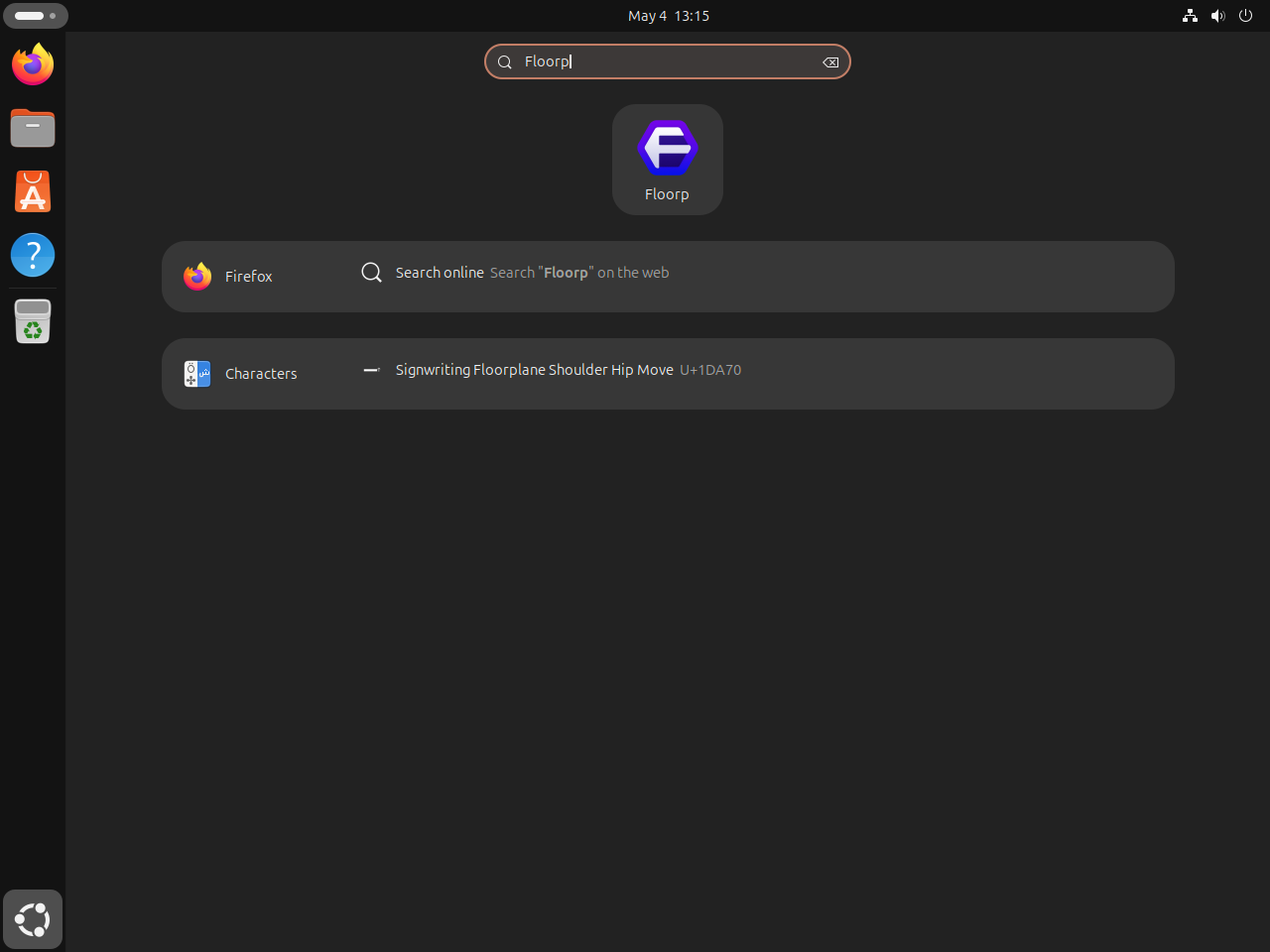
Open Activities, search for Floorp, and select the launcher. The APT and Flatpak methods register the launcher automatically, while the tarball method uses the desktop entry created earlier.
Start Using Floorp on Ubuntu
On first launch, review Floorp’s browser settings before importing profiles or enabling extra panels. The browser keeps familiar Firefox extension compatibility, but Floorp’s workspaces, sidebar, web panels, and interface layout options are worth checking before you settle into a daily profile. The Floorp documentation is the better place to review browser-specific feature setup after the install.
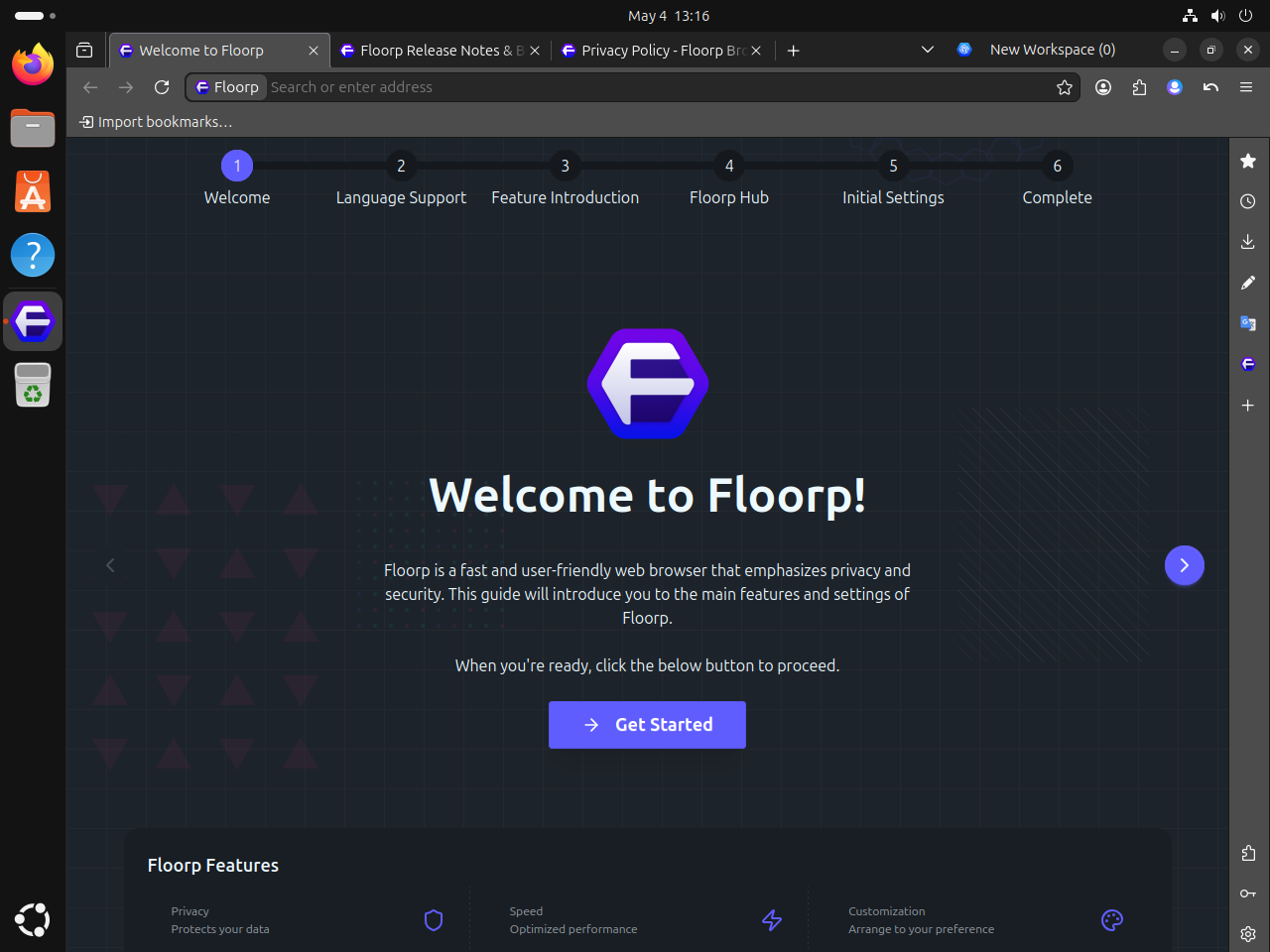
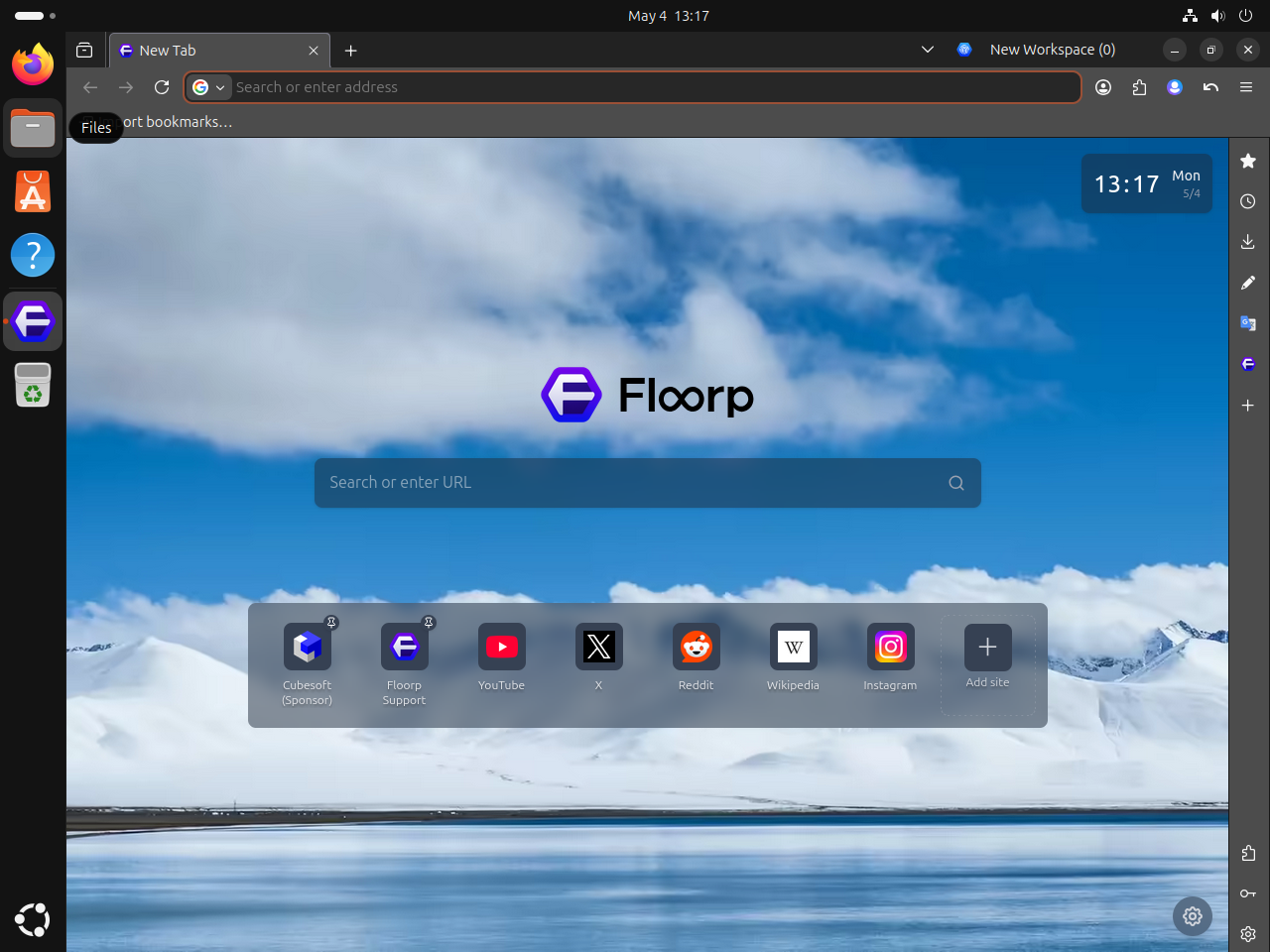
Once you complete the first-run screens, Floorp opens to its new tab page. Use that point to confirm the browser launches normally before changing shortcut tiles, workspace options, or sidebar settings.
Update or Remove Floorp on Ubuntu
Use the update or removal command that matches the method you installed. APT, Flatpak, and tarball installs are separate paths, so avoid mixing cleanup commands from different methods unless you intentionally tested more than one.
Update Floorp on Ubuntu
Update Floorp from the PPA
Update the package list, then upgrade only Floorp if you do not want to upgrade every package on the system.
sudo apt update
sudo apt install --only-upgrade floorp
Update the Floorp Flatpak
Update only the Floorp Flatpak application from Flathub.
sudo flatpak update one.ablaze.floorp -yUpdate the Floorp Tarball Install
If you installed the helper from the tarball section, run it whenever you want to check GitHub for a newer Floorp archive.
update-floorpRemove Floorp on Ubuntu
Remove the Floorp PPA Package
Remove the browser package first. This keeps the source file in place, which is useful if you plan to reinstall Floorp later.
sudo apt remove floorpCheck that the installed package entry is gone.
dpkg -l floorp 2>/dev/null | grep '^ii' || echo "NOT_INSTALLED"NOT_INSTALLED
If you also want to remove the Floorp repository and signing key, delete the source files and refresh APT.
sudo rm -f /etc/apt/sources.list.d/floorp.sources
sudo rm -f /etc/apt/sources.list.d/Floorp.list
sudo rm -f /etc/apt/sources.list.d/floorp.list
sudo rm -f /usr/share/keyrings/floorp.gpg
sudo apt update
Verify that no legacy Floorp .list source remains.
ls /etc/apt/sources.list.d | grep -Ei 'floorp.*\.list|Floorp\.list' || echo "NO_FLOORP_LIST"NO_FLOORP_LIST
Confirm that the removed source no longer offers a Floorp package candidate from ppa.floorp.app.
apt-cache policy floorp | grep 'ppa.floorp.app' || echo "NO_FLOORP_PPA_CANDIDATE"NO_FLOORP_PPA_CANDIDATE
Remove the Floorp Flatpak
Remove the application and its Flatpak data, then clear unused runtimes that no remaining Flatpak app needs.
sudo flatpak remove --delete-data one.ablaze.floorp -y
sudo flatpak uninstall --unused -y
Check that the Floorp app ID is no longer installed.
flatpak list --app --columns=application 2>/dev/null | grep -Fx one.ablaze.floorp || echo "NOT_INSTALLED"NOT_INSTALLED
Remove the Floorp Tarball Install
Remove the extracted browser tree, command symlink, desktop launcher, and optional updater helper.
sudo rm -rf /opt/floorp
sudo rm -f /usr/local/bin/floorp
sudo rm -f /usr/share/applications/floorp.desktop
sudo rm -f /usr/local/bin/update-floorp
Verify that the tarball command is gone from your shell path.
command -v floorp || echo "NOT_FOUND"NOT_FOUND
The next commands remove profile and cache directories. Back up bookmarks, passwords, extensions, and browser profiles before deleting any path that contains data you want to keep.
Check for Floorp profile data before removing it. The Flatpak path appears only if you launched the Flatpak build.
find "$HOME" -maxdepth 3 \( -path "$HOME/.floorp" -o -path "$HOME/.cache/floorp" -o -path "$HOME/.var/app/one.ablaze.floorp" \) -print 2>/dev/nullIf the command prints only Floorp paths that you no longer need, remove them.
rm -rf ~/.floorp ~/.cache/floorp ~/.var/app/one.ablaze.floorpTroubleshoot Floorp on Ubuntu
Most Floorp install problems on Ubuntu come from duplicate APT source files, missing Flatpak setup, or a tarball desktop file pointing to a path that no longer exists. Start with the method you actually used, then check the smallest related piece first.
Fix Duplicate Floorp APT Source Warnings
If sudo apt update reports duplicate Floorp targets or a Signed-By conflict, list every Floorp source file under /etc/apt/sources.list.d/.
grep -Ril 'ppa.floorp.app' /etc/apt/sources.list.d 2>/dev/nullKeep only the DEB822 source from this guide unless you intentionally use a different source format.
sudo rm -f /etc/apt/sources.list.d/Floorp.list
sudo rm -f /etc/apt/sources.list.d/floorp.list
sudo apt update
Fix Missing Floorp Launcher After Tarball Install
If the tarball build opens from the terminal but does not appear in Activities, check the desktop file and icon path. Both paths should still point into /opt/floorp.
grep -E '^(Exec|Icon)=' /usr/share/applications/floorp.desktop
test -f /opt/floorp/browser/chrome/icons/default/default128.png && echo "FLOORP_ICON_PRESENT"
sudo update-desktop-database
Relevant output includes:
Exec=/opt/floorp/floorp %u
Icon=/opt/floorp/browser/chrome/icons/default/default128.png
FLOORP_ICON_PRESENT
Check Floorp Flatpak Permissions
Floorp’s Flatpak includes normal browser permissions such as network, display-server, audio, downloads, and desktop integration access. If a file or portal workflow does not behave as expected, inspect the current sandbox rules before adding overrides.
flatpak info --show-permissions one.ablaze.floorpRelevant output includes:
[Context]
shared=network;ipc;
sockets=x11;wayland;pulseaudio;fallback-x11;pcsc;cups;
devices=all;
features=devel;
filesystems=xdg-config/gtk-3.0:ro;xdg-data/applications:create;/run/.heim_org.h5l.kcm-socket;xdg-data/icons:create;xdg-run/speech-dispatcher:ro;xdg-download;
persistent=.floorp;
If you need one extra directory, grant that path for your user instead of giving Floorp broad home-directory access.
flatpak override --user --filesystem=~/Documents one.ablaze.floorpThis override is user-scoped on purpose. The application can stay installed system-wide while file-access exceptions remain tied to the account that needs them.
Conclusion
Floorp is ready on Ubuntu with native APT updates from the Floorp repository, a Flathub alternative, or a self-managed tarball under /opt. Use the PPA method for the most Ubuntu-like package flow on amd64 systems, and keep the Flatpak or tarball paths available when you need a different update model or architecture choice.


Formatting tips for your comment
You can use basic HTML to format your comment. Useful tags currently allowed in published comments:
<code>command</code>command<strong>bold</strong><em>italic</em><a href="https://example.com">link</a><blockquote>quote</blockquote>