
A local media library is easier to use when the player understands posters, watched status, remotes, live TV, and TV-style navigation instead of only opening one file at a time. You can install Kodi on Ubuntu with Flathub for the current upstream Linux build, Ubuntu’s universe package when you prefer APT-managed software, or a scoped source build when you need custom compile-time control. The same choice affects updates, removal, old PPA cleanup, and remote-control firewall rules on Ubuntu 26.04 (Resolute), 24.04 (Noble), and 22.04 (Jammy).
Kodi is a desktop media center, not a self-hosted streaming server. If you want centralized browser or smart-TV streaming, install Jellyfin Media Server on Ubuntu or install Plex Media Server on Ubuntu instead. For a lighter local player without Kodi’s library and add-on workflow, install VLC media player on Ubuntu.
Install Kodi on Ubuntu
The current Linux download page from Kodi points Linux users to Flathub and the upstream install guide rather than a standalone Ubuntu .deb download. Ubuntu’s own repositories also include Kodi, but those packages track Ubuntu’s release cycle and may lag behind the current upstream release on older LTS versions.
Choose a Kodi Installation Method
| Method | Best For | Version Behavior | Notes |
|---|---|---|---|
| Flathub Flatpak | Most desktop users who want the current upstream Linux build | Current upstream stable release | Published on Flathub as tv.kodi.Kodi by Team Kodi; uses Flatpak sandbox permissions for media folders, devices, audio, and display access. |
| Ubuntu APT package | Users who prefer distro-managed packages and normal APT updates | Ubuntu 26.04: 21.x; Ubuntu 24.04: 20.x; Ubuntu 22.04: 19.x | Comes from Ubuntu universe as a Debian-derived package. It installs cleanly, but older LTS releases stay on older Kodi branches. |
| Source build | Developers or testers who need custom patches, build flags, or a validated user-local build | Validated here for Kodi 21.3 on Ubuntu 26.04 and 24.04 | Advanced path only. The helper below installs under ~/.local/opt/kodi and launches as kodi-source so it does not replace the APT package. |
| Team Kodi PPA | Legacy cleanup only | Not maintained for current Ubuntu coverage | The official Kodi wiki says the Team Kodi PPA is not currently maintained. Do not use it for a fresh Ubuntu 26.04 or 24.04 install. |
Use only one main install method on the same desktop unless you intentionally need to compare builds. The APT package launches as kodi, the Flatpak method launches with flatpak run tv.kodi.Kodi, and the source helper below launches as kodi-source. Keeping several installed is possible, but it can confuse library paths, desktop entries, and troubleshooting.
Update Ubuntu Before Installing Kodi
Refresh your package index before installing prerequisites or the APT package:
sudo apt updateThese commands use
sudofor package installation and system-level Flatpak setup. If your account does not have sudo rights yet, follow the guide on how to add a new user to sudoers on Ubuntu before continuing.
Install Kodi from Flathub
Flathub is the best first choice when you want the current stable Kodi build across all supported Ubuntu LTS releases. Ubuntu does not include Flatpak by default, so install the Flatpak tool first. The dedicated guide to install Flatpak on Ubuntu explains the same setup in more detail if you need background on remotes and scope.
sudo apt install -y flatpakAdd the Flathub remote at system scope, then confirm that the remote exists before installing Kodi:
sudo flatpak remote-add --if-not-exists flathub https://dl.flathub.org/repo/flathub.flatpakrepo
flatpak remotes --columns=name,options
Relevant output includes:
flathub system
Install Kodi from Flathub:
sudo flatpak install flathub tv.kodi.Kodi -yVerify the installed Flatpak app:
flatpak info tv.kodi.KodiRelevant output includes:
Kodi - Ultimate entertainment center

          ID: tv.kodi.Kodi
         Ref: app/tv.kodi.Kodi/x86_64/stable
        Arch: x86_64
      Branch: stable
     Version: 21.3-Omega
      Origin: flathub
Installation: system
The Flathub package currently uses the org.freedesktop.Platform 24.08 runtime and publishes x86_64 and aarch64 builds. Its default permissions include access to common media locations such as xdg-videos, xdg-music, xdg-pictures, /media, /mnt, and /run/media.
Install Kodi from Ubuntu Repositories
Use Ubuntu’s APT package when you want Kodi managed like any other Ubuntu package. This method is simple and clean, but package versions differ by LTS release because the package comes from Ubuntu universe.
sudo apt install -y kodiIf APT cannot find the package on a minimal or customized system, enable the Ubuntu universe component first. The repository component guide explains how to enable Universe and Multiverse on Ubuntu; Kodi only needs universe.
Confirm the selected package version:
apt-cache policy kodiOn Ubuntu 26.04, relevant output includes:
kodi:
  Installed: 2:21.3+dfsg-1ubuntu1
  Candidate: 2:21.3+dfsg-1ubuntu1
Ubuntu 24.04 currently installs 2:20.5+dfsg-1ubuntu1, and Ubuntu 22.04 currently installs 2:19.4+dfsg1-2. That version gap is the main reason to use Flathub when you want the current stable Kodi branch on older LTS releases.
Check the launcher and version output:
command -v kodi
kodi --version
On Ubuntu 26.04, relevant output includes:
/usr/bin/kodi
Kodi from Debian Media Center 21.3 Debian package version: 2:21.3+dfsg-1ubuntu1
Copyright (C) 2005-2025 Team Kodi from Debian - http://kodi.tv
The Kodi from Debian label is normal for Ubuntu’s package because Ubuntu syncs Debian-derived packaging for this application.
Build Kodi from Source on Ubuntu
Build Kodi from source only when you have a specific development reason, such as testing a patch, changing build flags, or keeping a user-local build separate from the distro package. The validated path below targets Kodi 21.3-Omega on Ubuntu 26.04 and 24.04. For Ubuntu 22.04, use Flathub or APT unless you are prepared to follow Kodi’s upstream build guide and resolve older development-library versions yourself.
Install the common build dependencies first. This list follows Kodi’s Linux build guide for the 21.3-Omega release but keeps the build focused on an X11 desktop target instead of every possible windowing backend:
sudo apt install -y autoconf automake autopoint autotools-dev build-essential \
    ca-certificates cmake curl gawk gdc gettext git gperf \
    lsb-release meson nasm ninja-build python3-dev python3-pil python3-venv \
    rapidjson-dev swig unzip uuid-dev zip zlib1g-dev \
    flatbuffers-compiler libflatbuffers-dev libasound2-dev libass-dev \
    libavahi-client-dev libavahi-common-dev libbluetooth-dev libbluray-dev \
    libbz2-dev libcurl4-openssl-dev libdbus-1-dev libdav1d-dev \
    libegl1-mesa-dev libenca-dev libexiv2-dev libflac-dev libfmt-dev \
    libfontconfig-dev libfreetype-dev libfribidi-dev libfstrcmp-dev \
    libgcrypt20-dev libgif-dev libgl1-mesa-dev libglew-dev libglu1-mesa-dev \
    libgnutls28-dev libgpg-error-dev libgtest-dev libiso9660-dev libjpeg-dev \
    liblcms2-dev liblirc-dev libltdl-dev liblzo2-dev libmicrohttpd-dev \
    libmysqlclient-dev libnfs-dev libogg-dev libp8-platform-dev libplist-dev \
    libpng-dev libpulse-dev libshairplay-dev libsmbclient-dev libspdlog-dev \
    libsqlite3-dev libssl-dev libtag1-dev libtiff-dev libtinyxml-dev \
    libtinyxml2-dev libtool libudev-dev libunistring-dev libva-dev \
    libvdpau-dev libvorbis-dev libxkbcommon-dev libxmu-dev libxrandr-dev \
    libxslt1-dev
Install the Java and PCRE pieces that differ by release. Ubuntu 24.04’s default-jre currently resolves to OpenJDK 21 and still has libpcre3-dev. Ubuntu 26.04’s default Java is newer, so use OpenJDK 21 explicitly and let the helper build PCRE internally instead of pulling libraries from an older Ubuntu release:
case "$(lsb_release -rs)" in
    26.04)
        sudo apt install -y openjdk-21-jre-headless
        ;;
    24.04)
        sudo apt install -y default-jre libpcre3-dev
        ;;
    *)
        echo "Use Flathub or APT on this Ubuntu release."
        ;;
esac
Create a reusable helper at ~/.local/bin/update-kodi-source. It accepts a tag such as 21.3-Omega, or detects the latest GitHub release when you run it without an argument. The helper installs into a versioned prefix under your home directory, checks the new binary, then moves the current symlink only after the install succeeds:
mkdir -p "$HOME/.local/bin"

cat > "$HOME/.local/bin/update-kodi-source" <<'EOF'
#!/usr/bin/env bash
set -euo pipefail

install_root="$HOME/.local/opt/kodi"
source_root="$HOME/kodi-source"
tag="${1:-}"

if [ -z "$tag" ]; then
    tag="$(python3 - <<'PY'
import json
import urllib.request

with urllib.request.urlopen("https://api.github.com/repos/xbmc/xbmc/releases/latest", timeout=20) as response:
    release = json.load(response)

print(release["tag_name"])
PY
)"
fi

release="$(lsb_release -rs)"
case "$release" in
    26.04)
        cmake_venv="$HOME/kodi-cmake3"
        if [ ! -x "$cmake_venv/bin/cmake" ]; then
            python3 -m venv "$cmake_venv"
            "$cmake_venv/bin/python" -m pip install --upgrade "cmake<4"
        fi
        java_bin="/usr/lib/jvm/java-21-openjdk-amd64/bin/java"
        if [ ! -x "$java_bin" ]; then
            echo "Install openjdk-21-jre-headless before building on Ubuntu 26.04."
            exit 1
        fi
        cmake_bin="$cmake_venv/bin/cmake"
        pcre_option=(-DENABLE_INTERNAL_PCRE=ON)
        java_option=(-DJava_JAVA_EXECUTABLE="$java_bin")
        ;;
    24.04)
        cmake_bin="cmake"
        pcre_option=()
        java_option=()
        ;;
    *)
        echo "This helper is scoped to Ubuntu 26.04 and 24.04."
        exit 1
        ;;
esac

prefix="$install_root/$tag"
tmp_prefix="$install_root/.new-$tag"
build_dir="$HOME/kodi-build-$tag"

mkdir -p "$install_root"

if [ -x "$prefix/bin/kodi" ] && [ "$(readlink -f "$install_root/current" 2>/dev/null || true)" = "$prefix" ]; then
    echo "Kodi source build $tag is already active."
    "$prefix/bin/kodi" --version
    exit 0
fi

echo "Fetching Kodi $tag source..."
rm -rf "$source_root" "$build_dir" "$tmp_prefix"
git clone --depth 1 --branch "$tag" https://github.com/xbmc/xbmc.git "$source_root"

cmake_options=(
    -DCMAKE_INSTALL_PREFIX="$tmp_prefix"
    -DCORE_PLATFORM_NAME=x11
    -DAPP_RENDER_SYSTEM=gl
    -DENABLE_INTERNAL_CROSSGUID=ON
    -DENABLE_INTERNAL_FLATBUFFERS=ON
    -DENABLE_INTERNAL_FMT=ON
    -DENABLE_INTERNAL_SPDLOG=ON
)

echo "Configuring Kodi $tag..."
"$cmake_bin" -S "$source_root" -B "$build_dir" "${cmake_options[@]}" "${pcre_option[@]}" "${java_option[@]}"

echo "Building Kodi $tag..."
"$cmake_bin" --build "$build_dir" -- -j2

echo "Installing Kodi $tag into $tmp_prefix..."
"$cmake_bin" --install "$build_dir"

echo "Checking installed binary..."
"$tmp_prefix/bin/kodi" --version

if [ -d "$prefix" ]; then
    backup="$prefix.previous.$(date +%Y%m%d%H%M%S)"
    mv "$prefix" "$backup"
    echo "Previous prefix moved to $backup"
fi

mv "$tmp_prefix" "$prefix"
ln -sfnT "$prefix" "$install_root/current"
ln -sfnT "$install_root/current/bin/kodi" "$HOME/.local/bin/kodi-source"

echo "Kodi source build is active at $prefix"
EOF

chmod +x "$HOME/.local/bin/update-kodi-source"
Run the helper with the validated Kodi 21.3 tag. The build is large, so the example uses two compile jobs to avoid memory pressure on small VMs; increase -j2 inside the helper only if the machine has enough RAM:
"$HOME/.local/bin/update-kodi-source" 21.3-OmegaAfter the helper finishes, verify the separate source-build launcher:
"$HOME/.local/bin/kodi-source" --versionKodi Media Center 21.3 (21.3.0) Git:20251031-a3a448d Copyright (C) 2005-2025 Team Kodi - http://kodi.tv
The source helper does not install a system package or replace /usr/bin/kodi. Keep using kodi-source for this build so you can remove it without touching an APT or Flatpak installation.
Team Kodi PPA Status
The Team Kodi PPA is not a safe fresh-install recommendation for current Ubuntu coverage. The official Kodi wiki states that the Team Kodi PPA is not currently maintained, and direct metadata checks showed no resolute or noble Release file for Ubuntu 26.04 or 24.04. Use the PPA cleanup steps later in this guide if an older system still has it configured.
Launch Kodi on Ubuntu
Launch commands depend on the install method. For the Flathub build, use Flatpak’s app ID:
flatpak run tv.kodi.KodiFor the Ubuntu APT package, use the host launcher:
kodiFor the source build, use the separate user-local launcher:
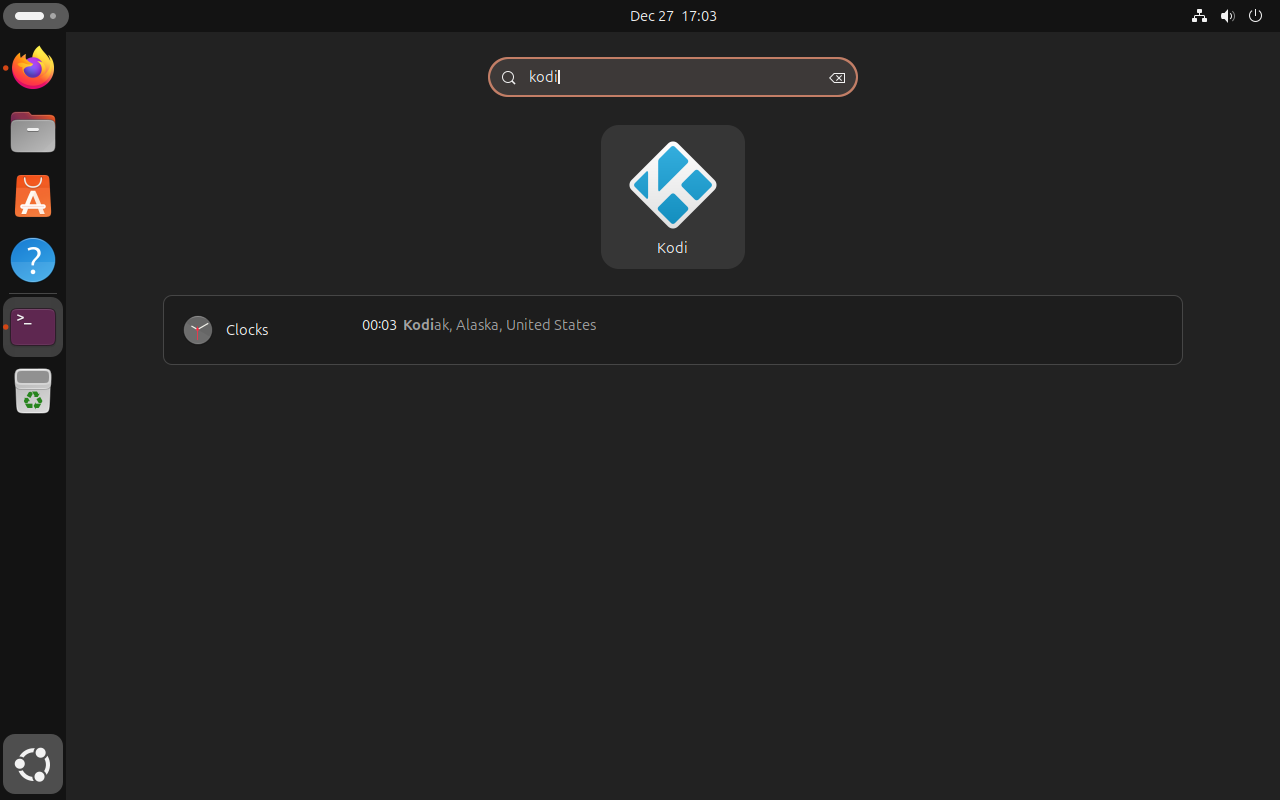
"$HOME/.local/bin/kodi-source"The Flathub and APT methods also add Kodi to the desktop application menu. Kodi needs an active graphical session, so installing the package on Ubuntu Server is not enough by itself. If you are building a dedicated media-center box, add a desktop session, display manager, or kiosk-style startup flow before expecting Kodi to open on a screen.
Configure Kodi After First Launch
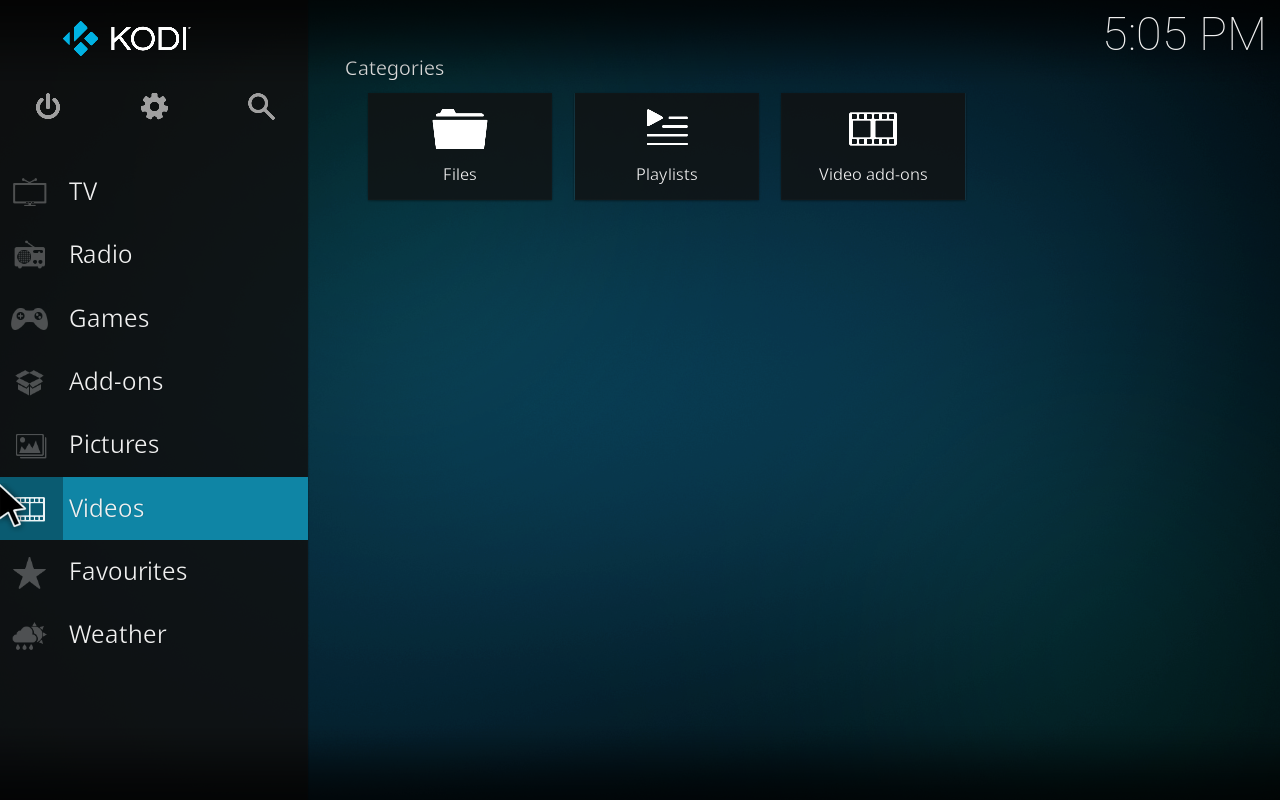
Kodi opens to an empty library until you point it at media folders, network shares, tuners, or add-ons. The first launch is a good time to set the basics before you spend time scanning a large library.
Add Media Sources
Open Videos, then Files, then Add videos to choose your movie or TV folders. Select the content type so Kodi can use the right scraper and metadata layout. Consistent names help the scraper match titles correctly:
- Movies:
Movie Name (Year).mkvorMovie Name (Year)/Movie Name (Year).mkv - TV shows:
Show Name/Season 01/Show Name S01E01.mkv
Enable Remote Control
Open Settings, then Services, then Control to enable remote control through HTTP. Set a username and password before allowing other devices to connect. Kodi’s default web interface port is 8080, and phone remotes such as Kore can use those credentials on the same local network.
Install Add-ons
Use Add-ons, then Download to browse Kodi’s add-on categories. Common first additions include subtitle providers such as OpenSubtitles, PVR clients for live TV backends, weather providers, visualizations, and skins. Add-ons are managed inside Kodi; they are not separate Ubuntu packages in the normal Flathub workflow.
Check Audio and Playback Settings
Open Settings, then System, then Audio to choose the output device. If you use an AV receiver, enable passthrough only for formats your receiver actually supports. Under Services, you can also enable UPnP/DLNA sharing or discovery when you want Kodi to appear to compatible devices on the local network.

Configure UFW for Kodi Remote Control
You only need firewall rules when another device must reach Kodi’s web interface or remote-control service. Keep the port closed if Kodi is used only from the local keyboard, mouse, or remote attached to the same machine.
Install and enable UFW if it is not already active. For more complete firewall management, see the guide to install and configure UFW on Ubuntu.
sudo apt install -y ufw
sudo ufw enable
Allow only your local network to reach Kodi’s default web interface port. Replace 192.168.1.0/24 with your actual LAN range:
sudo ufw allow from 192.168.1.0/24 to any port 8080 proto tcpVerify the rule:
sudo ufw status numberedStatus: active
To Action From
-- ------ ----
[ 1] 8080/tcp ALLOW IN 192.168.1.0/24
If your network uses a different Kodi port, match the port you set under Settings, Services, Control inside Kodi.
Update Kodi on Ubuntu
Update Kodi with the same package manager you used to install it.
For the Flathub build, refresh Kodi and its runtimes with Flatpak:
sudo flatpak update tv.kodi.Kodi -yFor the Ubuntu APT package, refresh package metadata and upgrade Kodi with its companion packages:
sudo apt update
sudo apt install --only-upgrade kodi kodi-bin kodi-data kodi-repository-kodi kodi-visualization-spectrum
APT will not move Ubuntu 24.04 or 22.04 to the current upstream Kodi branch unless Ubuntu publishes that branch for the release. Switch to the Flatpak method if you need the current stable upstream build on those older LTS systems.
For a source build, rerun the helper without an argument to build the latest GitHub release tag, or pass a specific tag when you need to stay on a tested branch. Use 21.3-Omega when you want the exact source version validated in this guide; newer tags may need different dependencies or build flags:
"$HOME/.local/bin/update-kodi-source"The helper builds into a temporary prefix, verifies the new binary, and switches ~/.local/opt/kodi/current only after the new install works. If you want to roll back, point current and kodi-source back to an older versioned prefix under ~/.local/opt/kodi.
Remove Kodi from Ubuntu
Remove Kodi with the same manager that installed it. Removing the application does not delete your videos, music, or photos.
For the Flathub build, remove the app and verify that the app ID is gone:
sudo flatpak remove tv.kodi.Kodi -y
sudo flatpak list --app --columns=application | grep -Fx tv.kodi.Kodi || echo "NOT_INSTALLED"
NOT_INSTALLED
For the Ubuntu APT package, remove Kodi and the companion packages installed with it:
sudo apt remove --purge kodi kodi-bin kodi-data kodi-repository-kodi kodi-visualization-spectrumPreview the orphaned dependency cleanup before running it, especially on desktops that have other multimedia packages or old kernels:
sudo apt autoremove --simulateIf the preview only lists Kodi-related dependencies you no longer need, run the cleanup:
sudo apt autoremoveThen confirm Kodi is no longer installed:
apt-cache policy kodikodi: Installed: (none)
For the source build, remove the launcher, helper, source tree, CMake virtual environment, versioned install prefixes, and the build directories for the tags you compiled. Add any other tags you built to KODI_TAGS before running the cleanup:
KODI_TAGS=("21.3-Omega")

rm -f "$HOME/.local/bin/kodi-source" "$HOME/.local/bin/update-kodi-source"
rm -rf "$HOME/.local/opt/kodi" "$HOME/kodi-source" "$HOME/kodi-cmake3"

for tag in "${KODI_TAGS[@]}"; do
    rm -rf "$HOME/kodi-build-$tag"
done
The next commands remove your Kodi profile, including library databases, add-on settings, watched status, thumbnails, and cached metadata. Back up the matching profile directory first if you may reuse the library later.
For the Ubuntu APT package or the source build, remove the native Kodi profile:
rm -rf ~/.kodiFor the Flathub build, remove the Flatpak sandbox data directory:
rm -rf ~/.var/app/tv.kodi.KodiTroubleshooting Kodi on Ubuntu
Remove the Old Team Kodi PPA
If an older Ubuntu installation still has the Team Kodi PPA configured, remove it before switching to Flathub or Ubuntu’s repository package. The broader PPA cleanup guide explains how to remove a PPA from Ubuntu when you need to inspect several old sources.
sudo add-apt-repository --remove ppa:team-xbmc/ppa
sudo apt update
If you also used the old unstable or nightly PPAs, remove those entries the same way by replacing the PPA name with ppa:team-xbmc/unstable or ppa:team-xbmc/xbmc-nightly.
Fix libspdlog Errors
A launch error that names libspdlog.so.1.16 usually means the Kodi binary on the system was built for a different host library set than the one Ubuntu currently provides. Do not fix that by creating manual symlinks between different libspdlog versions. Remove the mismatched build or stale PPA package, then install either the verified Ubuntu package or the Flathub build.
sudo apt remove --purge kodi kodi-bin
sudo apt autoremove
Then reinstall Kodi from Ubuntu’s repository or, after setting up Flathub in the earlier section, install the Flatpak build:
sudo flatpak install flathub tv.kodi.Kodi -yIf you intentionally compiled Kodi yourself, rebuild against the libraries on the same Ubuntu release rather than reusing binaries from another system or old build directory.
Fix Source Build Dependency Errors
A source build can fail near the final kodi-x11 link with undefined reference lines for fmt or spdlog symbols when CMake cached one dependency set but the final link step sees another. Do not fix that by creating manual symlinks in /usr/local. Rebuild in a clean build directory and use Kodi’s internal dependency options for fmt, spdlog, crossguid, and flatbuffers.
If you are repairing a manual tree instead of rerunning the helper, keep the install prefix under your home directory and remove only the generated build directory:
SOURCE_DIR="$HOME/kodi"
BUILD_DIR="$HOME/kodi-build-clean"
PREFIX="$HOME/.local/opt/kodi/manual-clean"

test -f "$SOURCE_DIR/CMakeLists.txt" || {
    echo "Set SOURCE_DIR to your Kodi source tree before continuing."
    exit 1
}

rm -rf "$BUILD_DIR"
cmake -S "$SOURCE_DIR" -B "$BUILD_DIR" \
    -DCMAKE_INSTALL_PREFIX="$PREFIX" \
    -DCORE_PLATFORM_NAME=x11 \
    -DAPP_RENDER_SYSTEM=gl \
    -DENABLE_INTERNAL_CROSSGUID=ON \
    -DENABLE_INTERNAL_FLATBUFFERS=ON \
    -DENABLE_INTERNAL_FMT=ON \
    -DENABLE_INTERNAL_SPDLOG=ON
cmake --build "$BUILD_DIR" -- -j2
On Ubuntu 26.04, the packaged CMake 4.x can fail while Kodi 21.3 configures its bundled PCRE dependency with a CMake < 3.5 compatibility message, and the default Java 25 runtime can make Groovy fail with an Unsupported class file major version 69 message. Use the helper’s isolated ~/kodi-cmake3 virtual environment and OpenJDK 21 setting instead of adding older Ubuntu PCRE packages, changing system CMake, or switching the system-wide Java alternative.
Kodi Does Not Launch
Run the launcher from a terminal so you can see the first error message. Use the command that matches your install method:
flatpak run tv.kodi.Kodi --version
kodi --version
"$HOME/.local/bin/kodi-source" --version
Use the Flatpak command only for the Flathub build, the kodi command only for the APT package, and kodi-source only for the source build. If the version check works but the desktop app does not open, confirm that you are in a graphical session and that your video drivers are working.
glxinfo | grep "OpenGL version"OpenGL version string: 4.6 (Compatibility Profile) Mesa 25.x.x
If glxinfo is missing, install mesa-utils and rerun the check. The APT Kodi package installs mesa-utils as part of its dependency set; Flatpak-only systems may still need the package for this diagnostic command. The grep command guide explains the output filter if you want more background on the pipe in that diagnostic.
sudo apt install -y mesa-utilsKodi on Ubuntu Server
Ubuntu Server can install Kodi packages, but Kodi still needs a display server, audio stack, input devices, and a graphical session. It is not a background media server that streams to clients by itself. For a headless media server, use Jellyfin or Plex; use Kodi on the machine connected to the TV or display.
Conclusion
Kodi is ready on Ubuntu through Flathub’s current upstream build, Ubuntu’s universe package, or a user-local source build on Ubuntu 26.04 and 24.04 when custom compile-time control matters. Use Flathub when release freshness matters, keep the APT package when distro-managed updates matter more, and reserve the source helper for advanced cases where the extra build time and maintenance are worth it.


Thanks for this info- it helped me build Kodi 21.3 successfully on Ubuntu 26.04!
Thanks for the feedback.
Ubuntu 24.04 build not work
return error[100%] Linking CXX executable kodi-x11
build/network/httprequesthandler/python/network_httprequesthandlers_python.a(HTTPPythonWsgiInvoker.cpp.o):HTTPPythonWsgiInvoker.cpp:fonction CHTTPPythonWsgiInvoker::GlobalInitializeModules():(.text+0x70a) : erreur : référence à « fmt::v12::vformat[abi:cxx11](fmt::v12::basic_string_view, fmt::v12::basic_format_args) » non définie
build/network/httprequesthandler/python/network_httprequesthandlers_python.a(HTTPPythonWsgiInvoker.cpp.o):HTTPPythonWsgiInvoker.cpp:fonction CHTTPPythonWsgiInvoker::GlobalInitializeModules():(.text+0x7d1) : erreur : référence à « spdlog::details::log_msg::log_msg(spdlog::source_loc, fmt::v12::basic_string_view, spdlog::level::level_enum, fmt::v12::basic_string_view) » non définie
build/network/httprequesthandler/python/network_httprequesthandlers_python.a(HTTPPythonWsgiInvoker.cpp.o):HTTPPythonWsgiInvoker.cpp:fonction CHTTPPythonWsgiInvoker::executeScript(_IO_FILE*, std::__cxx11::basic_string<char, std::char_traits, std::allocator > const&, _object*):(.text+0x2990) : erreur : référence à « fmt::v12::vformat[abi:cxx11](fmt::v12::basic_string_view, fmt::v12::basic_format_args) » non définie
build/network/httprequesthandler/python/network_httprequesthandlers_python.a(HTTPPythonWsgiInvoker.cpp.o):HTTPPythonWsgiInvoker.cpp:fonction CHTTPPythonWsgiInvoker::executeScript(_IO_FILE*, std::__cxx11::basic_string<char, std::char_traits, std::allocator > const&, _object*):(.text+0x2e39) : erreur : référence à « spdlog::details::log_msg::log_msg(spdlog::source_loc, fmt::v12::basic_string_view, spdlog::level::level_enum, fmt::v12::basic_string_view) » non définie
build/network/httprequesthandler/python/network_httprequesthandlers_python.a(HTTPPythonWsgiInvoker.cpp.o):HTTPPythonWsgiInvoker.cpp:fonction CHTTPPythonWsgiInvoker::executeScript(_IO_FILE*, std::__cxx11::basic_string<char, std::char_traits, std::allocator > const&, _object*):(.text+0x2ea5) : erreur : référence à « spdlog::details::log_msg::log_msg(spdlog::source_loc, fmt::v12::basic_string_view, spdlog::level::level_enum, fmt::v12::basic_string_view) » non définie
build/network/httprequesthandler/python/network_httprequesthandlers_python.a(HTTPPythonWsgiInvoker.cpp.o):HTTPPythonWsgiInvoker.cpp:fonction CHTTPPythonWsgiInvoker::executeScript(_IO_FILE*, std::__cxx11::basic_string<char, std::char_traits, std::allocator > const&, _object*):(.text+0x3095) : erreur : référence à « fmt::v12::detail::vformat_to(fmt::v12::detail::buffer&, fmt::v12::basic_string_view, fmt::v12::basic_format_args, fmt::v12::locale_ref) » non définie
build/network/httprequesthandler/python/network_httprequesthandlers_python.a(HTTPPythonWsgiInvoker.cpp.o):HTTPPythonWsgiInvoker.cpp:fonction CHTTPPythonWsgiInvoker::executeScript(_IO_FILE*, std::__cxx11::basic_string<char, std::char_traits, std::allocator > const&, _object*):(.text+0x30df) : erreur : référence à « spdlog::details::log_msg::log_msg(spdlog::source_loc, fmt::v12::basic_string_view, spdlog::level::level_enum, fmt::v12::basic_string_view) » non définie
build/network/httprequesthandler/python/network_httprequesthandlers_python.a(HTTPPythonWsgiInvoker.cpp.o):HTTPPythonWsgiInvoker.cpp:fonction CHTTPPythonWsgiInvoker::executeScript(_IO_FILE*, std::__cxx11::basic_string<char, std::char_traits, std::allocator > const&, _object*):(.text+0x32e9) : erreur : référence à « fmt::v12::detail::vformat_to(fmt::v12::detail::buffer&, fmt::v12::basic_string_view, fmt::v12::basic_format_args, fmt::v12::locale_ref) » non définie
build/network/httprequesthandler/python/network_httprequesthandlers_python.a(HTTPPythonWsgiInvoker.cpp.o):HTTPPythonWsgiInvoker.cpp:fonction CHTTPPythonWsgiInvoker::executeScript(_IO_FILE*, std::__cxx11::basic_string<char, std::char_traits, std::allocator > const&, _object*):(.text+0x35e8) : erreur : référence à « fmt::v12::detail::vformat_to(fmt::v12::detail::buffer&, fmt::v12::basic_string_view, fmt::v12::basic_format_args, fmt::v12::locale_ref) » non définie
build/network/httprequesthandler/python/network_httprequesthandlers_python.a(HTTPPythonWsgiInvoker.cpp.o):HTTPPythonWsgiInvoker.cpp:fonction CHTTPPythonWsgiInvoker::executeScript(_IO_FILE*, std::__cxx11::basic_string<char, std::char_traits, std::allocator > const&, _object*) [clone .cold]:(.text.unlikely+0x493) : erreur : référence à « spdlog::logger::err_handler_(std::__cxx11::basic_string<char, std::char_traits, std::allocator > const&) const » non définie
build/network/httprequesthandler/python/network_httprequesthandlers_python.a(HTTPPythonWsgiInvoker.cpp.o):HTTPPythonWsgiInvoker.cpp:fonction CHTTPPythonWsgiInvoker::executeScript(_IO_FILE*, std::__cxx11::basic_string<char, std::char_traits, std::allocator > const&, _object*) [clone .cold]:(.text.unlikely+0x5a2) : erreur : référence à « spdlog::logger::err_handler_(std::__cxx11::basic_string<char, std::char_traits, std::allocator > const&) const » non définie
build/network/httprequesthandler/python/network_httprequesthandlers_python.a(HTTPPythonWsgiInvoker.cpp.o):HTTPPythonWsgiInvoker.cpp:fonction CHTTPPythonWsgiInvoker::executeScript(_IO_FILE*, std::__cxx11::basic_string<char, std::char_traits, std::allocator > const&, _object*) [clone .cold]:(.text.unlikely+0x693) : erreur : référence à « spdlog::logger::err_handler_(std::__cxx11::basic_string<char, std::char_traits, std::allocator > const&) const » non définie
build/network/httprequesthandler/python/network_httprequesthandlers_python.a(HTTPPythonWsgiInvoker.cpp.o):HTTPPythonWsgiInvoker.cpp:fonction CHTTPPythonWsgiInvoker::executeScript(_IO_FILE*, std::__cxx11::basic_string<char, std::char_traits, std::allocator > const&, _object*) [clone .cold]:(.text.unlikely+0x708) : erreur : référence à « spdlog::logger::err_handler_(std::__cxx11::basic_string<char, std::char_traits, std::allocator > const&) const » non définie
build/network/httprequesthandler/python/network_httprequesthandlers_python.a(HTTPPythonWsgiInvoker.cpp.o):HTTPPythonWsgiInvoker.cpp:fonction void spdlog::logger::log_(spdlog::source_loc, spdlog::level::level_enum, fmt::v12::basic_string_view, char const*&&):(.text._ZN6spdlog6logger4log_IJPKcEEEvNS_10source_locENS_5level10level_enumEN3fmt3v1217basic_string_viewIcEEDpOT_+0xf1) : erreur : référence à « fmt::v12::detail::vformat_to(fmt::v12::detail::buffer&, fmt::v12::basic_string_view, fmt::v12::basic_format_args, fmt::v12::locale_ref) » non définie
build/network/httprequesthandler/python/network_httprequesthandlers_python.a(HTTPPythonWsgiInvoker.cpp.o):HTTPPythonWsgiInvoker.cpp:fonction void spdlog::logger::log_(spdlog::source_loc, spdlog::level::level_enum, fmt::v12::basic_string_view, char const*&&):(.text._ZN6spdlog6logger4log_IJPKcEEEvNS_10source_locENS_5level10level_enumEN3fmt3v1217basic_string_viewIcEEDpOT_+0x27d) : erreur : référence à « fmt::v12::vformat[abi:cxx11](fmt::v12::basic_string_view, fmt::v12::basic_format_args) » non définie
build/network/upnp/network_upnp.a(UPnPInternal.cpp.o):UPnPInternal.cpp:fonction UPNP::EncodeObjectId(std::__cxx11::basic_string<char, std::char_traits, std::allocator > const&):(.text+0x18d2) : erreur : référence à « fmt::v12::vformat[abi:cxx11](fmt::v12::basic_string_view, fmt::v12::basic_format_args) » non définie
build/utils/utils.a(HTMLUtil.cpp.o):HTMLUtil.cpp:fonction void fmt::v12::detail::handle_dynamic_spec<fmt::v12::generic_context<fmt::v12::basic_appender, wchar_t> >(fmt::v12::arg_id_kind, int&, fmt::v12::detail::arg_ref<fmt::v12::generic_context<fmt::v12::basic_appender, wchar_t>::char_type> const&, fmt::v12::generic_context<fmt::v12::basic_appender, wchar_t>&):(.text._ZN3fmt3v126detail19handle_dynamic_specINS0_15generic_contextINS0_14basic_appenderIwEEwEEEEvNS0_11arg_id_kindERiRKNS1_7arg_refINT_9char_typeEEERSA_+0xe2) : erreur : référence à « fmt::v12::report_error(char const*) » non définie
build/utils/utils.a(HTMLUtil.cpp.o):HTMLUtil.cpp:fonction void fmt::v12::detail::handle_dynamic_spec<fmt::v12::generic_context<fmt::v12::basic_appender, wchar_t> >(fmt::v12::arg_id_kind, int&, fmt::v12::detail::arg_ref<fmt::v12::generic_context<fmt::v12::basic_appender, wchar_t>::char_type> const&, fmt::v12::generic_context<fmt::v12::basic_appender, wchar_t>&):(.text._ZN3fmt3v126detail19handle_dynamic_specINS0_15generic_contextINS0_14basic_appenderIwEEwEEEEvNS0_11arg_id_kindERiRKNS1_7arg_refINT_9char_typeEEERSA_+0x19d) : erreur : référence à « fmt::v12::report_error(char const*) » non définie
build/utils/utils.a(HTMLUtil.cpp.o):HTMLUtil.cpp:fonction void fmt::v12::detail::handle_dynamic_spec<fmt::v12::generic_context<fmt::v12::basic_appender, wchar_t> >(fmt::v12::arg_id_kind, int&, fmt::v12::detail::arg_ref<fmt::v12::generic_context<fmt::v12::basic_appender, wchar_t>::char_type> const&, fmt::v12::generic_context<fmt::v12::basic_appender, wchar_t>&):(.text._ZN3fmt3v126detail19handle_dynamic_specINS0_15generic_contextINS0_14basic_appenderIwEEwEEEEvNS0_11arg_id_kindERiRKNS1_7arg_refINT_9char_typeEEERSA_+0x1f8) : erreur : référence à « fmt::v12::report_error(char const*) » non définie
build/utils/utils.a(HTMLUtil.cpp.o):HTMLUtil.cpp:fonction fmt::v12::detail::parse_dynamic_spec_result fmt::v12::detail::parse_dynamic_spec(wchar_t const*, wchar_t const*, int&, fmt::v12::detail::arg_ref&, fmt::v12::parse_context&):(.text._ZN3fmt3v126detail18parse_dynamic_specIwEENS1_25parse_dynamic_spec_resultIT_EEPKS4_S7_RiRNS1_7arg_refIS4_EERNS0_13parse_contextIS4_EE+0x88) : erreur : référence à « fmt::v12::report_error(char const*) » non définie
build/utils/utils.a(HTMLUtil.cpp.o):HTMLUtil.cpp:fonction fmt::v12::basic_appender fmt::v12::detail::write_char<wchar_t, fmt::v12::basic_appender >(fmt::v12::basic_appender, wchar_t, fmt::v12::format_specs const&):(.text._ZN3fmt3v126detail10write_charIwNS0_14basic_appenderIwEEEET0_S5_T_RKNS0_12format_specsE+0x101) : erreur : référence à « fmt::v12::detail::is_printable(unsigned int) » non définie
build/utils/utils.a(HTMLUtil.cpp.o):HTMLUtil.cpp:fonction fmt::v12::detail::write_loc(fmt::v12::basic_appender, fmt::v12::loc_value, fmt::v12::format_specs const&, fmt::v12::locale_ref):(.text._ZN3fmt3v126detail9write_locENS0_14basic_appenderIwEENS0_9loc_valueERKNS0_12format_specsENS0_10locale_refE+0x41) : erreur : référence à « std::locale fmt::v12::locale_ref::get() const » non définie
build/utils/utils.a(HTMLUtil.cpp.o):HTMLUtil.cpp:fonction int fmt::v12::detail::format_float(double, int, fmt::v12::format_specs const&, bool, fmt::v12::detail::buffer&):(.text._ZN3fmt3v126detail12format_floatIdEEiT_iRKNS0_12format_specsEbRNS1_6bufferIcEE+0x10e) : erreur : référence à « fmt::v12::detail::dragonbox::get_cached_power(int) » non définie
build/utils/utils.a(HTMLUtil.cpp.o):HTMLUtil.cpp:fonction fmt::v12::basic_appender fmt::v12::detail::write<wchar_t, fmt::v12::basic_appender, double, 0>(fmt::v12::basic_appender, double) [clone .isra.0]:(.text._ZN3fmt3v126detail5writeIwNS0_14basic_appenderIwEEdLi0EEET0_S5_T1_.isra.0+0x58) : erreur : référence à « fmt::v12::detail::dragonbox::decimal_fp fmt::v12::detail::dragonbox::to_decimal(double) » non définie
build/utils/utils.a(HTMLUtil.cpp.o):HTMLUtil.cpp:fonction fmt::v12::basic_appender fmt::v12::detail::write<wchar_t, fmt::v12::basic_appender, float, 0>(fmt::v12::basic_appender, float) [clone .isra.0]:(.text._ZN3fmt3v126detail5writeIwNS0_14basic_appenderIwEEfLi0EEET0_S5_T1_.isra.0+0x4d) : erreur : référence à « fmt::v12::detail::dragonbox::decimal_fp fmt::v12::detail::dragonbox::to_decimal(float) » non définie
build/utils/utils.a(HTMLUtil.cpp.o):HTMLUtil.cpp:fonction fmt::v12::basic_appender fmt::v12::detail::write_escaped_string<wchar_t, fmt::v12::basic_appender >(fmt::v12::basic_appender, fmt::v12::basic_string_view):(.text._ZN3fmt3v126detail20write_escaped_stringIwNS0_14basic_appenderIwEEEET0_S5_NS0_17basic_string_viewIT_EE+0x8a) : erreur : référence à « fmt::v12::detail::is_printable(unsigned int) » non définie
build/utils/utils.a(HTMLUtil.cpp.o):HTMLUtil.cpp:fonction fmt::v12::detail::digit_grouping::digit_grouping(fmt::v12::locale_ref, bool):(.text._ZN3fmt3v126detail14digit_groupingIwEC2ENS0_10locale_refEb+0x7a) : erreur : référence à « fmt::v12::detail::thousands_sep_result fmt::v12::detail::thousands_sep_impl(fmt::v12::locale_ref) » non définie
build/utils/utils.a(HTMLUtil.cpp.o):HTMLUtil.cpp:fonction fmt::v12::basic_appender fmt::v12::detail::do_write_float<wchar_t, fmt::v12::detail::digit_grouping, fmt::v12::basic_appender, fmt::v12::detail::big_decimal_fp>(fmt::v12::basic_appender, fmt::v12::detail::big_decimal_fp const&, fmt::v12::format_specs const&, fmt::v12::sign, int, fmt::v12::locale_ref):(.text._ZN3fmt3v126detail14do_write_floatIwNS1_14digit_groupingIwEENS0_14basic_appenderIwEENS1_14big_decimal_fpEEET1_S8_RKT2_RKNS0_12format_specsENS0_4signEiNS0_10locale_refE+0x238) : erreur : référence à « wchar_t fmt::v12::detail::decimal_point_impl(fmt::v12::locale_ref) » non définie
build/utils/utils.a(HTMLUtil.cpp.o):HTMLUtil.cpp:fonction fmt::v12::basic_appender fmt::v12::detail::do_write_float<wchar_t, fmt::v12::detail::digit_grouping, fmt::v12::basic_appender, fmt::v12::detail::dragonbox::decimal_fp >(fmt::v12::basic_appender, fmt::v12::detail::dragonbox::decimal_fp const&, fmt::v12::format_specs const&, fmt::v12::sign, int, fmt::v12::locale_ref):(.text._ZN3fmt3v126detail14do_write_floatIwNS1_14digit_groupingIwEENS0_14basic_appenderIwEENS1_9dragonbox10decimal_fpIfEEEET1_SA_RKT2_RKNS0_12format_specsENS0_4signEiNS0_10locale_refE+0x33d) : erreur : référence à « wchar_t fmt::v12::detail::decimal_point_impl(fmt::v12::locale_ref) » non définie
build/utils/utils.a(HTMLUtil.cpp.o):HTMLUtil.cpp:fonction fmt::v12::basic_appender fmt::v12::detail::do_write_float<wchar_t, fmt::v12::detail::digit_grouping, fmt::v12::basic_appender, fmt::v12::detail::dragonbox::decimal_fp >(fmt::v12::basic_appender, fmt::v12::detail::dragonbox::decimal_fp const&, fmt::v12::format_specs const&, fmt::v12::sign, int, fmt::v12::locale_ref):(.text._ZN3fmt3v126detail14do_write_floatIwNS1_14digit_groupingIwEENS0_14basic_appenderIwEENS1_9dragonbox10decimal_fpIdEEEET1_SA_RKT2_RKNS0_12format_specsENS0_4signEiNS0_10locale_refE+0x352) : erreur : référence à « wchar_t fmt::v12::detail::decimal_point_impl(fmt::v12::locale_ref) » non définie
build/utils/utils.a(HTMLUtil.cpp.o):HTMLUtil.cpp:fonction fmt::v12::detail::format_handler::on_format_specs(int, wchar_t const*, wchar_t const*):(.text._ZN3fmt3v126detail14format_handlerIwE15on_format_specsEiPKwS5_+0x1535) : erreur : référence à « fmt::v12::detail::dragonbox::decimal_fp fmt::v12::detail::dragonbox::to_decimal(float) » non définie
build/utils/utils.a(HTMLUtil.cpp.o):HTMLUtil.cpp:fonction fmt::v12::detail::format_handler::on_format_specs(int, wchar_t const*, wchar_t const*):(.text._ZN3fmt3v126detail14format_handlerIwE15on_format_specsEiPKwS5_+0x1562) : erreur : référence à « fmt::v12::detail::dragonbox::decimal_fp fmt::v12::detail::dragonbox::to_decimal(double) » non définie
build/threads/threads.a(Thread.cpp.o):Thread.cpp:fonction fmt::v12::basic_appender fmt::v12::detail::write_escaped_string<char, fmt::v12::basic_appender >(fmt::v12::basic_appender, fmt::v12::basic_string_view):(.text._ZN3fmt3v126detail20write_escaped_stringIcNS0_14basic_appenderIcEEEET0_S5_NS0_17basic_string_viewIT_EE+0x1d7) : erreur : référence à « fmt::v12::detail::is_printable(unsigned int) » non définie
build/threads/threads.a(Thread.cpp.o):Thread.cpp:fonction fmt::v12::basic_appender fmt::v12::detail::write_escaped_string<char, fmt::v12::basic_appender >(fmt::v12::basic_appender, fmt::v12::basic_string_view):(.text._ZN3fmt3v126detail20write_escaped_stringIcNS0_14basic_appenderIcEEEET0_S5_NS0_17basic_string_viewIT_EE+0x2b6) : erreur : référence à « fmt::v12::detail::is_printable(unsigned int) » non définie
build/addons/addons.a(RepositoryUpdater.cpp.o):RepositoryUpdater.cpp:fonction void fmt::v12::detail::duration_formatter<char, long, std::ratio >::format_tm<void (fmt::v12::detail::tm_writer<fmt::v12::basic_appender, char, std::chrono::duration<long, std::ratio > >::*)(fmt::v12::detail::numeric_system, fmt::v12::detail::pad_type), fmt::v12::detail::numeric_system, fmt::v12::detail::pad_type>(tm const&, void (fmt::v12::detail::tm_writer<fmt::v12::basic_appender, char, std::chrono::duration<long, std::ratio > >::*)(fmt::v12::detail::numeric_system, fmt::v12::detail::pad_type), fmt::v12::detail::numeric_system, fmt::v12::detail::pad_type):(.text._ZN3fmt3v126detail18duration_formatterIclSt5ratioILl1ELl1EEE9format_tmIMNS1_9tm_writerINS0_14basic_appenderIcEEcNSt6chrono8durationIlS4_EEEEFvNS1_14numeric_systemENS1_8pad_typeEEJSE_SF_EEEvRK2tmT_DpT0_+0xf6) : erreur : référence à « std::locale fmt::v12::locale_ref::get() const » non définie
build/addons/addons.a(RepositoryUpdater.cpp.o):RepositoryUpdater.cpp:fonction void fmt::v12::detail::duration_formatter<char, long, std::ratio >::format_tm<void (fmt::v12::detail::tm_writer<fmt::v12::basic_appender, char, std::chrono::duration<long, std::ratio > >::*)()>(tm const&, void (fmt::v12::detail::tm_writer<fmt::v12::basic_appender, char, std::chrono::duration<long, std::ratio > >::*)()):(.text._ZN3fmt3v126detail18duration_formatterIclSt5ratioILl1ELl1EEE9format_tmIMNS1_9tm_writerINS0_14basic_appenderIcEEcNSt6chrono8durationIlS4_EEEEFvvEJEEEvRK2tmT_DpT0_+0xe4) : erreur : référence à « std::locale fmt::v12::locale_ref::get() const » non définie
build/addons/addons.a(RepositoryUpdater.cpp.o):RepositoryUpdater.cpp:fonction void fmt::v12::detail::duration_formatter<char, long, std::ratio >::format_tm<void (fmt::v12::detail::tm_writer<fmt::v12::basic_appender, char, std::chrono::duration<long, std::ratio > >::*)(fmt::v12::detail::numeric_system, fmt::v12::detail::pad_type), fmt::v12::detail::numeric_system, fmt::v12::detail::pad_type>(tm const&, void (fmt::v12::detail::tm_writer<fmt::v12::basic_appender, char, std::chrono::duration<long, std::ratio > >::*)(fmt::v12::detail::numeric_system, fmt::v12::detail::pad_type), fmt::v12::detail::numeric_system, fmt::v12::detail::pad_type):(.text._ZN3fmt3v126detail18duration_formatterIclSt5ratioILl1ELl1000EEE9format_tmIMNS1_9tm_writerINS0_14basic_appenderIcEEcNSt6chrono8durationIlS3_ILl1ELl1EEEEEEFvNS1_14numeric_systemENS1_8pad_typeEEJSF_SG_EEEvRK2tmT_DpT0_+0xf6) : erreur : référence à « std::locale fmt::v12::locale_ref::get() const » non définie
build/pvr/addons/pvr_addons.a(PVRClient.cpp.o):PVRClient.cpp:fonction void fmt::v12::detail::value::format_custom<std::atomic >(void*, fmt::v12::parse_context&, fmt::v12::context&):(.text._ZN3fmt3v126detail5valueINS0_7contextEE13format_customISt6atomicIbEEEvPvRNS0_13parse_contextIcEERS3_+0x425) : erreur : référence à « fmt::v12::detail::write_loc(fmt::v12::basic_appender, fmt::v12::loc_value, fmt::v12::format_specs const&, fmt::v12::locale_ref) » non définie
build/pvr/addons/pvr_addons.a(PVRClient.cpp.o):PVRClient.cpp:fonction void fmt::v12::detail::value::format_custom<std::atomic >(void*, fmt::v12::parse_context&, fmt::v12::context&):(.text._ZN3fmt3v126detail5valueINS0_7contextEE13format_customISt6atomicIbEEEvPvRNS0_13parse_contextIcEERS3_+0x4d8) : erreur : référence à « fmt::v12::detail::write_loc(fmt::v12::basic_appender, fmt::v12::loc_value, fmt::v12::format_specs const&, fmt::v12::locale_ref) » non définie
collect2: error: ld returned 1 exit status
gmake[2]: *** [CMakeFiles/kodi.dir/build.make:584 : kodi-x11] Erreur 1
gmake[1]: *** [CMakeFiles/Makefile2:5439 : CMakeFiles/kodi.dir/all] Erreur 2
gmake: *** [Makefile:146 : all] Erreur 2
please solve
amidevous, you were right to flag this. The previous source-build flow could hit this on Ubuntu 24.04 when the build mixed
fmt/spdlogheaders and libraries. That mismatch shows up asfmt::v12andspdlogundefined references during the finalkodi-x11link.I updated the article with a validated source-build path for Ubuntu 26.04 and 24.04. It now uses a user-local
kodi-sourcebuild, internal fmt/spdlog options, and release-specific fixes for Ubuntu 26.04’s CMake and Java behavior. Flathub or APT remains the better choice for normal installs, but source builds are documented again for advanced users.I have an aversion to installing unpackaged software on my machine. I’d like to build .debs please, so is this still possible now, or was the Debian packaging removed?
This works very well on new Ubuntu 25.10 but the build is for x11. What would be the instructions for wayland ?
Good question, cmichel. The current guide builds for X11 because it is more widely tested, but Kodi fully supports Wayland. To build for Wayland instead, you need two additional packages and a different CMake configuration.
First, install the Wayland development libraries alongside the other dependencies:
Then, when you reach the CMake configuration step, use
waylandinstead ofx11for the platform name:After installation, launch with
kodi-waylandinstead ofkodi. You can also build with support for multiple platforms by passing-DCORE_PLATFORM_NAME="x11 wayland", which creates both binaries. The article has been updated with these Wayland instructions.