For an APT-managed way to install FrostWire on Ubuntu, use the XtraDeb apps PPA only when your system matches its current package coverage: Ubuntu 26.04 or 24.04 on amd64. Ubuntu 22.04 still has an older FrostWire entry in the PPA, but current dependency resolution fails because that package depends on openjdk-19-jre, which has no candidate in the current Ubuntu 22.04 package set.
FrostWire is a free BitTorrent client with built-in search, magnet link handling, transfer controls, and media-library features. The official FrostWire downloads page publishes Linux tarballs for x86_64 and arm64 alongside Windows, macOS, and Android builds, but the PPA path keeps Ubuntu installs, updates, and removal inside APT. Use legal sources only; FrostWire does not make third-party torrents legal or safe.
Install FrostWire on Ubuntu
Check the package source before installing, because the PPA currently differs by Ubuntu release and architecture:
| Ubuntu Release | PPA Candidate | Status |
|---|---|---|
Ubuntu 26.04 LTS (resolute), amd64 | 7.0.4+dfsg-1xtradeb1.2604.1 | APT resolves the package with default-jre, mplayer, net-tools, and frostwire-data. |
Ubuntu 24.04 LTS (noble), amd64 | 7.0.3+dfsg-1xtradeb1.2404.1 | APT resolves the package with default-jre, mplayer, net-tools, and frostwire-data. |
Ubuntu 22.04 LTS (jammy), amd64 | 6.12.0+dfsg-1~xtradeb3 | Not currently installable because the package depends on unavailable openjdk-19-jre. |
Prepare Ubuntu for the XtraDeb PPA
Refresh APT metadata and make sure the PPA helper is available:
sudo apt update && sudo apt install software-properties-common -yThese commands use
sudo. If your account cannot run administrative commands, follow the steps to add a user to sudoers on Ubuntu before continuing.
Add the XtraDeb FrostWire PPA
The guarded command adds the PPA only on the currently supported Ubuntu release and architecture combinations. It prevents Ubuntu 22.04 or non-amd64 systems from writing a source that this FrostWire package cannot use cleanly.
CODENAME="$(. /etc/os-release && printf '%s' "$VERSION_CODENAME")"
ARCH="$(dpkg --print-architecture)"

if [ "$ARCH" = "amd64" ] && { [ "$CODENAME" = "resolute" ] || [ "$CODENAME" = "noble" ]; }; then
  sudo add-apt-repository ppa:xtradeb/apps -y
else
  printf 'This FrostWire PPA workflow currently supports Ubuntu 26.04 or 24.04 on amd64, not %s/%s.\n' "$CODENAME" "$ARCH"
  false
fi
Limit the XtraDeb PPA to FrostWire
The XtraDeb apps PPA contains more than FrostWire. Add a narrow APT pin so unrelated XtraDeb packages stay at lower priority while frostwire and frostwire-data remain installable from the PPA.
printf '%s\n' \
'Package: *' \
'Pin: release o=LP-PPA-xtradeb-apps' \
'Pin-Priority: 100' \
'' \
'Package: frostwire*' \
'Pin: release o=LP-PPA-xtradeb-apps' \
'Pin-Priority: 700' | sudo tee /etc/apt/preferences.d/frostwire-xtradeb-pin > /dev/null
This pin is for a FrostWire-focused setup. If you already use other XtraDeb packages, add those package names to the second rule or skip the pin so those packages continue to update normally from the PPA.
Confirm the FrostWire PPA Candidate
Check that APT now sees FrostWire from the XtraDeb PPA:
apt-cache policy frostwireOn Ubuntu 26.04, the relevant lines should show the PPA candidate:
frostwire:
  Installed: (none)
  Candidate: 7.0.4+dfsg-1xtradeb1.2604.1
  Version table:
     7.0.4+dfsg-1xtradeb1.2604.1 700
        100 https://ppa.launchpadcontent.net/xtradeb/apps/ubuntu resolute/main amd64 Packages
Ubuntu 24.04 should show 7.0.3+dfsg-1xtradeb1.2404.1 from the noble PPA path. With the pin in place, the FrostWire version line should show priority 700, while the general PPA source line can remain at 100. If the candidate is empty, do not continue with installation; recheck the release guard output and the PPA source.
Install the FrostWire Package
Install FrostWire once the PPA candidate appears:
The dependency set includes mplayer from Ubuntu’s universe component. Most desktop installs already have it enabled, but minimal or customized systems may need universe before APT can resolve the full install.
sudo apt install frostwire -yThe package installs the /usr/bin/frostwire launcher and a desktop entry that registers FrostWire for .torrent files and magnet links. It also installs the matching frostwire-data package from the same PPA.
Verify the Installed FrostWire Package
Use the package database for version checks because the FrostWire launcher starts the Java GUI rather than acting as a normal version-reporting CLI:
dpkg-query -W -f='${db:Status-Abbrev} ${binary:Package} ${Version}\n' frostwireA successful Ubuntu 26.04 install reports the package in the installed state:
ii frostwire 7.0.4+dfsg-1xtradeb1.2604.1
On Ubuntu 24.04, the version should match the 7.0.3+dfsg-1xtradeb1.2404.1 Noble candidate.
Launch FrostWire on Ubuntu
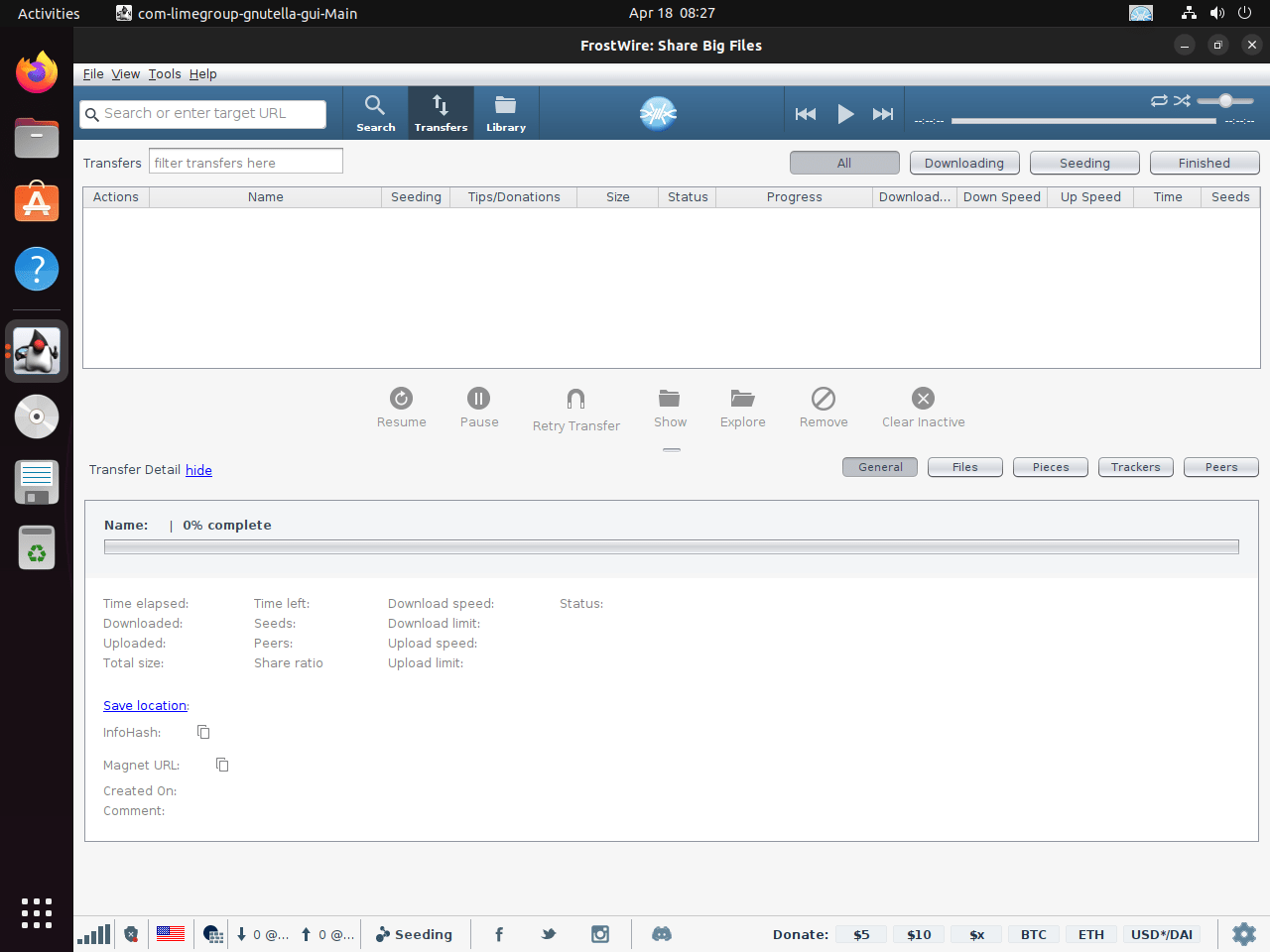
FrostWire is a graphical Java application, so launch it from an active desktop session. A headless SSH session or TTY can fail because no display server is available.
Launch FrostWire from Terminal
Start FrostWire from a desktop terminal with the installed launcher:
frostwireLaunch FrostWire from the Application Menu
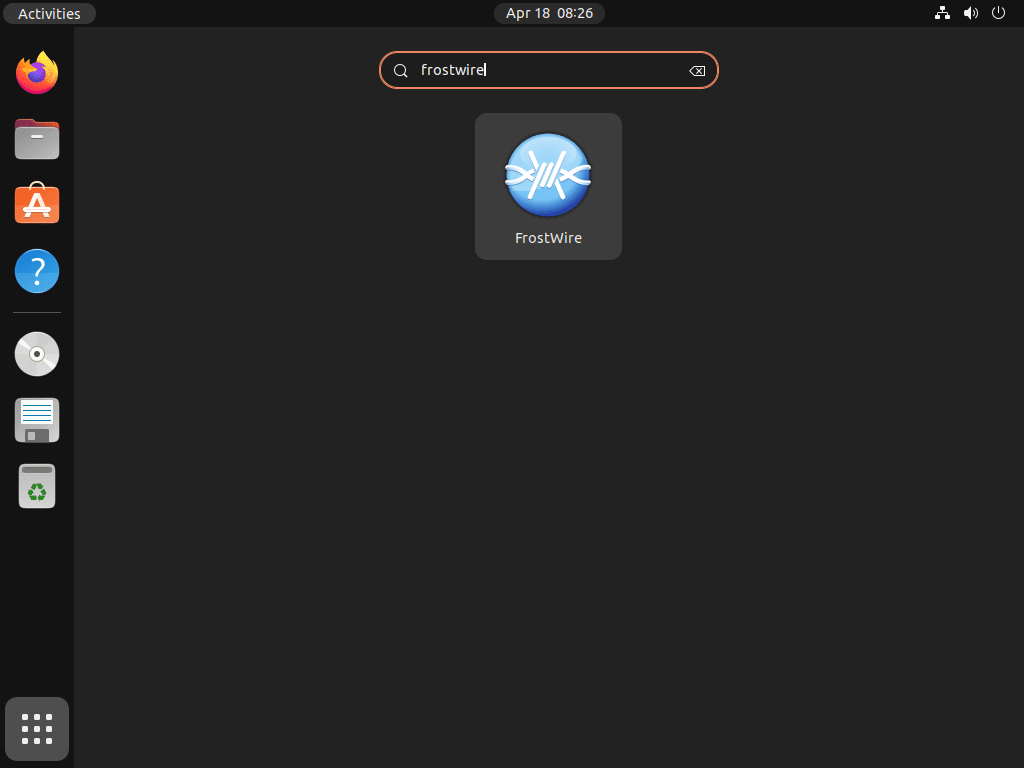
Open the application launcher and search for FrostWire. The package installs a standard desktop entry, so GNOME, KDE, Xfce, and other desktop environments should show it in the normal applications search.
Update or Remove FrostWire on Ubuntu
Update FrostWire
FrostWire receives package updates through the XtraDeb PPA when you refresh and upgrade APT packages. To update only FrostWire, run:
sudo apt update && sudo apt install --only-upgrade frostwire -yRemove FrostWire
Remove the FrostWire package first:
sudo apt remove frostwireReview optional dependency cleanup before confirming it. APT may list Java, media, or networking packages that were installed only for FrostWire, but reused systems can also have unrelated autoremovable packages:
sudo apt autoremove --dry-runIf the preview looks safe, run the real cleanup:
sudo apt autoremovePackage removal does not delete downloads or per-user FrostWire settings in your home directory. Review any FrostWire folders manually before deleting them.
Remove the XtraDeb PPA
If you no longer use any packages from the XtraDeb apps PPA, remove the FrostWire pin, remove the source, and refresh APT. Keep the PPA if you installed other XtraDeb packages and still want updates for them, but remove or edit the FrostWire-only pin so it does not hold those packages back.
sudo rm -f /etc/apt/preferences.d/frostwire-xtradeb-pin
sudo add-apt-repository --remove ppa:xtradeb/apps -y
sudo apt update
For more source-management detail, see the walkthrough on removing a PPA from Ubuntu.
apt-cache policy frostwireAfter the source is removed and the package is uninstalled, this command should no longer show a FrostWire candidate from ppa.launchpadcontent.net.
Troubleshoot FrostWire on Ubuntu
Unsupported Ubuntu Release or Architecture
If the PPA guard reports an unsupported release or architecture, do not force an older codename into your source file. The FrostWire PPA workflow currently covers Ubuntu 26.04 and 24.04 on amd64. On Ubuntu 22.04, the PPA package is visible but cannot install because openjdk-19-jre is unavailable.
For Ubuntu 22.04 or non-amd64 systems, use a different maintained torrent client such as qBittorrent on Ubuntu, Deluge on Ubuntu, or KTorrent on Ubuntu, or manage FrostWire manually from the official downloads page.
Unable to Locate Package FrostWire
If APT cannot locate frostwire, confirm the PPA was added and the package index was refreshed:
apt-cache policy frostwireIf no candidate appears, rerun the guarded PPA command from the install section. If the guard blocks your system, the PPA method is not currently available for that release or architecture.
If APT sees FrostWire but cannot resolve mplayer, enable Ubuntu’s universe component and refresh package metadata before trying the install again:
sudo add-apt-repository universe
sudo apt update
Java or Desktop Launch Errors
The PPA package pulls in Ubuntu’s default Java runtime on supported releases. If FrostWire fails to launch after installation, check Java first and reinstall the package if APT reports missing files:
java -version
sudo apt install --reinstall frostwire default-jre
If the terminal mentions display or X11/Wayland errors, start FrostWire from a normal desktop session instead of SSH or a text-only console.
Transfers or Search Results Do Not Start
FrostWire relies on external peers, trackers, magnet links, and network access. If a transfer stalls, try another legal torrent, confirm your VPN or firewall allows BitTorrent traffic, and check whether the source has active seeders before reinstalling the application.
Conclusion
FrostWire currently installs from the XtraDeb PPA on supported Ubuntu 26.04 and 24.04 amd64 desktops, with package updates handled through APT and normal desktop launch integration after installation. Ubuntu 22.04 and non-amd64 systems should use another Ubuntu torrent client or the official manual downloads instead of forcing this PPA path.


my computer says unable to locate package frostwire.
Hey Michael, that error usually means the xtradeb PPA was not added before running the install command. Confirm the PPA is present and refresh your package index:
If the package still does not appear, check your Ubuntu version with
lsb_release -cs. The PPA only provides FrostWire fornoble(24.04) andjammy(22.04). Other releases are not supported. I have added a troubleshooting section to the article covering this scenario.