Insomnia gives Ubuntu users a desktop API client for testing REST, GraphQL, gRPC, WebSocket, and SSE requests without rebuilding every workflow in browser tools or one-off curl commands. If you need saved environments, authentication helpers, request history, OpenAPI imports, or a visual response inspector, the fastest path is to install Insomnia on Ubuntu through one of the maintained Linux package channels.
On Ubuntu 26.04, 24.04, and 22.04, the practical choices are Kong’s Cloudsmith APT repository, a direct .deb package from GitHub releases, and the Snap Store package. The APT repository is the best fit for most systems because it stays tied to normal package updates, while the manual .deb and Snap methods are useful when you prefer a repository-free install or Snap’s automatic refresh model.
Install Insomnia on Ubuntu
All three Ubuntu methods install the Insomnia desktop app, but they differ in source setup, update behavior, and cleanup. Choose one method and stay with it unless you intentionally remove the previous installation first.
| Method | Source | Version Model | Updates | Best For |
|---|---|---|---|---|
| APT Repository | Kong Cloudsmith repository | Current stable release | Through apt | Most Ubuntu desktops and workstations |
Manual .deb Package | GitHub releases | Current stable release | Repeat download and install | Systems where you do not want an added APT source |
| Snap Package | Snap Store | Current stable release | Automatic Snap refreshes | Users who prefer Snap’s sandboxed packaging and background updates |
For most users, use the APT repository method. It keeps Insomnia visible to Ubuntu’s package manager, supports single-package upgrades, and avoids repeating manual downloads. Use the manual .deb method when you need a one-time install without a persistent repository, or use Snap when your system policy already favors Snap packages.
These steps support Ubuntu 26.04 LTS, 24.04 LTS, and 22.04 LTS. Kong publishes the Ubuntu APT package under the
focalsuite in Cloudsmith, and the same package installs on all three supported LTS releases. Do not replacefocalwith your local Ubuntu codename unless Kong changes the repository layout.
Kong’s GitHub releases also publish AppImage, tarball, RPM, and Snap assets. Those formats cover broader Linux download intent, but the commands below stay on Ubuntu-friendly package-manager paths. A separate Flathub listing exists for rest.insomnia.Insomnia; set up Flatpak on Ubuntu first if you intentionally want that sandboxed build, because it is outside the validated Ubuntu methods below.
The repository source below pins Architectures: amd64 because Kong’s current Ubuntu package index exposes the Insomnia desktop package for 64-bit Intel/AMD systems. If you are installing on ARM hardware, check the package source for a matching architecture before using these commands.
Update Ubuntu Before Installing Insomnia
Start by refreshing package metadata and applying available system updates. This reduces dependency problems before adding a new desktop application.
sudo apt update
sudo apt upgrade
These commands use
sudofor tasks that need root privileges. If your user is not in the sudoers file yet, run the commands as root or follow the guide on how to add a user to sudoers on Ubuntu.
Install Insomnia from the Kong APT Repository
The APT method adds Kong’s Cloudsmith repository with a scoped signing key, then installs the insomnia package through Ubuntu’s normal package tools.
Install APT Repository Dependencies
Install the tools needed to download the signing key, verify HTTPS downloads, and convert the key into a binary keyring.
sudo apt install curl ca-certificates gpgAdd the Kong Insomnia Signing Key
Download Kong’s Insomnia repository key, convert it with an isolated temporary GPG home, and install the binary keyring under /etc/apt/keyrings/. This keeps the key scoped to the Insomnia source instead of trusting it globally.
tmp_gpg_home=$(mktemp -d)
trap 'rm -rf "$tmp_gpg_home" kong-insomnia.asc kong-insomnia.gpg' EXIT

curl -fsSLo kong-insomnia.asc 'https://packages.konghq.com/public/insomnia/gpg.474B9148D779222B.key'
gpg --homedir "$tmp_gpg_home" --dearmor --yes -o kong-insomnia.gpg kong-insomnia.asc
sudo install -d -m 0755 /etc/apt/keyrings
sudo install -m 0644 kong-insomnia.gpg /etc/apt/keyrings/kong-insomnia-archive-keyring.gpg

trap - EXIT
rm -rf "$tmp_gpg_home" kong-insomnia.asc kong-insomnia.gpg
Add the Insomnia APT Source
Create a DEB822 source file for the Insomnia repository. The printf command writes fixed source-file content, and sudo tee writes it to a root-owned path.
printf '%s\n' \
  'Types: deb' \
  'URIs: https://packages.konghq.com/public/insomnia/deb/ubuntu' \
  'Suites: focal' \
  'Components: main' \
  'Architectures: amd64' \
  'Signed-By: /etc/apt/keyrings/kong-insomnia-archive-keyring.gpg' | sudo tee /etc/apt/sources.list.d/kong-insomnia.sources > /dev/null
Refresh APT Metadata
Refresh your package cache so Ubuntu reads the new Insomnia repository.
sudo apt updateRelevant output includes the Cloudsmith repository fetch lines:
Get: https://packages.konghq.com/public/insomnia/deb/ubuntu focal InRelease
Get: https://packages.konghq.com/public/insomnia/deb/ubuntu focal/main amd64 Packages
Install Insomnia from APT
Install the Insomnia package from the newly configured repository.
sudo apt install insomniaVerify the APT Installation
Verify that the package is installed and that APT sees the Cloudsmith package source. The exact version will change as Kong publishes new releases.
dpkg-query -W -f='Package: ${binary:Package}\nStatus: ${db:Status-Status}\nArchitecture: ${Architecture}\n' insomniaPackage: insomnia Status: installed Architecture: amd64
apt-cache policy insomnia | sed -n '/packages.konghq.com/p'500 https://packages.konghq.com/public/insomnia/deb/ubuntu focal/main amd64 Packages
Install Insomnia with the Manual DEB Package
The manual .deb method downloads the current Insomnia release asset directly from GitHub. It installs the same desktop package without keeping the Cloudsmith repository on your system. If you need more background on local packages, the guide to installing or removing DEB files on Ubuntu explains the general workflow.
Install Download Dependencies
Install jq with curl so the GitHub API response can be parsed as JSON instead of scraped as plain text.
sudo apt install curl ca-certificates jqDownload the Latest Insomnia DEB
Resolve the latest Insomnia.Core Debian package from GitHub releases, fail clearly if no matching asset is present, and download it as insomnia.deb.
INSOMNIA_DEB_URL=$(curl -fsSL 'https://api.github.com/repos/Kong/insomnia/releases/latest' | jq -r '.assets[] | select(.name | test("^Insomnia[.]Core-[0-9].*[.]deb$")) | .browser_download_url' | head -n 1)

if [ -z "$INSOMNIA_DEB_URL" ]; then
  echo "No Insomnia .deb asset found in the latest GitHub release."
  exit 1
fi

curl -fL "$INSOMNIA_DEB_URL" -o insomnia.deb
To confirm which asset was selected before installing, print the resolved URL.
printf '%s\n' "$INSOMNIA_DEB_URL"Install the Downloaded DEB
Install the local package with APT so Ubuntu can resolve any required dependencies from its configured repositories.
sudo apt install ./insomnia.debVerify the Manual DEB Installation
Check the installed package state. Because this method does not add a repository, apt-cache policy should show the package as local dpkg status rather than a Cloudsmith candidate.
dpkg-query -W -f='Package: ${binary:Package}\nStatus: ${db:Status-Status}\nArchitecture: ${Architecture}\n' insomniaPackage: insomnia Status: installed Architecture: amd64
apt-cache policy insomnia | sed -n '/var\/lib\/dpkg\/status/p'100 /var/lib/dpkg/status
Install Insomnia from the Snap Store
The Snap method installs Insomnia from the Snap Store and lets snapd handle background refreshes. Standard Ubuntu desktop and server installs usually include snapd, but trimmed systems may need snapd installed before this command works.
Install the Insomnia Snap
Install the stable Insomnia Snap package.
sudo snap install insomniaVerify the Snap Installation
Use snap list to confirm the installed version, revision, tracking channel, and publisher. Filtering the command keeps the output focused on the Snap channel and publisher.
snap list insomnia | awk 'NR == 1 {print $1, $4, $5} $1 == "insomnia" {print $1, $4, $5}'Name Tracking Publisher insomnia latest/stable getinsomnia
Launch Insomnia on Ubuntu
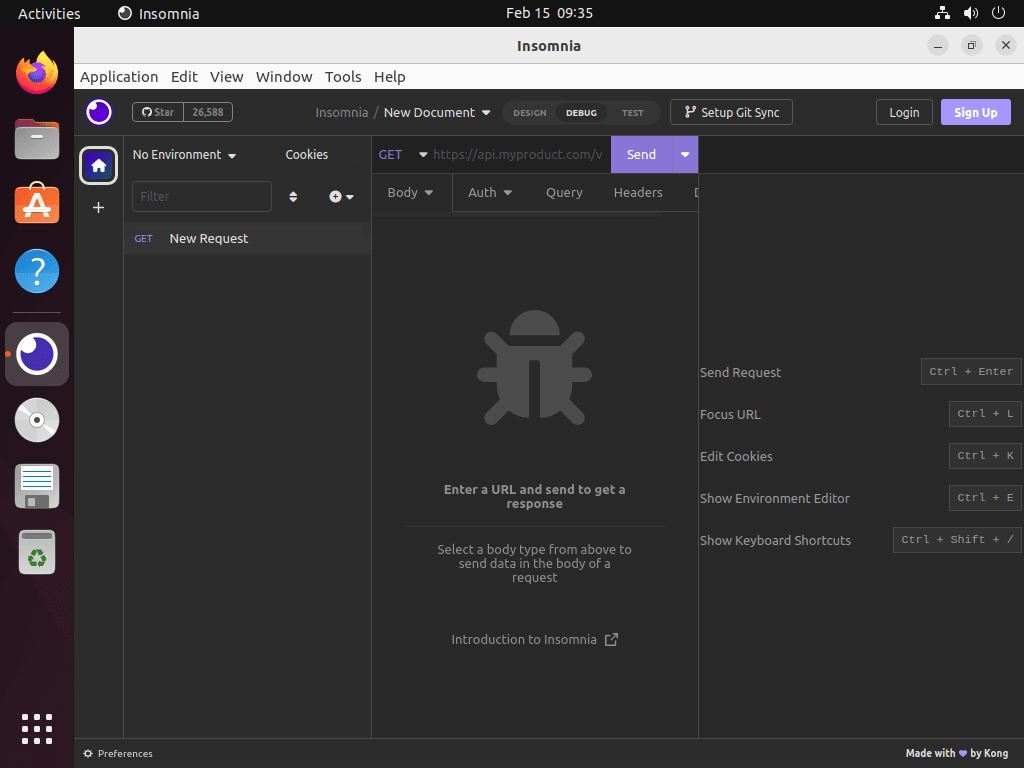
After installation, launch Insomnia from the terminal or your desktop application menu. APT repository and manual .deb installs use the insomnia command. Snap installs should use snap run insomnia from a terminal because that command does not depend on /snap/bin already being in your shell path.
Launch APT Repository or DEB Installs from Terminal
For the APT repository or manual .deb install, start Insomnia with the native launcher.
insomniaLaunch the Snap Package from Terminal
For the Snap package, use snap run so the command works even when the current shell has not picked up Snap’s launcher path.
snap run insomniaLaunch Insomnia from the Application Menu
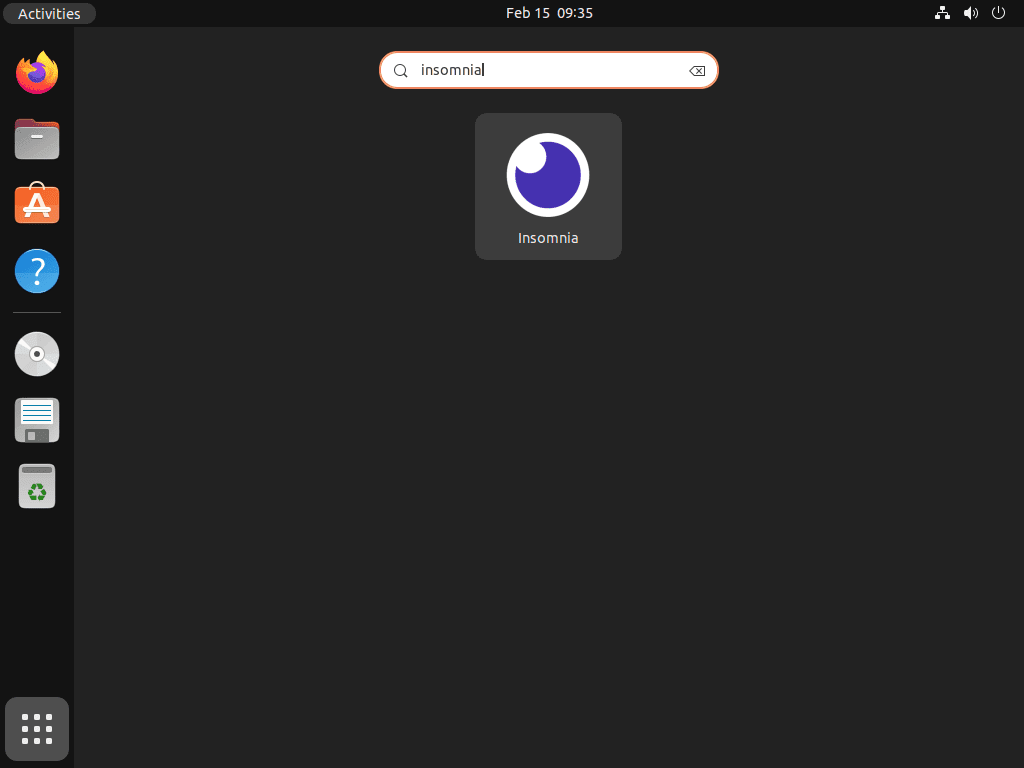
On Ubuntu Desktop, open the application grid and select Insomnia.
Activities > Show Applications > Insomnia
Manage Insomnia on Ubuntu
Use the update and removal commands that match the method you chose. Mixing package managers can leave duplicate launchers or confusing version checks.
Update Insomnia via APT
APT repository installations update during normal system upgrades. To update only Insomnia, use --only-upgrade.
sudo apt update
sudo apt install --only-upgrade insomnia
Update a Manual DEB Installation
Manual .deb installations do not receive repository updates. For a one-time refresh, repeat the GitHub release lookup, download the new package, and install it over the existing package.
INSOMNIA_DEB_URL=$(curl -fsSL 'https://api.github.com/repos/Kong/insomnia/releases/latest' | jq -r '.assets[] | select(.name | test("^Insomnia[.]Core-[0-9].*[.]deb$")) | .browser_download_url' | head -n 1)

if [ -z "$INSOMNIA_DEB_URL" ]; then
  echo "No Insomnia .deb asset found in the latest GitHub release."
  exit 1
fi

curl -fL "$INSOMNIA_DEB_URL" -o insomnia.deb
sudo apt install ./insomnia.deb
Create a Manual DEB Updater Command
If you plan to keep the manual .deb method, create a small updater command so future refreshes do not require repeating the full download workflow. The helper uses the same GitHub release lookup, downloads the package into your user cache during the run, compares the installed and latest versions, and installs the newer package only when needed.
Confirm the helper dependencies are installed first.
sudo apt install curl ca-certificates jqCreate the updater under /usr/local/bin so it is available from any terminal directory.
sudo tee /usr/local/bin/update-insomnia > /dev/null << 'SCRIPT_EOF'
#!/usr/bin/env bash
set -euo pipefail

PACKAGE_NAME="insomnia"
CACHE_DIR="${XDG_CACHE_HOME:-$HOME/.cache}/insomnia-updater"
DEB_PATH=""

cleanup() {
    if [ -n "$DEB_PATH" ]; then
        rm -f "$DEB_PATH"
    fi
    rmdir "$CACHE_DIR" 2>/dev/null || true
}
trap cleanup EXIT

if ! command -v curl >/dev/null 2>&1 || ! command -v jq >/dev/null 2>&1; then
    echo "curl and jq are required. Install them with: sudo apt install curl ca-certificates jq"
    exit 1
fi

mkdir -p "$CACHE_DIR"

echo "Checking the latest Insomnia release..."
DEB_URL="$(curl -fsSL 'https://api.github.com/repos/Kong/insomnia/releases/latest' | jq -r '[.assets[] | select(.name | test("^Insomnia[.]Core-[0-9].*[.]deb$")) | .browser_download_url][0] // empty')"

if [ -z "$DEB_URL" ]; then
    echo "No Insomnia .deb asset found in the latest GitHub release."
    exit 1
fi

DEB_FILE="${DEB_URL##*/}"
LATEST_VERSION="$(printf '%s\n' "$DEB_FILE" | sed -E 's/^Insomnia[.]Core-([^/]+)[.]deb$/\1/')"
DEB_PATH="$CACHE_DIR/$DEB_FILE"
CURRENT_VERSION="$(dpkg-query -W -f='${Version}' "$PACKAGE_NAME" 2>/dev/null || true)"

if [ -n "$CURRENT_VERSION" ]; then
    echo "Current installed version: $CURRENT_VERSION"
else
    echo "Current installed version: not installed"
fi

echo "Latest available version: $LATEST_VERSION"

if [ -n "$CURRENT_VERSION" ] && [ "$CURRENT_VERSION" = "$LATEST_VERSION" ]; then
    echo "Insomnia is already current."
    exit 0
fi

echo "Downloading: $DEB_FILE"
curl -fL "$DEB_URL" -o "$DEB_PATH"

sudo apt-get install -y "$DEB_PATH"

dpkg-query -W -f='Package: ${binary:Package}\nVersion: ${Version}\nStatus: ${db:Status-Status}\n' "$PACKAGE_NAME"
SCRIPT_EOF

sudo chmod 0755 /usr/local/bin/update-insomnia
Verify that your shell can find the new command.
command -v update-insomnia/usr/local/bin/update-insomnia
Run the updater whenever you want to refresh a manual .deb installation.
update-insomniaWhen Insomnia is already current, relevant output looks like this:
Checking the latest Insomnia release...
Insomnia is already current.
Update Insomnia via Snap
Snap refreshes packages automatically. To request an immediate refresh, run this command.
sudo snap refresh insomniaRemove an APT Repository Installation
To remove Insomnia and its package-maintained configuration, purge the package first.
sudo apt purge insomniaIf you also want to remove the Insomnia APT source, delete the source file and keyring, then refresh APT metadata.
sudo rm -f /etc/apt/sources.list.d/kong-insomnia.sources
sudo rm -f /etc/apt/keyrings/kong-insomnia-archive-keyring.gpg
sudo apt update
Verify that the package is no longer installed and that the source file is gone.
dpkg-query -W -f='${db:Status-Status}\n' insomnia 2>/dev/null || echo "not-installed"
test ! -e /etc/apt/sources.list.d/kong-insomnia.sources && echo "Insomnia APT source removed"
not-installed Insomnia APT source removed
APT may also list old dependencies from previous package activity on the system, not only dependencies from Insomnia. Preview the list before running any autoremove cleanup.
sudo apt autoremove --dry-runIf the preview lists only packages you no longer need, run the cleanup separately.
sudo apt autoremoveRemove a Manual DEB Installation
Manual .deb installs use the same package name, but there is no Cloudsmith source file to remove.
sudo apt purge insomniaVerify that dpkg no longer has an installed Insomnia package.
dpkg-query -W -f='${db:Status-Status}\n' insomnia 2>/dev/null || echo "not-installed"not-installed
If you created the optional updater command, remove it as well. The hash -r command clears the current shell’s cached command lookup before verification.
sudo rm -f /usr/local/bin/update-insomnia
hash -r
command -v update-insomnia || echo "update-insomnia removed"
update-insomnia removed
Remove the Insomnia Snap
For Snap installations, remove the Snap package. Add --purge when you also want Snap to discard saved Snap data instead of keeping a snapshot for reinstall.
sudo snap remove --purge insomniaVerify that the Snap package no longer appears.
snap list insomnia 2>/dev/null || echo "insomnia snap is not installed"insomnia snap is not installed
Remove Insomnia User Data
Insomnia stores local workspaces, preferences, and logs under your user profile.
Export any collections, environments, or workspaces you want to keep before running these commands. The next steps permanently delete local Insomnia data for your current user account.
Check the native package data directory before deleting it.
find "$HOME/.config/Insomnia" -maxdepth 0 -print 2>/dev/nullrm -rf "$HOME/.config/Insomnia"If you used the Snap package and launched the app before removal, check whether Snap created a separate user-data directory.
find "$HOME/snap/insomnia" -maxdepth 0 -print 2>/dev/null
rm -rf "$HOME/snap/insomnia"
Troubleshoot Insomnia on Ubuntu
Most Insomnia install problems come from a failed download, mixed install methods, missing Snap support, or desktop graphics issues during launch.
GitHub DEB Download Returns 404
A 404 usually means the manual download URL is stale or the release asset pattern changed. Print the resolved URL before retrying the download.
printf '%s\n' "$INSOMNIA_DEB_URL"If the command prints nothing, open the Insomnia GitHub releases page, confirm the latest release has an Insomnia.Core-*.deb asset, and download that asset manually.
Insomnia Does Not Open or Shows a Blank Window
Start Insomnia from a terminal so you can see launch output. This is more useful than clicking the desktop icon when the window closes immediately.
For APT repository or manual .deb installs, run the native launcher.
insomniaFor Snap installs, run the Snap launcher instead.
snap run insomniaIf the app starts but the window is blank or rendering incorrectly on a Wayland session, check your current session type.
echo "$XDG_SESSION_TYPE"wayland
Try launching through XWayland for the current session. This does not change your desktop login configuration.
For APT repository or manual .deb installs, use the native launcher with the temporary flag.
insomnia --ozone-platform=x11For Snap installs, pass the same flag through snap run.
snap run insomnia --ozone-platform=x11If the problem looks GPU-related, test one launch with GPU acceleration disabled.
For APT repository or manual .deb installs, run:
insomnia --disable-gpuFor Snap installs, run:
snap run insomnia --disable-gpuAppArmor Profile Message Appears on Ubuntu 22.04
On Ubuntu 22.04, the DEB package may print a message that it is skipping the bundled AppArmor profile because the local AppArmor version does not support that profile. The package can still finish installing; continue with the dpkg-query check and launch test. If Insomnia later fails to open and kernel logs show AppArmor denials for Insomnia, inspect those denials before adding local profile overrides.
Snap Command Is Missing
If snap is not available on a minimal Ubuntu system, install snapd first, then retry the Insomnia Snap installation.
sudo apt update
sudo apt install snapd
If your organization blocks Snap packages, use the APT repository or manual .deb method instead.
Conclusion
Insomnia is ready on Ubuntu through the installation method that matches your update policy: APT for integrated package management, manual .deb for repository-free installs, or Snap for automatic Snap refreshes. For related API development workflows, you may also want to install Node.js on Ubuntu, install Docker on Ubuntu, or install SSH on Ubuntu for remote tunneling and test environments.


Formatting tips for your comment
You can use basic HTML to format your comment. Useful tags currently allowed in published comments:
<code>command</code>command<strong>bold</strong><em>italic</em><a href="https://example.com">link</a><blockquote>quote</blockquote>