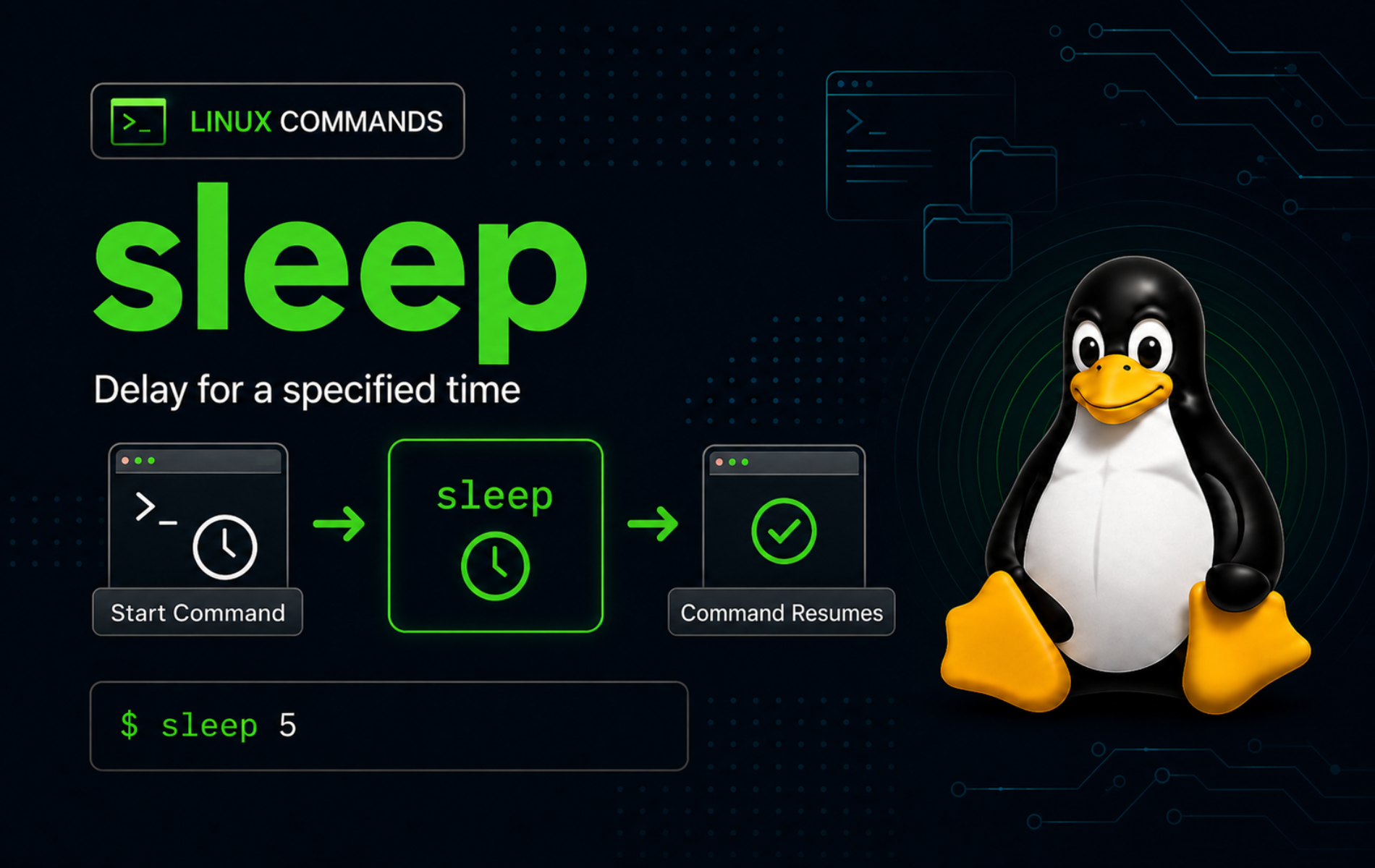
Fixed delays are useful when a script needs deliberate pacing, not when it needs to know whether work has finished. The sleep command in Linux pauses the current command chain for a specific interval, which makes it useful for retry loops, rate limits, short countdowns, terminal reminders, and controlled script demos.
Use sleep when the delay itself is the requirement. If a script needs to synchronize with background work, collect a child process exit code, or continue the moment a job finishes, use the bash wait command instead of guessing with a fixed pause.
Understand the sleep Command in Linux
The Linux sleep(1) manual page describes the user command as a delay utility that pauses for a specified amount of time. On many Linux distributions, sleep comes from GNU Coreutils or a compatible implementation such as uutils coreutils, so common Linux systems support seconds, minutes, hours, days, fractional values, and multiple duration arguments.
The GNU Coreutils sleep manual documents the GNU behavior, while the uutils sleep documentation covers the Rust implementation used by some current distributions. Portable POSIX shell scripts should stay with one non-negative integer number of seconds, because suffixes, fractional values, multiple arguments, and infinity-style delays are implementation extensions.
sleep Command Syntax
sleep NUMBER[SUFFIX]...
sleep OPTIONNUMBERis the delay length. Common Linux implementations accept integers and fractional numbers.SUFFIXis optional. Usesfor seconds,mfor minutes,hfor hours, ordfor days.- With no suffix,
sleeptreats the number as seconds. - With multiple duration arguments, common Linux implementations add the values together.
- GNU and compatible Linux implementations commonly support
--helpand--version.
Check Which sleep Command Runs
Confirm the resolved executable when a script depends on implementation-specific behavior such as fractional seconds, multiple arguments, or sleep infinity.
command -v sleep/usr/bin/sleep
Use the version output when you need to identify the provider. The first line can identify GNU Coreutils, uutils coreutils, BusyBox, or another implementation depending on the distribution and image.
sleep --version | head -n 1sleep Quick Reference
| Task | Command | What It Does |
|---|---|---|
| Pause for five seconds | sleep 5 | Waits five seconds before the next command starts. |
| Pause for half a second | sleep 0.5 | Uses a fractional second delay on common Linux implementations. |
| Pause for two minutes | sleep 2m | Uses the minutes suffix instead of writing seconds manually. |
| Combine durations | sleep 1m 30s | Adds the arguments and waits 90 seconds. |
| Use a readable variable | delay='5s'; sleep "$delay" | Keeps the delay configurable and safely quoted. |
| Sleep until interrupted | sleep infinity | Runs indefinitely on implementations that support infinity values. |
| Show supported syntax | sleep --help | Prints the local implementation’s help text. |
sleep Command vs sleep Function
The terminal command and the C library function are related in purpose but not interchangeable. Shell scripts run the sleep command. C programs call sleep(3) from unistd.h, which takes seconds as a function argument and can return early when a signal handler interrupts it.
Use Basic sleep Command Delays
Sleep for a Fixed Number of Seconds
A plain number pauses for that many seconds. The delay happens between the two printed lines.
printf 'Start\n'
sleep 1
printf 'Done\n'
Start Done
The output looks immediate in static text, but the shell waits one second after printing Start before it prints Done.
Sleep for Fractional Seconds
Fractional delays are useful for short pacing in local loops, progress messages, and tests where a full second is too slow.
sleep 0.2
printf 'Fractional sleep finished.\n'
Fractional sleep finished.
Use a dot for the decimal separator in scripts. Locale-specific decimal commas are not portable and can fail when the script runs under a different environment.
Sleep with Seconds, Minutes, Hours, and Days
Suffixes make long delays easier to read. The supported common suffixes are s, m, h, and d.
sleep 10s
sleep 2m
sleep 1h
sleep 1d
Long sleeps can be interrupted from an interactive terminal with Ctrl+C. In scripts, prefer shorter retry intervals with a maximum attempt count so a failed condition does not leave automation stalled for hours.
Combine Multiple sleep Durations
Common Linux implementations add multiple duration arguments. This is clearer than converting mixed units by hand.
sleep 1s 0.5s
printf 'Combined sleep finished.\n'
Combined sleep finished.
For portable /bin/sh scripts, use a single integer number of seconds such as sleep 90. The multiple-argument form is useful on Linux, but it is not the lowest-common-denominator shell-script form.
Store a sleep Delay in a Variable
Delay variables make retry loops and maintenance scripts easier to tune. Quote the variable so an empty value, spaces, or generated text cannot split into surprising arguments.
delay='0.5s'
sleep "$delay"
printf 'Delay finished.\n'
Delay finished.
If the variable might be unset, assign a safe default before calling sleep.
delay=${delay:-1}
sleep "$delay"
Use sleep in Bash Scripts and Loops
Delay Between Retry Attempts
Retry loops should pause between attempts so they do not hammer a file, API, database, or local service. Keep the delay near the failure branch, and stop after a known limit.
#!/usr/bin/env bash
attempt=1

until (( attempt > 3 )); do
    printf 'Attempt %s\n' "$attempt"

    if (( attempt == 3 )); then
        printf 'Operation succeeded.\n'
        break
    fi

    printf 'Operation failed; retrying in 1 second.\n'
    sleep 1
    ((attempt += 1))
done
Attempt 1 Operation failed; retrying in 1 second. Attempt 2 Operation failed; retrying in 1 second. Attempt 3 Operation succeeded.
Replace the simulated success condition with the real check your script needs, such as a file test, command exit status, or service probe. Avoid infinite retry loops unless a supervisor or operator is responsible for stopping them.
Rate-Limit a Small Loop
A short sleep inside a loop can keep local work from running too aggressively. This pattern is useful for lightweight polling or pacing output, but it should not replace proper API rate-limit handling when a service publishes explicit limits.
for item in alpha beta gamma; do
    printf 'Processing %s\n' "$item"
    sleep 0.2
done
Processing alpha Processing beta Processing gamma
The output lines stay the same, but each loop iteration pauses for a fraction of a second before the next item starts.
Create a Simple Countdown
Countdowns are a good fit for sleep because the user-facing delay is the point of the workflow.
for second in 3 2 1; do
    printf '%s...\n' "$second"
    sleep 1
done

printf 'Go\n'
3... 2... 1... Go
For a script that waits for user input with a timeout, the read command in Linux is usually a better fit because it can pause for input and return a status when no answer arrives.
Wait for a Readiness Check Between Attempts
sleep works well between checks, but the check must still decide whether the script can continue. The delay is not proof that the resource is ready.
for attempt in {1..5}; do
    if [[ -e ready.flag ]]; then
        printf 'ready.flag exists\n'
        break
    fi

    printf 'ready.flag missing; retrying in 1 second\n'
    sleep 1
done
Use a bounded loop like this for simple file or readiness checks. If the condition never becomes true, add an else branch, status variable, or final failure message so the caller can tell the difference between success and timeout.
Control Running sleep Processes
Interrupt sleep from the Terminal
An interactive sleep can be interrupted with Ctrl+C. The terminal sends an interrupt signal to the foreground process, and the shell prompt returns immediately.
sleep 30This is useful for manual testing, but scripts should not depend on a person interrupting the delay. Use shorter intervals, maximum attempts, or a timeout wrapper when the script must recover by itself.
Run sleep in the Background
Background sleeps are useful as timers, but save the PID immediately if the script may need to stop or wait for that timer later.
sleep 60 &
sleep_pid=$!

printf 'sleep PID: %s\n' "$sleep_pid"
kill "$sleep_pid"

if wait "$sleep_pid" 2>/dev/null; then
    printf 'sleep exited normally\n'
else
    printf 'sleep stopped with status %s\n' "$?"
fi
Example output includes a different PID on each run:
sleep PID: 18611
sleep stopped with status 143
Status 143 is the common shell status for a process terminated by SIGTERM, calculated as 128 plus signal number 15. For full background-job coordination, prefer saved PIDs with wait instead of adding a second fixed delay.
Limit an Indefinite sleep with timeout
Some scripts and containers use sleep infinity to keep a process idle until another signal or supervisor intervenes. Wrap it with timeout when a demo or safety guard needs a hard upper limit.
if timeout 5s sleep infinity; then
    status=0
else
    status=$?
fi

printf 'timeout status: %s\n' "$status"
timeout status: 124
GNU and compatible timeout implementations use status 124 when the timeout limit expires. Use a real supervisor such as systemd when the goal is to manage a long-running service, restart policy, logs, dependencies, and boot behavior.
Use sleep Portably in Shell Scripts
Most Linux users can use fractional seconds and suffixes because common Linux implementations support them. Portability becomes stricter when a script must run under minimal images, embedded systems, older Unix systems, or a generic POSIX /bin/sh environment.
| Script Target | Safer sleep Form | Avoid Unless Verified |
|---|---|---|
Portable POSIX sh | sleep 5 | Fractions, suffixes, multiple arguments, and infinity values |
| Common GNU or uutils Linux systems | sleep 0.5, sleep 1m 30s | Assuming identical version banners or localized error quotes |
| Minimal BusyBox-style images | Check sleep --help or the image documentation | Publishing GNU-only behavior as universal |
| Interactive Bash script | sleep "$delay" with a validated default | Unquoted or empty delay variables |
When portability matters more than convenience, convert mixed durations to seconds yourself and keep the script readable with a named variable.
delay_seconds=90
sleep "$delay_seconds"
Troubleshoot Common sleep Command Problems
Most sleep failures come from missing operands, unsupported duration syntax, empty variables, or using a timed delay when a real readiness check is needed.
sleep Reports missing operand
sleep needs at least one duration argument. This error often appears when a delay variable is empty.
LC_ALL=C sleepsleep: missing operand Try 'sleep --help' for more information.
Check the variable before calling sleep, then provide a safe default when an unset value should not stop the script.
: "${delay:=1}"
sleep "$delay"
sleep Reports invalid time interval
An unsupported suffix or malformed number causes an invalid interval error. Milliseconds are not written with an ms suffix in common Linux sleep implementations.
LC_ALL=C sleep 1mssleep: invalid time interval '1ms' Try 'sleep --help' for more information.
Use seconds with a decimal value instead.
sleep 0.001The Script Sleeps Too Long
Check the suffix first. sleep 1m waits one minute, not one millisecond. sleep 1h waits one hour. When the intended delay is short, write fractional seconds and keep the unit in the variable name.
delay_seconds='0.5'
sleep "$delay_seconds"
sleep Does Not Prove a Service or File Is Ready
A delay only proves that time passed. If the next command needs a file, port, API, socket, or child process to be ready, test that condition directly between sleeps and fail clearly after the final attempt.
#!/usr/bin/env bash
ready=no
max_attempts=5

for ((attempt = 1; attempt <= max_attempts; attempt++)); do
    if [[ -e ready.flag ]]; then
        ready=yes
        break
    fi

    sleep 1
done

if [[ $ready != yes ]]; then
    printf 'ready.flag did not appear after %s attempts\n' "$max_attempts" >&2
    exit 1
fi
For jobs started by the same shell, wait "$pid" is stronger than a readiness loop because it returns the child process status. For jobs that should run later or wait for a quieter system, the batch command in Linux is a better scheduling tool than a long manual sleep.
When Not to Use sleep
sleep is intentionally simple. Use a purpose-built mechanism when the workflow needs a condition, schedule, process result, or user answer rather than a blind delay.
| Need | Better Tool | Reason |
|---|---|---|
| Wait for a child process to finish | wait "$pid" | Returns the child process exit status instead of guessing a duration. |
| Wait for user input with a deadline | read -t | Pauses for input and reports timeout through the command status. |
| Run a job at a real time | systemd timers, cron, or at | Schedulers survive shell exits and make timing policy explicit. |
| Run later when system load drops | batch | The system queue owns the delay decision. |
| Wait for a service or endpoint | Readiness checks with bounded retries | The condition decides whether the next step is safe. |
Conclusion
sleep is ready for fixed delays, short retry pacing, readable duration suffixes, fractional pauses, countdowns, and simple timers. Keep portable scripts to integer seconds, quote delay variables, and switch to wait, read -t, readiness checks, or a scheduler when the script needs a result instead of elapsed time.


Formatting tips for your comment
You can use basic HTML to format your comment. Useful tags currently allowed in published comments:
<code>command</code>command<strong>bold</strong><em>italic</em><a href="https://example.com">link</a><blockquote>quote</blockquote>