

Jumping between Windows RDP hosts, Linux SSH systems, and VM consoles gets messy fast. Remmina keeps those sessions in one place, and to install Remmina on Fedora you can use the distro package path or a sandboxed build.
Remmina is available directly in Fedora’s default repositories, so most users can stay on the DNF path and get updates through normal system upgrades. A second method is included for users who want sandboxing or newer upstream builds, followed by plugin setup, troubleshooting, and clean removal.
Install Remmina on Fedora Linux
Choose a Remmina Installation Method on Fedora
Use this quick comparison table to pick the best installation path for your Fedora setup.
| Method | Channel | Version Flow | Updates | Best For |
|---|---|---|---|---|
| DNF | Fedora repositories | Fedora package stream | Via sudo dnf upgrade --refresh | Most users who want distro-integrated updates |
| Flatpak | Flathub | Flathub stable stream, often newer | Via sudo flatpak update | Users who prefer sandboxing and faster upstream releases |
Recommendation: start with DNF unless you specifically need the newest Flatpak build.
Method 1: Install Remmina on Fedora with DNF
Refresh package metadata first so you install against current Fedora repositories.
sudo dnf upgrade --refreshCommands below use
sudowhen root privileges are required. If your account does not have sudo access yet, follow our guide to add a user to sudoers on Fedora.
Install the main Remmina package:
sudo dnf install -y remminaThe -y flag auto-confirms prompts. Remove it if you want to review the transaction details before installation continues.
For dedicated kiosk or login-session workflows, you can also install the optional GNOME session package:
sudo dnf install -y remmina-gnome-sessionVerify the package is installed:
rpm -q remminaremmina-1.4.41-1.fc43.x86_64
Install Optional Remmina Plugins on Fedora
The base package already includes common plugins, but you can add extras for specific workflows:
remmina-plugins-secretfor GNOME Keyring credential storageremmina-plugins-kwalletfor KDE Wallet credential storageremmina-plugins-spicefor SPICE virtual machine sessionsremmina-plugins-wwwfor embedded web contentremmina-plugins-x2gofor X2Go session support
Install the plugin set you need. Example:
sudo dnf install -y remmina-plugins-secret remmina-plugins-spice remmina-plugins-x2goMethod 2: Install Remmina on Fedora from Flathub (Flatpak)
Fedora Workstation already includes Flatpak. On Fedora Server or minimal installations, install it first:
sudo dnf install -y flatpakAdd Flathub as a system remote:
sudo flatpak remote-add --if-not-exists flathub https://flathub.org/repo/flathub.flatpakrepoVerify remotes before installing Remmina:
flatpak remotesfedora system,oci flathub system
Install Remmina from Flathub:
sudo flatpak install -y flathub org.remmina.RemminaVerify the Flatpak installation details:
flatpak info org.remmina.Remmina | grep -E '^Version:|^Installation:'The grep -E filter trims the output to only the lines you care about. For additional filtering patterns, see our grep command guide.
Version: 1.4.43
Installation: system
Launch Remmina on Fedora Linux
Launch Remmina from Terminal
Use the command that matches your installation method:
remminaflatpak run org.remmina.RemminaLaunch Remmina from Fedora Activities
Both methods add a desktop launcher automatically.
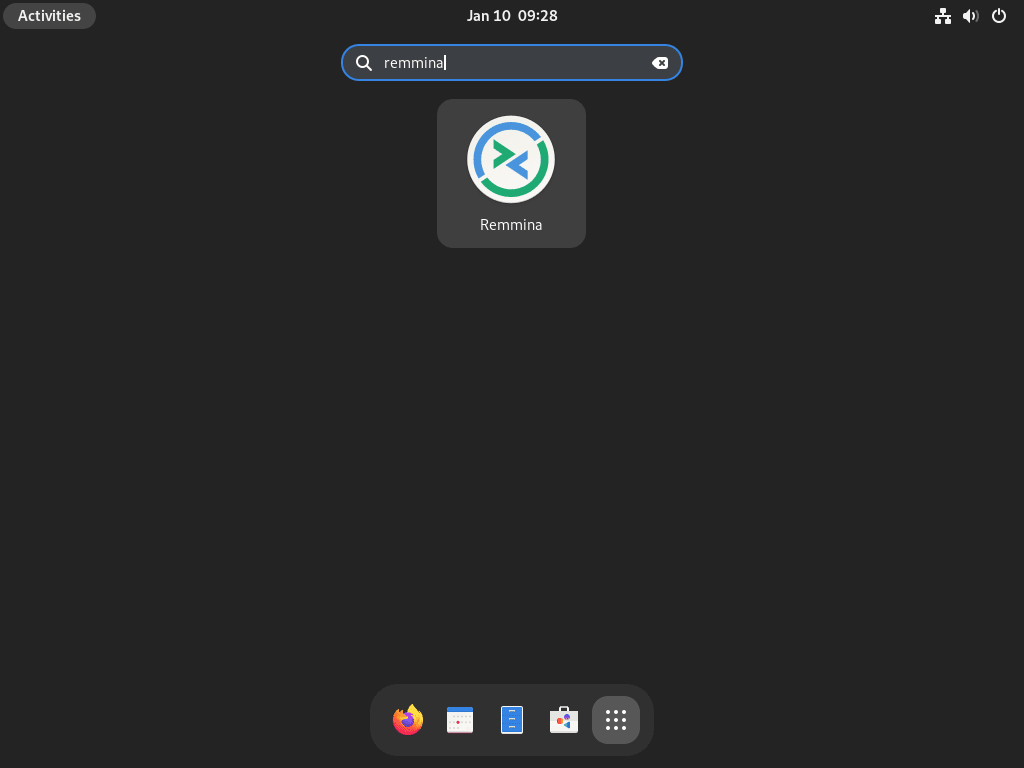
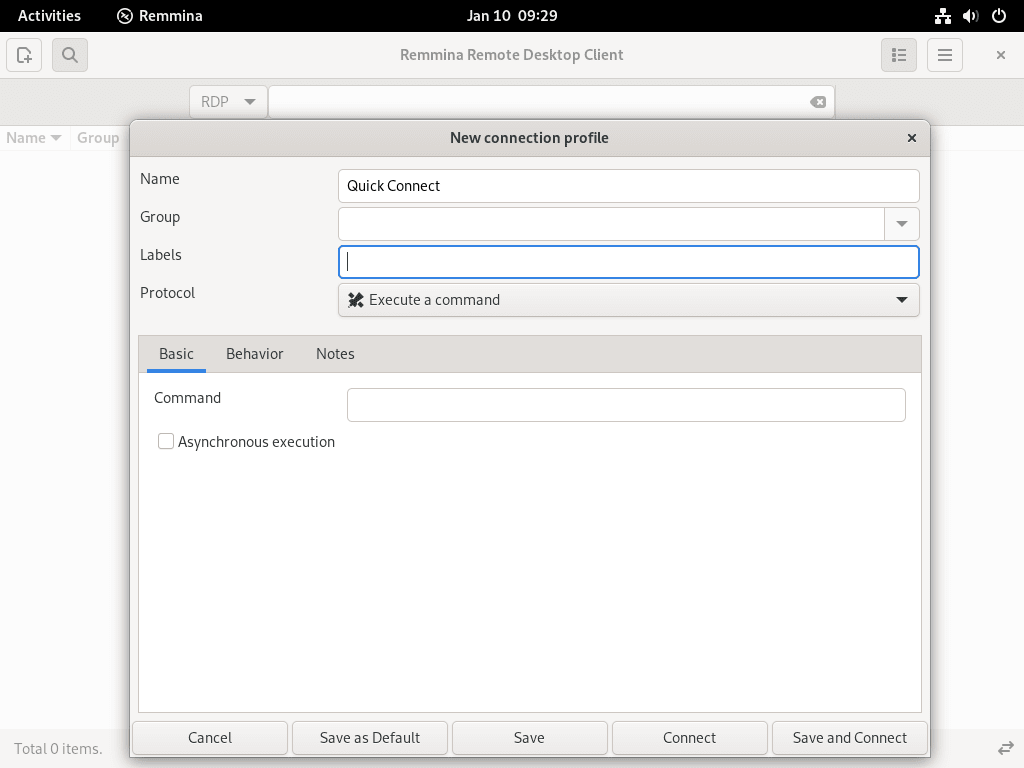
- Open Activities.
- Search for
Remmina. - Select the Remmina icon to start the client.
Manage Remmina on Fedora Linux
Update Remmina on Fedora
Run the update command for your chosen installation method:
sudo dnf upgrade --refreshsudo flatpak updateRemove Remmina from Fedora
For DNF installations, remove the base package set:
sudo dnf remove remmina remmina-gnome-sessionDNF also removes dependent Remmina plugin packages that were installed with it.
For Flatpak installations:
The
--delete-dataflag permanently removes saved profiles, credentials, and preferences from~/.var/app/org.remmina.Remmina/. Back up that directory first if you need to keep your connection data.
sudo flatpak uninstall --delete-data org.remmina.RemminaOptional cleanup for unused Flatpak runtimes:
sudo flatpak uninstall --unusedTroubleshoot Remmina on Fedora Linux
Remmina Does Not Launch on Fedora
If Remmina is installed but does not open, check both package state and runtime output for your installation method.
# DNF method
rpm -q remmina
remmina --version

# Flatpak method
flatpak info org.remmina.Remmina | grep -E '^Version:|^Installation:'
flatpak run org.remmina.Remmina --version
remmina-1.4.41-1.fc43.x86_64 Version: 1.4.43 Installation: system org.remmina.Remmina - 1.4.43 (git 7be0cf234)
If you run launch commands over SSH without an active graphical session, GTK can throw display errors and Remmina will not open. Launch it from the local desktop session in Activities, or connect to the machine with a graphical remote session first.
Remmina Command Not Found After DNF Installation
If the shell cannot find Remmina after installation, plugin or base package installation may have failed during a previous transaction.
bash: remmina: command not found
Reinstall the package and core protocol plugins, then verify:
sudo dnf install -y remmina remmina-plugins-rdp remmina-plugins-vnc
rpm -q remmina remmina-plugins-rdp remmina-plugins-vnc
remmina-1.4.41-1.fc43.x86_64 remmina-plugins-rdp-1.4.41-1.fc43.x86_64 remmina-plugins-vnc-1.4.41-1.fc43.x86_64
Flathub Remote Disabled Error During Remmina Flatpak Installation
A disabled Flathub remote causes Flatpak installs to fail even when the remote exists.
error: Unable to load summary from remote flathub: Can't fetch summary from disabled remote 'flathub'
Re-enable Flathub and verify the remote list:
sudo flatpak remote-modify --enable flathub
flatpak remotes
fedora system,oci flathub system
Alternative Remote Desktop Clients Besides Remmina on Fedora Linux
If you need a proprietary remote desktop stack with vendor-managed account workflows, compare the options below before switching from Remmina.
| Product | Official Fedora Channel | Update Path | License Model | Best For |
|---|---|---|---|---|
| TeamViewer | TeamViewer Linux portal publishes Fedora RPM packages for Full Client and Host. | Manual update with new RPM downloads, or repo-based updates when using the repository method. | Proprietary (vendor EULA applies) | Support teams already standardized on TeamViewer workflows |
| AnyDesk | The AnyDesk RPM repository how-to includes a Fedora repository definition and install path. | Automatic updates through dnf when the RPM repo is configured, or manual RPM refreshes. | Proprietary (vendor terms apply) | Users who want a lightweight client with vendor RPM repository support |
For setup steps on Fedora, use these distro-specific guides:
If you want an open-source-first workflow, stay on Remmina and add only the plugins you actually use.
Frequently Asked Questions About Remmina on Fedora
Yes. Remmina is available in Fedora’s default repositories and installs directly with dnf without adding a third-party repository.
Use dnf for tighter Fedora integration and standard system updates. Use Flatpak when you want a sandboxed app build and often newer upstream releases from Flathub.
For DNF installs, run sudo dnf remove remmina remmina-gnome-session. For Flatpak installs, run sudo flatpak uninstall --delete-data org.remmina.Remmina to remove both the app and its saved data.
RDP and VNC support is typically available with the main Remmina package. Add optional plugins such as remmina-plugins-secret, remmina-plugins-spice, and remmina-plugins-x2go only when you need those protocol or keyring integrations.
Conclusion
Remmina is now installed and ready on Fedora for RDP, VNC, SSH, and SPICE sessions from one window. For secure remote access, pair it with a hardened network setup using this firewalld on Fedora guide and this SSH on Fedora guide.

Formatting tips for your comment
You can use basic HTML to format your comment. Useful tags currently allowed:
<code>command</code>command<strong>bold</strong><em>italic</em><a href="URL">link</a><blockquote>quote</blockquote>