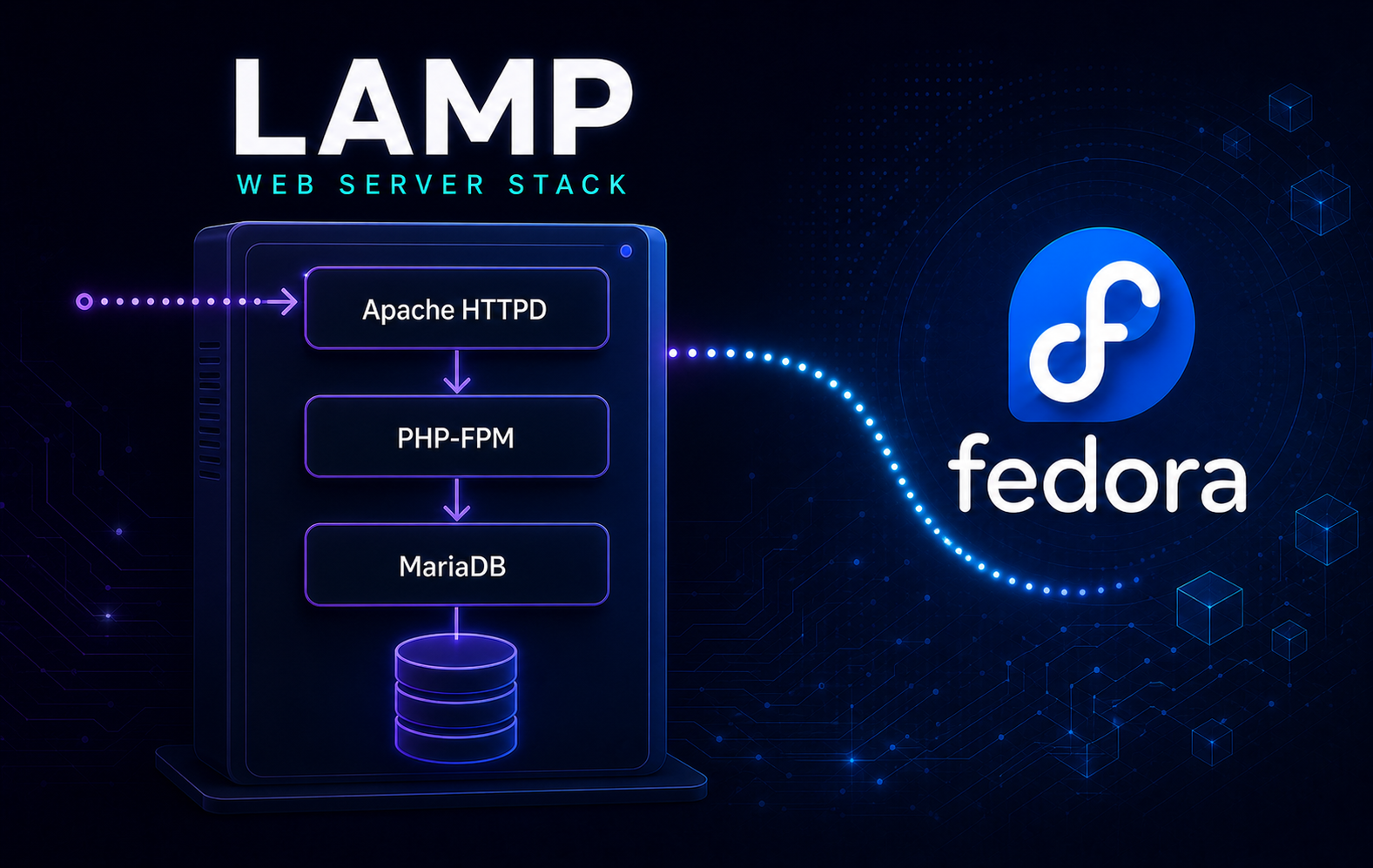
A Linux, Apache, MariaDB, and PHP (LAMP) server on Fedora needs more than its component packages: Apache must hand PHP requests to PHP-FPM, PHP needs the MariaDB driver, and Fedora’s Firewalld and SELinux protections must stay intact. The stock Fedora repositories provide every package needed to install a LAMP stack on Fedora Linux without adding Remi, MariaDB.org, or another third-party source.
This procedure builds a single-host stack with Apache HTTPD, MariaDB, PHP-FPM, and the default /var/www/html document root. Database traffic stays local by default; remote database hosting, multi-server layouts, application-specific tuning, and TLS certificates remain separate deployment decisions.
Install LAMP on Fedora Linux
These steps cover mutable Fedora 44 installations that use DNF. Do not apply this host-level DNF procedure to Silverblue, Kinoite, or another Fedora Atomic Desktop; those systems require a separate rpm-ostree, container, or image-based workflow.
Update Fedora Before Installing LAMP
Refresh DNF metadata and apply pending updates before installing the web stack. This keeps Apache, PHP, MariaDB, OpenSSL, SELinux policy packages, and their shared libraries aligned.
sudo dnf upgrade --refreshThe remaining commands use sudo for package, service, firewall, and configuration changes. Configure an administrator account first with the guide to add a user to sudoers on Fedora if your current account cannot run privileged commands.
Install Apache, MariaDB, and PHP Packages
Install the complete stock package set in one DNF transaction:
sudo dnf install httpd mariadb-server php php-cli php-fpm php-mysqlnd| Stack component | Fedora implementation | Purpose |
|---|---|---|
| Linux | Fedora Linux | Provides the operating system, DNF packages, systemd services, SELinux policy, and Firewalld integration. |
| Apache | httpd, httpd.service | Serves HTTP content from /var/www/html and passes PHP requests to PHP-FPM. |
| MariaDB | mariadb-server, mariadb.service | Provides LAMP’s MySQL-compatible database server and local administration client. |
| PHP | php, php-cli, php-fpm | Runs command-line PHP and web requests through the PHP FastCGI Process Manager. |
| PHP database driver | php-mysqlnd | Adds mysqli, mysqlnd, and pdo_mysql support for MariaDB and MySQL applications. |
Fedora’s unversioned packages follow the supported default branches for the installed release. A Fedora release upgrade can introduce new PHP or MariaDB major branches, so check application compatibility before upgrading the operating system. If an application requires a fixed branch, make that choice before building the stack with the guides to install PHP on Fedora and install and secure MariaDB on Fedora.
Confirm that every core package and required dependency is present:
rpm -q httpd mariadb-server mariadb mysql-selinux php php-cli php-fpm php-mysqlndEach package should return an installed RPM name. The mariadb client and mysql-selinux policy packages are dependencies used later in this procedure. A package ... is not installed result identifies the missing component to repair before continuing.
Start Apache, MariaDB, and PHP-FPM
Fedora does not rely on package installation alone to make the stack available. Enable all three services for future boots and start them now:
sudo systemctl enable --now httpd mariadb php-fpmCheck the runtime and boot states separately:
systemctl is-active httpd mariadb php-fpm
systemctl is-enabled httpd mariadb php-fpm
All three units should report active in the first check and enabled in the second. Diagnose any failed unit before opening network access.
Validate Apache’s packaged configuration before testing requests:
sudo apachectl configtestA valid configuration returns Syntax OK. The command checks Apache configuration syntax but does not prove PHP processing or remote reachability, which are tested later.
Confirm local MariaDB administration works and inspect the active version, socket, and bind address:
sudo mariadb -e "SELECT VERSION() AS version, @@socket AS socket, @@bind_address AS bind_address;"The query should return one row. Fedora normally places the local socket at /var/lib/mysql/mysql.sock. The local-only drop-in created below restricts the TCP bind address to loopback.
Check the PHP command-line branch and the three MariaDB driver modules:
php -r 'echo "PHP " . PHP_MAJOR_VERSION . "." . PHP_MINOR_VERSION . PHP_EOL;'
php -m | grep -iE '^(mysqli|mysqlnd|pdo_mysql)$'
The module check should list mysqli, mysqlnd, and pdo_mysql. CLI output alone does not prove that Apache can execute PHP, so a request through the web server is still required.
Configure MariaDB for the Fedora LAMP Stack
Run the MariaDB Hardening Utility
Run MariaDB’s interactive hardening utility after the service starts:
command -v mariadb-secure-installation &&
sudo mariadb-secure-installation
The exact prompts can vary by MariaDB branch and package defaults. For a normal single-host LAMP server, use these decisions when the corresponding prompts appear:
- Press Enter for the current MariaDB root password on a fresh installation unless you have already set one.
- Keep or enable Unix socket authentication for the administrative
rootaccount so local administration usessudo mariadb. - Remove anonymous accounts and the test database if the utility finds them.
- Disallow remote root login.
- Reload the privilege tables after the changes.
Modern MariaDB releases already use socket-based root authentication on many Linux installations, so a separate MariaDB root password is not required for the normal sudo mariadb workflow. Confirm that administrative socket access still works after the utility completes:
sudo mariadb -e "SELECT CURRENT_USER();"The result should identify root@localhost. Web applications should always use their own restricted database account rather than the administrative root account.
Keep MariaDB Bound to Localhost
A LAMP stack with Apache, PHP, and MariaDB on the same Fedora host does not need to expose TCP port 3306 to the network. Add a marked local drop-in that preserves the Unix socket and limits TCP connections to the loopback interface. The block stops instead of overwriting an existing administrator file:
LAMP_DROPIN=/etc/my.cnf.d/99-lamp-local-only.cnf
if sudo test -e "$LAMP_DROPIN" || sudo test -L "$LAMP_DROPIN"; then
    printf 'Preserved existing file: %s\n' "$LAMP_DROPIN" >&2
    false
else
    sudo tee "$LAMP_DROPIN" > /dev/null <<'EOF'
# Created by the LinuxCapable Fedora LAMP procedure
[mysqld]
bind-address=127.0.0.1
EOF
fi
Confirm that MariaDB reads the drop-in, restart the service, then verify the effective server variable and listener:
my_print_defaults mysqld | grep -- '--bind-address=127.0.0.1' &&
sudo systemctl restart mariadb &&
sudo mariadb -NBe "SHOW VARIABLES LIKE 'bind_address';" &&
DB_LISTENERS=$(sudo ss -H -ltn 'sport = :3306') &&
printf '%s\n' "$DB_LISTENERS" &&
test -n "$DB_LISTENERS" &&
test -z "$(printf '%s\n' "$DB_LISTENERS" | awk '$4 != "127.0.0.1:3306"')"
The variable should report 127.0.0.1. Every returned port 3306 listener must use 127.0.0.1:3306; the final checks fail if no listener exists or a wildcard, external, or IPv6 listener appears. Do not add a Firewalld rule for port 3306 in this single-host layout.
If MariaDB fails to restart immediately after this change, remove only the drop-in created here and start the service again:
if sudo test -f /etc/my.cnf.d/99-lamp-local-only.cnf && ! sudo test -L /etc/my.cnf.d/99-lamp-local-only.cnf && printf '%s\n' '# Created by the LinuxCapable Fedora LAMP procedure' '[mysqld]' 'bind-address=127.0.0.1' | sudo cmp -s - /etc/my.cnf.d/99-lamp-local-only.cnf; then
    sudo rm -f /etc/my.cnf.d/99-lamp-local-only.cnf &&
    sudo systemctl restart mariadb &&
    systemctl is-active mariadb &&
    sudo mariadb -e "SELECT 1;"
else
    printf 'Preserved a missing or modified MariaDB drop-in for manual review\n' >&2
    false
fi
Remote database access and administrative account recovery are outside this single-host socket-based workflow.
Create a MariaDB Database and Application User
Create one database account per application instead of sharing MariaDB root credentials. Generate a long password and store it in a password manager before opening the database shell:
php -r 'echo bin2hex(random_bytes(18)), PHP_EOL;'Open MariaDB with client history disabled for this session so the password-bearing CREATE USER statement is not written to the root account’s MariaDB history file:
sudo env MYSQL_HISTFILE=/dev/null mariadbThe remaining commands keep the sample database name lamp_app and account name lamp_user. You may replace them, but every later SQL, PHP, and shell example must use the same names consistently. Always replace the sample password:
CREATE DATABASE lamp_app CHARACTER SET utf8mb4 COLLATE utf8mb4_unicode_ci;
CREATE USER 'lamp_user'@'localhost' IDENTIFIED BY 'replace-with-the-generated-password';
GRANT ALL PRIVILEGES ON lamp_app.* TO 'lamp_user'@'localhost';
EXIT;
The account is a schema owner with full privileges inside only the selected application database. Test it through an interactive password prompt rather than putting the password on the command line:
mariadb -u lamp_user -p -D lamp_app -e "SELECT DATABASE(), CURRENT_USER(); SHOW GRANTS;"A successful query should identify lamp_app and lamp_user@localhost. Use the same database name, username, and password in the application configuration, preferably through a protected environment file or secret store that is not served by Apache.
Test Apache, PHP-FPM, and MariaDB Together
Fedora’s php-fpm package integrates Apache through /etc/httpd/conf.d/php.conf, while the default PHP-FPM pool listens on /run/php-fpm/www.sock. Validate PHP-FPM and confirm that its socket exists before making a request:
sudo php-fpm -t &&
test -S /run/php-fpm/www.sock && echo "PHP-FPM socket is available"
Run one disposable loopback test across the complete request path. It creates a randomly named PHP file without credentials, rejects non-loopback clients, reads the database password silently, sends that password only in the local POST body, and removes the file on success, failure, or interruption:
(
    set -euo pipefail
    LAMP_TEST=$(sudo mktemp --suffix=.php /var/www/html/lamp-test.XXXXXX)
    cleanup() {
        local status=$?
        trap - EXIT INT TERM
        if ! sudo rm -f -- "$LAMP_TEST"; then
            printf 'Could not remove temporary PHP test: %s\n' "$LAMP_TEST" >&2
            status=1
        fi
        exit "$status"
    }
    trap cleanup EXIT
    trap 'exit 130' INT
    trap 'exit 143' TERM

    sudo tee "$LAMP_TEST" > /dev/null <<'PHP'
<?php
header('Content-Type: text/plain');
if ($_SERVER['REQUEST_METHOD'] !== 'POST') {
    http_response_code(405);
    exit;
}
$client = $_SERVER['REMOTE_ADDR'] ?? '';
if (!in_array($client, ['127.0.0.1', '::1'], true)) {
    http_response_code(403);
    exit;
}
$password = $_POST['password'] ?? '';
if ($password === '') {
    http_response_code(400);
    exit;
}
mysqli_report(MYSQLI_REPORT_ERROR | MYSQLI_REPORT_STRICT);
$db = new mysqli('localhost', 'lamp_user', $password, 'lamp_app');
unset($password);
$row = $db->query('SELECT DATABASE() AS db_name, CURRENT_USER() AS db_user')->fetch_assoc();
echo "Apache, PHP-FPM, and MariaDB are working\n";
printf("Database: %s\nAccount: %s\n", $row['db_name'], $row['db_user']);
PHP
    sudo chmod 0644 "$LAMP_TEST"
    sudo restorecon -v "$LAMP_TEST"

    read -rsp 'MariaDB password for lamp_user: ' DB_PASSWORD
    printf '\n'
    LAMP_URL="http://127.0.0.1/$(basename "$LAMP_TEST")"
    LAMP_OUTPUT=''
    if LAMP_OUTPUT=$(printf '%s' "$DB_PASSWORD" | curl --noproxy '*' -fsS --data-urlencode 'password@-' "$LAMP_URL"); then
        LAMP_STATUS=0
    else
        LAMP_STATUS=$?
    fi
    unset DB_PASSWORD

    EXPECTED_OUTPUT=$'Apache, PHP-FPM, and MariaDB are working\nDatabase: lamp_app\nAccount: lamp_user@localhost'
    if [ "$LAMP_STATUS" -eq 0 ] && [ "$LAMP_OUTPUT" = "$EXPECTED_OUTPUT" ]; then
        printf '%s\n' "$LAMP_OUTPUT"
    else
        printf 'Integrated LAMP test failed or returned unexpected content\n' >&2
        false
    fi
)
The successful response proves Apache reached PHP-FPM, mysqli loaded, and PHP authenticated to MariaDB with the non-root socket account:
Apache, PHP-FPM, and MariaDB are working
Database: lamp_app
Account: lamp_user@localhost
Do not leave test scripts or
phpinfo()pages in a public document root. Even a temporary diagnostic page can disclose runtime details that help an attacker profile the server.
Continue with the Fedora Apache guide when you need virtual hosts or custom Apache configuration.
Allow HTTP through Firewalld
The local curl test proves Apache is listening before the firewall is changed. Check for Firewalld first because its package and service state can differ between Fedora installations.
Install and Start Firewalld
Check the package rather than assuming the command is available:
rpm -q firewalldIf RPM reports that Firewalld is not installed, add it from Fedora’s repositories:
sudo dnf install firewalldCheck whether the firewall is already running:
systemctl is-active firewalldIf Firewalld is inactive on a remotely administered server, stop and review the SSH or custom management rule from a local console before activating it. The following command is safe from a local console or after remote access has been verified. Keep the existing remote session open until a second connection succeeds.
sudo systemctl enable --now firewalld
sudo firewall-cmd --state
sudo firewall-cmd --info-service=http
Select the Firewalld Zone for the Server Interface
Inspect the default zone and every active interface binding. Choose the active zone that owns the interface clients use to reach this server; use the default only when that interface has no separate zone assignment:
sudo firewall-cmd --get-default-zone
sudo firewall-cmd --get-active-zones
read -rp 'Firewalld zone for the server interface: ' FW_ZONE
test -n "$FW_ZONE" &&
sudo firewall-cmd --get-zones | tr ' ' '\n' | grep -Fx -- "$FW_ZONE" &&
sudo firewall-cmd --zone="$FW_ZONE" --list-interfaces
Continue only when the entered zone prints as an exact match. An empty interface list can still be valid for the default zone because an interface without an explicit binding inherits that zone; compare it with the active-zone output rather than treating an empty list alone as an error.
For a remote server, query the same zone before making changes. A no result for ssh means you must confirm the actual SSH port or rule from a local console before continuing; do not assume port 22 describes a customized server.
sudo firewall-cmd --zone="$FW_ZONE" --query-service=sshAdd and Verify the HTTP Service
Capture both configurations before changing them. A pre-existing HTTP permission belongs to the system or another workload, not this procedure:
HTTP_RUNTIME_BEFORE=$(sudo firewall-cmd --zone="$FW_ZONE" --query-service=http || true)
HTTP_PERMANENT_BEFORE=$(sudo firewall-cmd --permanent --zone="$FW_ZONE" --query-service=http || true)
case "$HTTP_RUNTIME_BEFORE:$HTTP_PERMANENT_BEFORE" in
    yes:yes|yes:no|no:yes|no:no)
        printf 'Record this baseline: zone=%s runtime_http=%s permanent_http=%s\n' "$FW_ZONE" "$HTTP_RUNTIME_BEFORE" "$HTTP_PERMANENT_BEFORE"
        ;;
    *)
        printf 'Could not determine both Firewalld baseline states\n' >&2
        false
        ;;
esac
Copy the printed zone and both values into the server’s durable change record before continuing. Removal depends on these original values; never infer them later from the current firewall state.
Add HTTP only where the captured baseline was no, then verify that both configurations are enabled. This avoids duplicate-rule errors and does not reload or discard unrelated runtime-only changes:
FIREWALL_ADD_STATUS=0
if [ "$HTTP_RUNTIME_BEFORE" = no ]; then
    sudo firewall-cmd --zone="$FW_ZONE" --add-service=http || FIREWALL_ADD_STATUS=1
else
    printf 'Preserved pre-existing runtime HTTP access\n'
fi
if [ "$HTTP_PERMANENT_BEFORE" = no ]; then
    sudo firewall-cmd --permanent --zone="$FW_ZONE" --add-service=http || FIREWALL_ADD_STATUS=1
else
    printf 'Preserved pre-existing permanent HTTP access\n'
fi
HTTP_RUNTIME_AFTER=$(sudo firewall-cmd --zone="$FW_ZONE" --query-service=http || true)
HTTP_PERMANENT_AFTER=$(sudo firewall-cmd --permanent --zone="$FW_ZONE" --query-service=http || true)
if [ "$FIREWALL_ADD_STATUS" -eq 0 ] && [ "$HTTP_RUNTIME_AFTER" = yes ] && [ "$HTTP_PERMANENT_AFTER" = yes ]; then
    printf 'Configured state: zone=%s runtime_http=%s permanent_http=%s\n' "$FW_ZONE" "$HTTP_RUNTIME_AFTER" "$HTTP_PERMANENT_AFTER"
else
    printf 'Firewalld setup failed; restoring the recorded baseline\n' >&2
    if [ "$HTTP_RUNTIME_BEFORE" = no ]; then
        sudo firewall-cmd --zone="$FW_ZONE" --remove-service=http > /dev/null 2>&1 || true
    else
        sudo firewall-cmd --zone="$FW_ZONE" --add-service=http > /dev/null 2>&1 || true
    fi
    if [ "$HTTP_PERMANENT_BEFORE" = no ]; then
        sudo firewall-cmd --permanent --zone="$FW_ZONE" --remove-service=http > /dev/null 2>&1 || true
    else
        sudo firewall-cmd --permanent --zone="$FW_ZONE" --add-service=http > /dev/null 2>&1 || true
    fi
    HTTP_RUNTIME_ROLLBACK=$(sudo firewall-cmd --zone="$FW_ZONE" --query-service=http || true)
    HTTP_PERMANENT_ROLLBACK=$(sudo firewall-cmd --permanent --zone="$FW_ZONE" --query-service=http || true)
    printf 'Rollback state: zone=%s runtime_http=%s permanent_http=%s\n' "$FW_ZONE" "$HTTP_RUNTIME_ROLLBACK" "$HTTP_PERMANENT_ROLLBACK" >&2
    if [ "$HTTP_RUNTIME_ROLLBACK" != "$HTTP_RUNTIME_BEFORE" ] || [ "$HTTP_PERMANENT_ROLLBACK" != "$HTTP_PERMANENT_BEFORE" ]; then
        printf 'Manual Firewalld rollback is required before continuing\n' >&2
    fi
    false
fi
Both configured states should report yes, while the saved baseline distinguishes pre-existing access from rules added here. Open HTTPS only after Apache has a valid TLS virtual host and certificate; an open port does not configure encryption.
Test the server from another machine by requesting its LAN address or domain. A local Firewalld rule does not modify a hosting-provider security group, router, NAT rule, reverse proxy, or CDN, so check those control planes separately when local access works but remote access does not.
Use the guide to configure Firewalld on Fedora before continuing when the server uses a custom SSH port, source restriction, multiple network zones, or another non-default rule.
Keep SELinux Enforcing with LAMP
Fedora enables SELinux by default, and the packaged Apache, PHP-FPM, MariaDB, and /var/www/html paths are designed to work while it remains enforcing. Do not disable SELinux to fix a web application problem.
Confirm the current mode and the default document-root label:
getenforce
ls -Zd /var/www/html
getsebool httpd_can_network_connect_db
An enforcing system should report Enforcing, and the default web root normally carries an HTTPD content type such as httpd_sys_content_t. The database-network boolean normally reports off. When these results are Enforcing and off, the successful integrated request above proves that the socket path works without enabling TCP database access. If another workload already enabled the boolean, preserve that pre-existing state. Restore packaged labels after copying or extracting website files into the default document root:
sudo restorecon -Rv /var/www/htmlKeep Local Database Access on the Unix Socket
The 'lamp_user'@'localhost' account uses MariaDB’s local Unix socket and does not need the httpd_can_network_connect_db SELinux boolean. Keep localhost in the application configuration for this single-host layout.
Treat 127.0.0.1 as a separate TCP deployment choice. It requires a host-matched MariaDB account, explicit grants, a successful TCP login, listener proof, and SELinux denial evidence before any policy boolean is changed. Do not open port 3306 or weaken SELinux to repair a password, account-host, or socket configuration error.
Manage and Update the Fedora LAMP Stack
Restart LAMP Services Safely
Use narrow service checks for routine monitoring:
systemctl is-active httpd mariadb php-fpm
systemctl is-enabled httpd mariadb php-fpm
Restart only the service whose configuration changed. Validate PHP-FPM before restarting it, then confirm the unit returned to an active state:
sudo php-fpm -t &&
sudo systemctl restart php-fpm &&
systemctl is-active php-fpm
Run Apache’s syntax check before reloading it when you edit a file under /etc/httpd/conf.d/:
sudo apachectl configtest &&
sudo systemctl reload httpd &&
systemctl is-active httpd
After a MariaDB configuration change, restart only MariaDB and immediately verify both the service and local administrative query. If the restart fails, use the journal and roll back only the file you just changed:
sudo systemctl restart mariadb &&
systemctl is-active mariadb &&
sudo mariadb -e "SELECT 1;"
Back Up MariaDB Before Significant Changes
Create a logical backup before a major database change, application migration, or stack removal. Write to a temporary file first so a failed dump cannot masquerade as a completed backup:
BACKUP="$HOME/mariadb-all-databases-$(date +%F-%H%M%S).sql"
if TMP_BACKUP=$(mktemp "$HOME/.mariadb-dump.XXXXXX"); then
    if sudo mariadb-dump --all-databases --single-transaction --routines --events > "$TMP_BACKUP" && test -s "$TMP_BACKUP" && mv "$TMP_BACKUP" "$BACKUP"; then
        printf 'MariaDB backup created: %s\n' "$BACKUP"
    else
        rm -f "$TMP_BACKUP"
        printf 'MariaDB backup failed; no backup was retained\n' >&2
        false
    fi
else
    printf 'Could not create a temporary backup file\n' >&2
    false
fi
The --single-transaction option provides a consistent view for transactional tables; a nonempty dump does not prove that it can be restored. Test restoration on an isolated database host before relying on it for recovery. The dump covers database objects but not website uploads, Apache configuration, PHP configuration, TLS keys, or application environment files, so back those paths up separately.
Update LAMP Packages with DNF
Fedora delivers normal Apache, PHP, MariaDB, SELinux policy, and security updates through DNF:
sudo dnf upgrade --refreshWhen DNF updates a stack component, restart only the affected service during a maintenance window with the guarded commands above. Then validate both configurations, all three services, and local database administration:
sudo apachectl configtest &&
sudo php-fpm -t &&
systemctl is-active httpd mariadb php-fpm &&
sudo mariadb -e "SELECT VERSION();"
Test the deployed application after every relevant update. If no application is deployed yet, rerun the self-cleaning integrated test once when Apache, PHP, PHP-FPM, php-mysqlnd, or MariaDB changes. Treat a MariaDB major-branch change as a database migration rather than an ordinary package refresh.
Remove LAMP from Fedora
Back up databases, website files, environment files, TLS material, and local configuration before removing the stack. Package removal does not automatically make application data disposable.
Preview and Remove the LAMP Packages
Preview the DNF transaction before taking the stack offline:
sudo dnf remove --assumeno httpd mariadb-server mariadb php php-cli php-fpm php-mysqlndReview every proposed removal. Stop if another website, development environment, monitoring tool, or database workflow still depends on one of these packages. Because --assumeno cancels the transaction, dependent services remain online while you decide.
When the preview is acceptable, disable and stop the three services:
sudo systemctl disable --now httpd mariadb php-fpmRun the real removal, including the MariaDB client installed with the server. Read the final transaction again before confirming because installed dependencies may have changed since the preview:
sudo dnf remove httpd mariadb-server mariadb php php-cli php-fpm php-mysqlndIf you cancel the final transaction or DNF fails, run this recovery block before continuing. It restores the services only when the complete package set is still installed:
if rpm -q httpd mariadb-server mariadb php php-cli php-fpm php-mysqlnd > /dev/null 2>&1; then
    sudo systemctl enable --now httpd mariadb php-fpm &&
    systemctl is-active httpd mariadb php-fpm &&
    systemctl is-enabled httpd mariadb php-fpm
else
    printf 'Package set changed; inspect installed RPMs before starting services\n' >&2
    false
fi
When the package set changed, use the RPM results below to identify what remains; do not assume every unit or dependency still exists.
After DNF completes, verify that every explicitly removed package is absent:
REMOVAL_FAILED=0
for package in httpd mariadb-server mariadb php php-cli php-fpm php-mysqlnd; do
    if rpm -q "$package" > /dev/null 2>&1; then
        printf 'Still installed: %s\n' "$package" >&2
        REMOVAL_FAILED=1
    else
        printf 'Removed: %s\n' "$package"
    fi
done
test "$REMOVAL_FAILED" -eq 0
Every package should print as removed, and the final check fails if any remains installed. Fedora may retain the shared mysql-selinux policy package; do not remove it when another MySQL-compatible database package or local policy still needs it.
Remove the LAMP Firewall and Local Configuration Changes
Leave the Firewalld package and service installed because they protect the whole Fedora host. Remove only HTTP state that changed from no to yes during this procedure, and only when no other web server or application needs port 80. Retrieve the exact zone and both original values from the durable change record. If that record is unavailable, stop and investigate ownership instead of guessing or removing either rule.
read -rp 'Firewalld zone used during setup: ' FW_ZONE
read -rp 'Recorded runtime_http value (yes or no): ' HTTP_RUNTIME_BEFORE
read -rp 'Recorded permanent_http value (yes or no): ' HTTP_PERMANENT_BEFORE
if test -n "$FW_ZONE" && sudo firewall-cmd --get-zones | tr ' ' '\n' | grep -Fx -- "$FW_ZONE"; then
    case "$HTTP_RUNTIME_BEFORE:$HTTP_PERMANENT_BEFORE" in
        yes:yes|yes:no|no:yes|no:no) ;;
        *)
            printf 'Both recorded values must be yes or no\n' >&2
            false
            ;;
    esac
else
    printf 'The recorded Firewalld zone is not valid\n' >&2
    false
fi
After the record is validated, restore only states that were originally no and verify that both results match the baseline:
FIREWALL_ROLLBACK_STATUS=0
if [ "$HTTP_RUNTIME_BEFORE" = no ]; then
    sudo firewall-cmd --zone="$FW_ZONE" --remove-service=http || FIREWALL_ROLLBACK_STATUS=1
else
    printf 'Preserved pre-existing runtime HTTP access\n'
fi
if [ "$HTTP_PERMANENT_BEFORE" = no ]; then
    sudo firewall-cmd --permanent --zone="$FW_ZONE" --remove-service=http || FIREWALL_ROLLBACK_STATUS=1
else
    printf 'Preserved pre-existing permanent HTTP access\n'
fi
HTTP_RUNTIME_AFTER=$(sudo firewall-cmd --zone="$FW_ZONE" --query-service=http || true)
HTTP_PERMANENT_AFTER=$(sudo firewall-cmd --permanent --zone="$FW_ZONE" --query-service=http || true)
printf 'Restored baseline: zone=%s runtime_http=%s permanent_http=%s\n' "$FW_ZONE" "$HTTP_RUNTIME_AFTER" "$HTTP_PERMANENT_AFTER"
test "$FIREWALL_ROLLBACK_STATUS" -eq 0 &&
test "$HTTP_RUNTIME_AFTER" = "$HTTP_RUNTIME_BEFORE" &&
test "$HTTP_PERMANENT_AFTER" = "$HTTP_PERMANENT_BEFORE"
Remove the MariaDB drop-in only when it still exactly matches the marked file created here. Preserve a missing or modified path for manual review:
if sudo test -L /etc/my.cnf.d/99-lamp-local-only.cnf; then
    printf 'Preserved MariaDB drop-in symlink for manual review\n' >&2
    false
elif ! sudo test -e /etc/my.cnf.d/99-lamp-local-only.cnf; then
    printf 'MariaDB drop-in is already absent\n'
elif ! sudo test -f /etc/my.cnf.d/99-lamp-local-only.cnf; then
    printf 'Preserved non-regular MariaDB drop-in path for manual review\n' >&2
    false
elif printf '%s\n' '# Created by the LinuxCapable Fedora LAMP procedure' '[mysqld]' 'bind-address=127.0.0.1' | sudo cmp -s - /etc/my.cnf.d/99-lamp-local-only.cnf; then
    sudo rm -f /etc/my.cnf.d/99-lamp-local-only.cnf
else
    printf 'Preserved modified MariaDB drop-in for manual review\n' >&2
    false
fi
Inspect and Preserve Website and Database Data
Fedora can leave site content, database files, and administrator-created configuration after package removal. Inspect the main data paths before deciding what to archive or delete:
sudo du -sh /var/www/html /var/lib/mysql 2>/dev/null
sudo find /etc/httpd /etc/php.d /etc/php-fpm.d /etc/my.cnf.d -type f -print 2>/dev/null
sudo ls -l /etc/php.ini /etc/php-fpm.conf /etc/my.cnf 2>/dev/null
find "$HOME" -maxdepth 1 -type f -name 'mariadb-all-databases-*.sql' -print
The lamp_app database and lamp_user account remain inside /var/lib/mysql when that data directory is preserved. Logical dumps created earlier also remain in your home directory. Archive or securely delete these items only under the retention policy for the application; package removal does not decide data ownership.
Do not delete
/var/lib/mysqlor/var/www/htmlas part of routine package removal. The first path can contain every local database, while the second can contain application code, uploads, and configuration that are not recoverable from the RPM packages.
Troubleshoot LAMP on Fedora
Apache Fails to Start
Check configuration syntax first, then inspect the latest service log entries:
sudo apachectl configtest
sudo journalctl -u httpd --no-pager -n 50
Correct the file and line named by apachectl before restarting Apache. If the log reports an address already in use, identify the process already listening on HTTP ports:
sudo ss -ltnp | grep -E ':(80|443)[[:space:]]'Do not stop or remove another web server until you know which site or service owns that listener.
After correcting the named configuration line or resolving the listener conflict, validate the repair, restart Apache, and prove that it answers locally:
sudo apachectl configtest &&
sudo systemctl restart httpd &&
systemctl is-active httpd &&
curl --noproxy '*' -sS -o /dev/null -w 'HTTP %{http_code}\n' http://127.0.0.1/
Continue only after the syntax check reports Syntax OK, the unit reports active, and the local request returns an HTTP status code.
PHP Files Download or Display as Source
This symptom means Apache is not handing .php requests to PHP-FPM. Check both configurations, the service, socket, packaged integration files, and recent logs:
sudo php-fpm -t
sudo apachectl configtest
systemctl is-active php-fpm
test -S /run/php-fpm/www.sock && echo "PHP-FPM socket is available"
rpm -qf /etc/httpd/conf.d/php.conf /etc/php-fpm.d/www.conf
rpm -V php-fpm
grep -E '^(user|group|listen|listen\.acl_users)[[:space:]]*=' /etc/php-fpm.d/www.conf
stat -c 'Socket owner=%U group=%G mode=%a' /run/php-fpm/www.sock
sudo journalctl -u php-fpm -u httpd --no-pager -n 80
If either package-owned file is missing, reinstall php-fpm. Skip this repair when both files exist. Output from rpm -V instead identifies local changes that must be reviewed and corrected deliberately; reinstalling a package does not automatically replace every modified configuration file.
sudo dnf reinstall php-fpm &&
rpm -qf /etc/httpd/conf.d/php.conf /etc/php-fpm.d/www.conf &&
sudo php-fpm -t &&
sudo apachectl configtest &&
sudo systemctl enable --now php-fpm &&
sudo systemctl restart httpd
After the gated repair and configuration checks succeed, rerun the integrated Apache, PHP-FPM, and MariaDB test. Its random filename and cleanup trap avoid overwriting or retaining a diagnostic page. Do not continue until the request returns all three expected lines.
MariaDB Does Not Start or Rejects Local Administration
Check the unit and its recent journal before changing authentication or deleting files:
systemctl is-active mariadb
sudo journalctl -u mariadb --no-pager -n 80
sudo mariadb -e "SELECT 1;"
If the journal names /etc/my.cnf.d/99-lamp-local-only.cnf, inspect it before changing anything:
sudo sed -n '1,20p' /etc/my.cnf.d/99-lamp-local-only.cnf
my_print_defaults mysqld | grep -- '--bind-address=127.0.0.1'
If the unchanged, marked file created by this procedure is the cause, remove only that exact content and restore local administration:
if sudo test -f /etc/my.cnf.d/99-lamp-local-only.cnf && ! sudo test -L /etc/my.cnf.d/99-lamp-local-only.cnf && printf '%s\n' '# Created by the LinuxCapable Fedora LAMP procedure' '[mysqld]' 'bind-address=127.0.0.1' | sudo cmp -s - /etc/my.cnf.d/99-lamp-local-only.cnf; then
    sudo rm -f /etc/my.cnf.d/99-lamp-local-only.cnf &&
    sudo systemctl restart mariadb &&
    systemctl is-active mariadb &&
    sudo mariadb -e "SELECT 1;"
else
    printf 'Preserved a missing or modified MariaDB drop-in for manual review\n' >&2
    false
fi
This rollback restores the packaged configuration but removes the loopback-only setting. Keep port 3306 closed and correct the configuration before exposing the server. If the journal names another file or a storage problem, repair that cause instead. Local root access should use sudo mariadb; never put the administrative account into an application configuration.
The Server Works Locally but Not from Another Machine
Separate the local service test from the network path. First, require Apache to return an HTTP status on the Fedora host:
if LOCAL_HTTP_STATUS=$(curl --noproxy '*' -sS -o /dev/null -w '%{http_code}' http://127.0.0.1/); then
    printf 'HTTP %s\n' "$LOCAL_HTTP_STATUS"
else
    printf 'Apache did not answer locally\n' >&2
    false
fi
Any returned HTTP status proves Apache answered locally. Next, select and validate the zone attached to the interface clients use:
sudo firewall-cmd --get-active-zones
read -rp 'Firewalld zone for the server interface: ' FW_ZONE
test -n "$FW_ZONE" &&
sudo firewall-cmd --get-zones | tr ' ' '\n' | grep -Fx -- "$FW_ZONE"
Continue only when the selected interface zone prints as an exact match, then capture its runtime and permanent HTTP states:
HTTP_RUNTIME_NOW=$(sudo firewall-cmd --zone="$FW_ZONE" --query-service=http || true)
HTTP_PERMANENT_NOW=$(sudo firewall-cmd --permanent --zone="$FW_ZONE" --query-service=http || true)
case "$HTTP_RUNTIME_NOW:$HTTP_PERMANENT_NOW" in
    yes:yes|yes:no|no:yes|no:no)
        printf 'Current state: runtime_http=%s permanent_http=%s\n' "$HTTP_RUNTIME_NOW" "$HTTP_PERMANENT_NOW"
        ;;
    *)
        printf 'Could not determine both Firewalld HTTP states\n' >&2
        false
        ;;
esac
If either state is no, add only the missing permission and require both final states to be yes:
FIREWALL_REPAIR_STATUS=0
if [ "$HTTP_RUNTIME_NOW" = no ]; then
    sudo firewall-cmd --zone="$FW_ZONE" --add-service=http || FIREWALL_REPAIR_STATUS=1
fi
if [ "$HTTP_PERMANENT_NOW" = no ]; then
    sudo firewall-cmd --permanent --zone="$FW_ZONE" --add-service=http || FIREWALL_REPAIR_STATUS=1
fi
HTTP_RUNTIME_AFTER=$(sudo firewall-cmd --zone="$FW_ZONE" --query-service=http || true)
HTTP_PERMANENT_AFTER=$(sudo firewall-cmd --permanent --zone="$FW_ZONE" --query-service=http || true)
printf 'Repaired state: runtime_http=%s permanent_http=%s\n' "$HTTP_RUNTIME_AFTER" "$HTTP_PERMANENT_AFTER"
test "$FIREWALL_REPAIR_STATUS" -eq 0 &&
test "$HTTP_RUNTIME_AFTER" = yes &&
test "$HTTP_PERMANENT_AFTER" = yes
When both queries return yes, check the server address, routing, hosting-provider firewall, router port forwarding, reverse proxy, and DNS. A browser timeout is not fixed by changing PHP or MariaDB configuration.
Apache Returns 403 Forbidden for Website Files
Replace the example path and URL with the affected file under the default document root, then inspect its parent-directory permissions and SELinux label without disabling either security layer:
namei -l /var/www/html/path/to/file
namei -Z /var/www/html/path/to/file
Files served by Apache need readable Unix permissions and appropriate HTTPD labels on every parent directory and the file. Replace the example paths with the exact directory chain shown by namei, keep every path beneath /var/www/html, then require both relabeling and the HTTP 200 retest to succeed:
if sudo restorecon -v /var/www/html /var/www/html/path /var/www/html/path/to /var/www/html/path/to/file &&
HTTP_STATUS=$(curl --noproxy '*' -sS -o /dev/null -w '%{http_code}' http://127.0.0.1/path/to/file); then
    printf 'HTTP %s\n' "$HTTP_STATUS"
    test "$HTTP_STATUS" = 200
else
    printf 'Local request failed\n' >&2
    false
fi
Custom document roots need a deliberate SELinux file-context rule; follow the guide for Apache configuration on Fedora instead of copying files to an arbitrary path or weakening the whole system. Repair Unix ownership and permissions according to the deployed application’s account model; never use a blanket chmod -R 777 fix.
PHP Cannot Connect to MariaDB
Check the database service, driver, account host, and connection path separately:
systemctl is-active mariadb
rpm -q php-mysqlnd
rpm -V php-mysqlnd
php --ini
php -m | grep -iE '^(mysqli|mysqlnd|pdo_mysql)$'
mariadb --protocol=SOCKET -u lamp_user -p -D lamp_app -e "SELECT CURRENT_USER();"
sudo mariadb -e "SHOW GRANTS FOR 'lamp_user'@'localhost';"
If MariaDB is inactive, restart only that service and verify local administration:
sudo systemctl restart mariadb &&
systemctl is-active mariadb &&
sudo mariadb -e "SELECT 1;"
If RPM reports that php-mysqlnd is not installed, add it:
sudo dnf install php-mysqlndIf the package is installed but rpm -V reports missing or changed package files, preserve intentional local changes and reinstall the package. When verification prints nothing, inspect the loaded INI paths from php --ini instead of reinstalling intact files blindly:
sudo dnf reinstall php-mysqlndAfter installing or repairing the package, require all three modules before validating and restarting PHP-FPM:
PHP_MODULES=$(php -m)
printf '%s\n' "$PHP_MODULES" | grep -Fxi mysqli &&
printf '%s\n' "$PHP_MODULES" | grep -Fxi mysqlnd &&
printf '%s\n' "$PHP_MODULES" | grep -Fxi pdo_mysql &&
sudo php-fpm -t &&
sudo systemctl restart php-fpm
An Access denied response requires correcting the password, database grant, or 'user'@'host' definition created earlier. Do not broaden grants blindly; compare SHOW GRANTS with the intended lamp_app.* schema-owner permission. After the matching repair succeeds, rerun the integrated Apache, PHP-FPM, and MariaDB test and require its complete three-line response. Keep localhost for the socket-based layout. A deliberate 127.0.0.1 TCP configuration additionally needs a host-matched account, TCP login and listener proof, and separate SELinux validation; Firewalld does not repair local authentication.
Conclusion
Fedora is running Apache, MariaDB, and PHP-FPM from its own repositories, with an integrated HTTP-to-database check, a loopback-only database listener, a baseline-aware Firewalld rule, restored web-content labels, and no instruction to disable SELinux. The next practical step is to add an Apache virtual host, deploy the application with its dedicated database account, and configure tested backups and TLS.


Formatting tips for your comment
You can use basic HTML to format your comment. Useful tags currently allowed in published comments:
<code>command</code>command<strong>bold</strong><em>italic</em><a href="https://example.com">link</a><blockquote>quote</blockquote>