Linux developer tool guides - Page 6
Set up a Linux development workstation with editors, CLIs, runtimes, containers, build tools, and distro-specific package sources.
Curated guides
Developer tool guides
82 matched guides, best match first. Page 6 of 7.

How to Install Beekeeper Studio on Ubuntu 26.04, 24.04 and 22.04
Querying databases from a terminal works until you need to compare table data, save repeatable SQL, or tunnel through SSH to a remote server. You can install Beekeeper...

How to Install Claude Code on Ubuntu 26.04, 24.04 and 22.04
Claude Code is most useful on Ubuntu when it can work from the same terminal where you already run Git, tests, package managers, and project scripts. The cleanest...

How to Install Golang on Ubuntu 26.04, 24.04 and 22.04
Go projects can be sensitive to the compiler version, especially when a module targets a newer language release or a build expects a matching toolchain patch. To install...
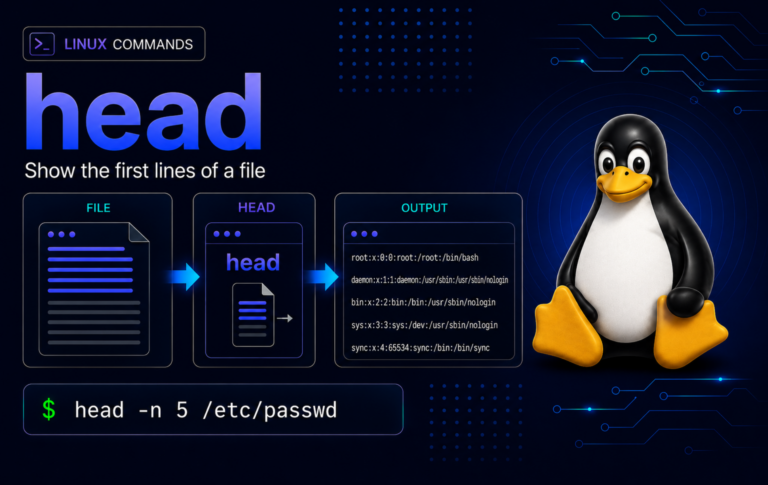
head Command in Linux: Preview Files and Pipelines
Use head to inspect the first lines or bytes of files and command output, compare Coreutils-style behavior with BusyBox limits, preview CSV and log data, and fix common...
How to Install Node.js on Linux Mint 22 and 21
Linux Mint's default Node.js packages are old enough to trip modern JavaScript build tools and local dev servers before you even open a project. If you need to...
How to Install VS Code on Linux Mint 22 and 21
Visual Studio Code fits Linux Mint best when the install path matches how you actually work: the Microsoft APT repository gives you the normal code launcher, Marketplace access,...
How to Install VS Code on Debian 13, 12 and 11
Visual Studio Code is easiest to maintain on Debian when it comes from Microsoft's APT repository: the package installs the standard code launcher, exposes the stable and Insiders...

How to Install Go on Debian 13, 12 and 11
Debian's default Go package is stable, but it falls behind upstream quickly when projects need newer language features or toolchain fixes. If you need to install Go on...
How to Install Node.js on Debian 13, 12 and 11
Debian ships a stable but older Node.js in its default repositories, which works for basic server tasks but falls behind what many JavaScript projects expect. To install Node.js...
How to Install Node.js on Ubuntu 26.04, 24.04 and 22.04
Ubuntu's default Node.js package is convenient, but it is not always the runtime modern JavaScript projects expect. To install Node.js on Ubuntu, choose between the Ubuntu repository, NodeSource's...
How to Install Node.js on Fedora 44
Fedora now packages Node.js by major branch, while upstream JavaScript projects often expect a specific LTS or Current line. To install Node.js on Fedora without mixing package sources,...
How to Install VS Code on Fedora 44
Fedora does not ship Microsoft's Visual Studio Code package in its default repositories, so the usual dnf search route stops short unless you add an upstream source. The...