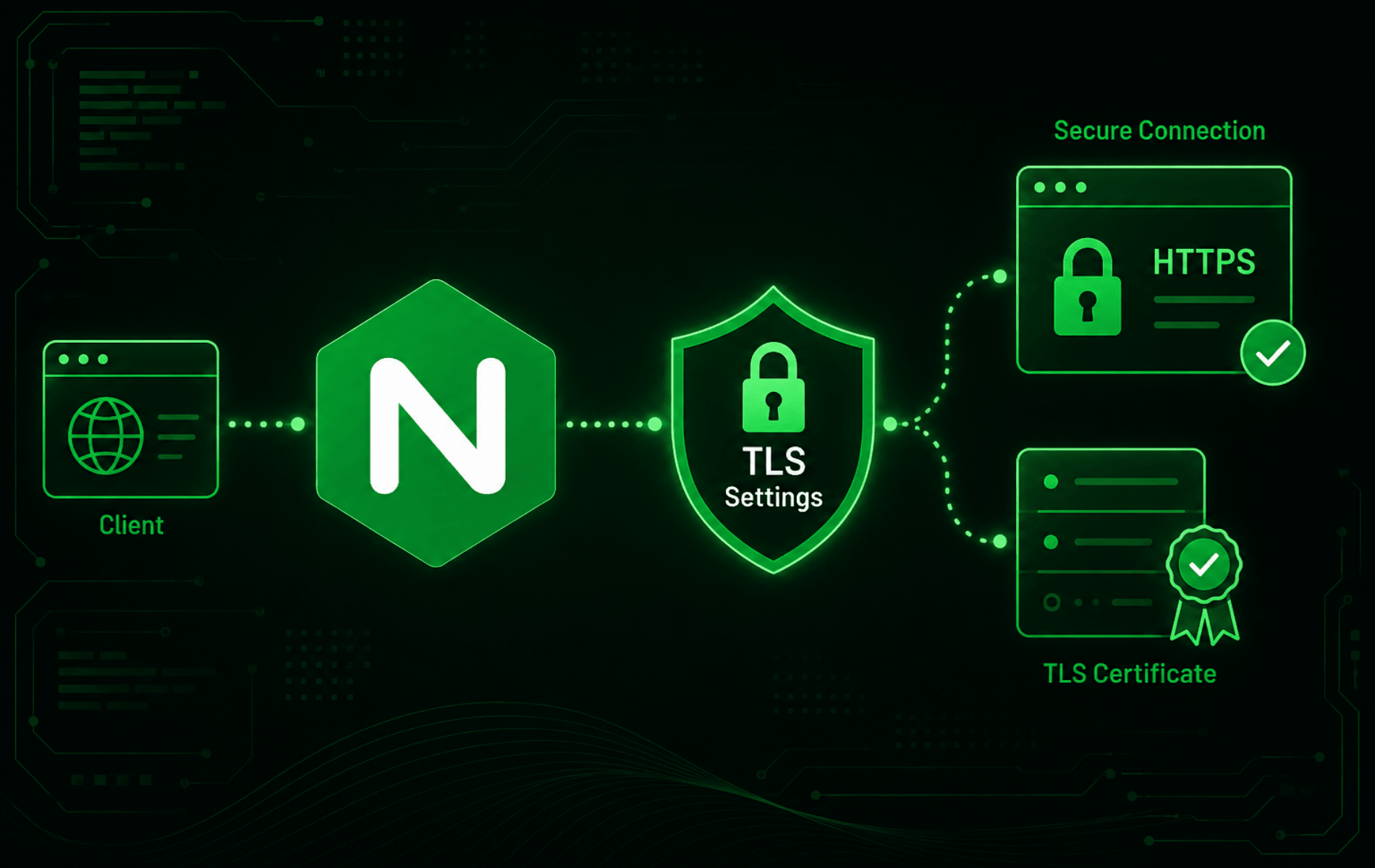
Default HTTPS snippets become hard to trust when Nginx inherits broad protocol lists from copied server blocks, Certbot includes, or hosting-panel templates. When you configure TLS settings in Nginx as one shared policy, protocol versions, TLS 1.2 ciphers, and session reuse are easier to review before reload.
Use TLS 1.2 and TLS 1.3 for normal public sites, keep TLS 1.0 and TLS 1.1 disabled, and tighten this policy only after certificates and HTTPS listeners already exist. If the virtual host layer still needs work, finish Nginx server blocks first. Test each change with nginx -t before reload.
Configure TLS Settings in Nginx
Start with one reusable policy at the Nginx http level. The Nginx SSL module documentation lists ssl_protocols, ssl_ciphers, ssl_session_cache, and related directives as valid in the http and server contexts, which makes a global policy safer for multi-site servers than pasting the same directives into every virtual host.
Protocol selection also happens early in the TLS handshake. If ssl_protocols appears only in a non-default server block, Nginx can use the default server’s protocol list for that address and port. Put the shared protocol policy at the http level unless you deliberately isolate a separate default listener.
Check whether the active Nginx configuration already loads files from /etc/nginx/conf.d/ inside the http context:
sudo nginx -T 2>/dev/null | awk '/^# configuration file / { file=$0 } $0 !~ /^[[:space:]]*#/ && /include .*\/conf\.d\/\*\.conf/ { print file; print }'Common package layouts show an include like this:
# configuration file /etc/nginx/nginx.conf:
    include /etc/nginx/conf.d/*.conf;
If the command prints nothing, run sudo nginx -t before assuming conf.d is absent. A syntax error can stop nginx -T from dumping the active tree. If the configuration is valid and still does not load conf.d, put the same directives in the existing http { ... } context or in the specific HTTPS server { ... } block you want to control. Keep one owner for each directive at the same level so future reviews do not have to guess which copy applies.
If an older policy file already exists, back it up before replacing it:
if [ -f /etc/nginx/conf.d/tls-settings.conf ]; then
    sudo cp -a /etc/nginx/conf.d/tls-settings.conf "/etc/nginx/conf.d/tls-settings.conf.$(date +%Y%m%d%H%M%S).bak"
fi
Open the dedicated TLS policy file:
sudo nano /etc/nginx/conf.d/tls-settings.confAdd this baseline configuration:
ssl_protocols TLSv1.2 TLSv1.3;
ssl_ciphers ECDHE-ECDSA-AES128-GCM-SHA256:ECDHE-RSA-AES128-GCM-SHA256:ECDHE-ECDSA-AES256-GCM-SHA384:ECDHE-RSA-AES256-GCM-SHA384:ECDHE-ECDSA-CHACHA20-POLY1305:ECDHE-RSA-CHACHA20-POLY1305;
ssl_prefer_server_ciphers off;
ssl_session_timeout 1d;
ssl_session_cache shared:TLS:10m;
ssl_session_tickets off;
This policy keeps modern public compatibility without reopening obsolete protocol versions. The cipher list controls TLS 1.2 suites; TLS 1.3 ciphers are handled by OpenSSL unless you add an advanced ssl_conf_command override later. Disabling session tickets avoids unmanaged ticket-key reuse on older or multi-node deployments; enable them only when you deliberately manage ticket rotation.
Confirm that the HTTPS server block still owns the certificate and listener. Nginx’s HTTPS server configuration keeps certificate paths local to the hostname while the TLS policy can be inherited globally:
server {
    listen 443 ssl;
    listen [::]:443 ssl;
    server_name example.com www.example.com;

    ssl_certificate /etc/letsencrypt/live/example.com/fullchain.pem;
    ssl_certificate_key /etc/letsencrypt/live/example.com/privkey.pem;

    root /var/www/example.com/public_html;
    index index.html;
}
Use listen 443 ssl rather than the obsolete standalone ssl on; directive. Keep HTTP-to-HTTPS redirects, canonical host redirects, upstream proxying, Nginx HTTP/2 configuration, and Nginx security headers in their own sections or snippets so TLS negotiation remains easy to review.
Choose a TLS Policy for Nginx
A public website normally needs broad modern compatibility, not the narrowest possible protocol list. Use the policy that matches the clients actually connecting to the site.
| Policy | Protocol Setting | Best Fit | Risk |
|---|---|---|---|
| Public default | TLSv1.2 TLSv1.3 | Normal websites, APIs, dashboards, and reverse-proxied applications. | Lowest practical risk for modern public traffic. |
| Modern-only | TLSv1.3 | Internal services, controlled clients, or environments with a strict compatibility inventory. | Breaks clients and tooling that still require TLS 1.2. |
| Legacy exception | Separate hostname or listener with a documented exception. | Temporary support for a known old client that cannot be upgraded yet. | Easy to leak weak policy onto the main site if mixed into the default server block. |
| CDN-managed TLS | Configured at the CDN or load balancer edge. | Sites where Cloudflare, Fastly, an application load balancer, or another edge service terminates client HTTPS. | Origin Nginx changes may not affect browser-facing TLS at all. |
Do not enable TLS 1.0 or TLS 1.1 on a normal public virtual host. If an old client forces a temporary exception, isolate it behind a dedicated hostname, separate listener, or upstream control plane and remove it once the client is replaced.
Check Current Nginx TLS Support
Nginx TLS behavior depends on the SSL module and the OpenSSL library used by the running binary. Confirm both before relying on TLS 1.3, advanced curves, or OpenSSL-specific cipher controls:
nginx -V 2>&1 | grep -E 'nginx version|built with OpenSSL|running with OpenSSL|TLS SNI support|--with-http_ssl_module'
openssl version
Example filtered output can look like this:
nginx version: nginx/1.31.1
built with OpenSSL 3.5.5 27 Jan 2026
TLS SNI support enabled
configure arguments: ... --with-http_ssl_module ...
OpenSSL 3.5.5 27 Jan 2026
The exact version numbers vary by package source. The important checks are --with-http_ssl_module, a current OpenSSL library, and no older runtime OpenSSL line overriding the library you expected.
Avoid Duplicate Certbot TLS Directives
Certbot and other certificate tools can add their own Nginx SSL options file. Before replacing or adding TLS directives, inspect the active configuration tree for existing policy lines:
sudo nginx -T 2>/dev/null | awk '
  /^# configuration file / { file=$0 }
  $0 !~ /^[[:space:]]*#/ && /ssl_(protocols|ciphers|session|stapling|ecdh_curve|conf_command)/ {
    print file
    print
  }
'
A Certbot-managed server block may include a file such as this:
include /etc/letsencrypt/options-ssl-nginx.conf;If that file already defines ssl_protocols or ssl_ciphers, decide whether Certbot’s managed file or your custom Nginx policy is the authority. Do not keep two conflicting policies in the same server block. When Certbot renews certificates, it does not need to own every TLS setting; it only needs valid certificate paths and a reload hook that keeps Nginx using the renewed files.
Configure TLS 1.3 Ciphers and Curves When Needed
The ssl_ciphers directive uses OpenSSL cipher-string syntax for TLS 1.2 and older protocols. TLS 1.3 ciphersuites are controlled separately through OpenSSL configuration commands, and most sites can leave the OpenSSL defaults alone.
For a controlled environment that requires explicit TLS 1.3 ciphersuites and curves, add directives like these only after confirming your Nginx and OpenSSL versions support them:
ssl_conf_command Ciphersuites TLS_AES_256_GCM_SHA384:TLS_CHACHA20_POLY1305_SHA256:TLS_AES_128_GCM_SHA256;
ssl_ecdh_curve X25519:prime256v1:secp384r1;
Use the TLSRef Configurator, the current successor to Mozilla’s SSL Configuration Generator, as a policy reference, then test the result locally with your packaged Nginx build. Newer generator output can include algorithms or groups that older OpenSSL builds do not recognize, so nginx -t is the final local authority before reload.
Leave
ssl_early_datadisabled unless the application is designed for replay-safe requests. TLS 1.3 early data can replay requests at the application layer, which is not safe for normal login, checkout, form, or API mutation paths.
Configure OCSP Stapling in Nginx
OCSP stapling lets Nginx attach certificate-status information during the TLS handshake. It is useful only when the certificate authority still publishes OCSP responder URLs and the client-facing TLS handshake reaches this Nginx server.
Let’s Encrypt ended OCSP support in 2025: new certificates no longer include OCSP URLs, and the responders were shut down on August 6, 2025. For Let’s Encrypt certificates, skip the stapling directives unless another certificate source still needs them. For commercial or private CAs, check the certificate before adding stapling. Replace the path with the chain file used by the server block:
openssl x509 -in /etc/nginx/ssl/example.com-fullchain.pem -noout -ocsp_uriNo output means the certificate does not publish an OCSP responder URL, so stapling will not provide a response for that certificate. If the command prints an OCSP URL, add stapling directives inside the HTTPS server block that owns the certificate and replace the resolver with one the server can reach:
ssl_stapling on;
ssl_stapling_verify on;
ssl_trusted_certificate /etc/nginx/ssl/example.com-ca-chain.pem;
resolver 127.0.0.53 valid=300s;
resolver_timeout 5s;
The ssl_trusted_certificate file should contain the trusted issuer chain used to verify the stapled response, not only the leaf certificate. On systems that do not use the local 127.0.0.53 resolver stub, use an internal recursive resolver or another resolver approved for the server.
Test and Reload Nginx TLS Settings
Test the full configuration before applying the TLS policy:
sudo nginx -tA clean syntax test looks like this:
nginx: the configuration file /etc/nginx/nginx.conf syntax is ok
nginx: configuration file /etc/nginx/nginx.conf test is successful
On systemd-based Linux servers, reload Nginx only after the syntax test passes:
sudo systemctl reload nginxConfirm that the service remains active:
systemctl is-active nginxactive
Verify TLS Protocols from the Client Side
A successful reload proves Nginx accepted the configuration. Client-side probes with openssl s_client prove which protocol and cipher were negotiated for the hostname; the OpenSSL documentation describes the flags in detail. Replace example.com with the real domain and keep -servername aligned with the certificate name so SNI selects the right server block.
Check TLS 1.3 negotiation:
printf '' | openssl s_client -connect example.com:443 -servername example.com -tls1_3 -brief 2>&1 | grep -E 'Protocol version|Ciphersuite'Protocol version: TLSv1.3 Ciphersuite: TLS_AES_256_GCM_SHA384
Check TLS 1.2 negotiation:
printf '' | openssl s_client -connect example.com:443 -servername example.com -tls1_2 -brief 2>&1 | grep -E 'Protocol version|Ciphersuite'Protocol version: TLSv1.2 Ciphersuite: ECDHE-RSA-AES256-GCM-SHA384
Probe a legacy protocol and confirm it does not negotiate:
printf '' | openssl s_client -connect example.com:443 -servername example.com -tls1_1 -brief 2>&1A rejected TLS 1.1 probe should fail without a negotiated Protocol version: TLSv1.1 line. Exact error text varies by OpenSSL version, so check for the absence of a successful TLS 1.1 protocol line rather than matching one message.
When a CDN, reverse proxy, or load balancer sits in front of Nginx, repeat the check at the layer that terminates client TLS. If you need to test the origin directly, preserve the hostname and SNI while routing to the origin IP. Replace 203.0.113.10 with the real origin address:
curl --noproxy '*' --resolve example.com:443:203.0.113.10 -sS -D - -o /dev/null https://example.com/That pattern is useful when troubleshooting Nginx reverse proxy or edge-origin setups. For more request and header probes, use the curl command workflow.
Roll Back TLS Changes Safely
Back up the TLS policy before editing it again:
sudo cp -a /etc/nginx/conf.d/tls-settings.conf "/etc/nginx/conf.d/tls-settings.conf.$(date +%Y%m%d%H%M%S).bak"If a new policy breaks handshakes or fails syntax testing, restore the last known-good backup, then retest and reload:
latest_backup=$(ls -1t /etc/nginx/conf.d/tls-settings.conf.*.bak 2>/dev/null | head -n 1)

if [ -z "$latest_backup" ]; then
    echo "No tls-settings backup found"
else
    sudo cp -a "$latest_backup" /etc/nginx/conf.d/tls-settings.conf &&
    sudo nginx -t &&
    sudo systemctl reload nginx
fi
The restore block refuses to reload when no backup is found or nginx -t reports a syntax error.
Troubleshoot Nginx TLS Settings
TLS troubleshooting works best when you separate syntax errors, certificate problems, negotiated protocol failures, and edge-layer ownership. Start with read-only checks, fix the narrow cause, then rerun nginx -t, reload, and repeat the client-side probe.
Nginx Reports Duplicate TLS Directives
A duplicate-directive error usually means the same SSL setting appears twice in one context or through two included files. Locate every matching line:
sudo nginx -T 2>/dev/null | awk '
  /^# configuration file / { file=$0 }
  $0 !~ /^[[:space:]]*#/ && /ssl_(protocols|ciphers|session_cache|session_tickets|conf_command|ecdh_curve)/ {
    print file
    print
  }
'
If nginx -T cannot dump the configuration because the duplicate directive blocks parsing, search the configuration files directly:
sudo grep -RInE '^[[:space:]]*ssl_(protocols|ciphers|session_cache|session_tickets|conf_command|ecdh_curve)' /etc/nginx /etc/letsencrypt 2>/dev/nullKeep one copy at the intended level. For most multi-site servers, keep shared policy in /etc/nginx/conf.d/tls-settings.conf and remove older copied policy lines from individual server blocks, unless a hostname intentionally needs a separate policy.
TLS 1.3 Does Not Negotiate
If TLS 1.2 works but TLS 1.3 fails, confirm the running Nginx binary and OpenSSL runtime support TLS 1.3:
nginx -V 2>&1 | grep -E 'nginx version|built with OpenSSL|running with OpenSSL'
openssl version
Then check whether an older server-level ssl_protocols directive overrides the global policy:
sudo nginx -T 2>/dev/null | awk '
  /^# configuration file / { file=$0 }
  $0 !~ /^[[:space:]]*#/ && /ssl_protocols/ {
    print file
    print
  }
'
Remove or update the stale server-level directive, retest with sudo nginx -t, reload, and repeat the TLS 1.3 openssl s_client probe.
Handshake Fails After Tightening Ciphers
A cipher change can exclude clients that still connect through TLS 1.2. Compare a known working client with a failing client and check the negotiated suite:
printf '' | openssl s_client -connect example.com:443 -servername example.com -tls1_2 -brief 2>&1 | grep -E 'Protocol version|Ciphersuite|handshake failure'If the failing client is legitimate, restore the public-default cipher list or use the TLSRef intermediate Nginx policy as the starting point. Retest before deciding that the client is incompatible.
Certificate and Key Do Not Match
When Nginx reports a key mismatch or a browser shows the wrong certificate, compare the public key fingerprints from the certificate and private key:
openssl x509 -in /etc/letsencrypt/live/example.com/fullchain.pem -pubkey -noout | openssl pkey -pubin -outform DER | openssl sha256
sudo openssl pkey -in /etc/letsencrypt/live/example.com/privkey.pem -pubout -outform DER | openssl sha256
The two hashes must match. If they differ, the server block points to the wrong certificate or key. Correct the paths, run sudo nginx -t, reload, and test the hostname again with SNI.
OCSP Stapling Shows No Response
Check whether the certificate exposes an OCSP responder URL before troubleshooting Nginx stapling. Replace the path with the certificate chain file used by the server block:
openssl x509 -in /etc/nginx/ssl/example.com-fullchain.pem -noout -ocsp_uriNo output means the certificate does not provide an OCSP responder URL. That is expected for current Let’s Encrypt certificates. For a certificate that does publish OCSP, check whether the server staples a response:
printf '' | openssl s_client -connect example.com:443 -servername example.com -status 2>/dev/null | grep -E 'OCSP response|Verify return code'If the output shows no response, verify the ssl_trusted_certificate chain, DNS resolver, certificate authority OCSP availability, and any outbound firewall rules that block the OCSP responder. Retest after each correction.
Nginx Reloads but the Browser Still Shows Old TLS
The browser may be reaching a CDN, proxy manager, hosting panel, application load balancer, or another Nginx instance. Confirm the responding IP and check the active Nginx logs for the request:
getent ahosts example.com
sudo tail -n 50 /var/log/nginx/access.log
sudo tail -n 50 /var/log/nginx/error.log
If the request never reaches this Nginx service, change TLS policy at the edge layer that terminates HTTPS. If it does reach Nginx, use the Nginx access and error logs to match the request, server block, and error message before changing more directives.
Conclusion
A maintainable Nginx TLS setup has one explicit policy owner, a certificate block per hostname, syntax testing before reload, and client-side verification after each change. Keep global defaults broad enough for real clients, isolate exceptions, and treat edge services as separate TLS control planes when they terminate HTTPS before origin Nginx.


Formatting tips for your comment
You can use basic HTML to format your comment. Useful tags currently allowed in published comments:
<code>command</code>command<strong>bold</strong><em>italic</em><a href="https://example.com">link</a><blockquote>quote</blockquote>