
Vector work on Fedora is easiest when the editor stays tied to a package source you already trust. To install Inkscape on Fedora Linux, use Fedora’s RPM package for the lowest-maintenance desktop install, or use the Flathub package when you prefer Flatpak app/runtime updates.
Inkscape is a free vector graphics editor for SVG illustration, logos, diagrams, typography, and PDF cleanup work. DNF and Flatpak use different package sources, so keep install, update, launch, and removal commands aligned with the method you choose.
Install Inkscape on Fedora Linux
Choose an Inkscape Installation Method
Fedora Workstation and mutable Fedora spins can use either method. Fedora Atomic desktops normally favor Flatpak for graphical applications; use host package layering only when you intentionally manage that system with rpm-ostree.
| Method | Source or Channel | Update Behavior | Best For | Trade-offs |
|---|---|---|---|---|
| DNF | Fedora repositories | Updates through normal Fedora package upgrades | Most Fedora Workstation and spin users who want system-managed packages | Version follows Fedora repository updates and installs native RPM dependencies |
| Flatpak | Flathub Inkscape listing (org.inkscape.Inkscape) | Updates through Flatpak from Flathub | Atomic desktops, users who already manage desktop apps with Flathub, or systems where the Flatpak build fits the workflow better | The listing is verified, but Flathub labels it potentially unsafe and current permissions include broad host file access |
Use the DNF method unless you have a clear reason to keep Inkscape in Flatpak. The Flatpak method is still useful, but treat it as a Flathub packaging path rather than a stronger isolation choice.
Refresh Fedora Before Installing Inkscape
Refresh package metadata and apply pending Fedora package updates before installing the native RPM package. This reduces dependency conflicts during the install transaction.
sudo dnf upgrade --refreshThese commands use sudo because package installation changes system-managed files. Fedora normally grants that access through the wheel administrator group.
Install Inkscape with DNF
Install Fedora’s native Inkscape package with DNF. The package provides the inkscape command and the desktop launcher exported as org.inkscape.Inkscape.desktop.
sudo dnf install inkscapeVerify the installed RPM and command after the transaction finishes.
rpm -q inkscape
inkscape --version
On Fedora 44, current output is similar to:
inkscape-1.4.4-1.fc44.x86_64
Inkscape 1.4.4 (dcaf3e7d9e, 2026-05-05)
If the Activities launcher does not appear immediately, confirm that the RPM exported the desktop file.
rpm -ql inkscape | grep '/org.inkscape.Inkscape.desktop$'/usr/share/applications/org.inkscape.Inkscape.desktop
For more DNF package examples beyond this single-package install, use the DNF5 install examples for Fedora.
Install Inkscape with Flatpak
Fedora Workstation normally includes Flatpak, but Flathub is opt-in. Add Flathub with its current repository descriptor before installing the Inkscape app ID.
sudo flatpak remote-add --if-not-exists flathub https://dl.flathub.org/repo/flathub.flatpakrepoCheck the exact Flathub app record before installing when you want to confirm the app ID, branch, runtime, and download size.
flatpak remote-info flathub org.inkscape.InkscapeInstall Inkscape from Flathub for the default system-wide Flatpak installation.
sudo flatpak install flathub org.inkscape.InkscapeVerify that the installed Flatpak came from Flathub and landed in the system installation.
flatpak info org.inkscape.Inkscape | grep -E '^[[:space:]]*(ID|Origin|Installation):' ID: org.inkscape.Inkscape
Origin: flathub
Installation: system
You can also run Inkscape’s version check through the Flatpak wrapper without opening the full graphical interface.
flatpak run --command=inkscape org.inkscape.Inkscape --versionInkscape 1.4.4 (dcaf3e7d9e, 2026-05-05)
Launch Inkscape on Fedora Linux
Launch Inkscape from the Terminal
Use the launch command that matches the install method. The DNF package exposes the native inkscape command.
inkscapeThe Flatpak method uses the Flathub app ID.
flatpak run org.inkscape.InkscapeLaunch Inkscape from Activities
Search for Inkscape in Activities and open the desktop launcher. If you installed the Flatpak method during the current session, signing out and back in can help the desktop refresh exported Flatpak launchers.

First Steps After Installing Inkscape
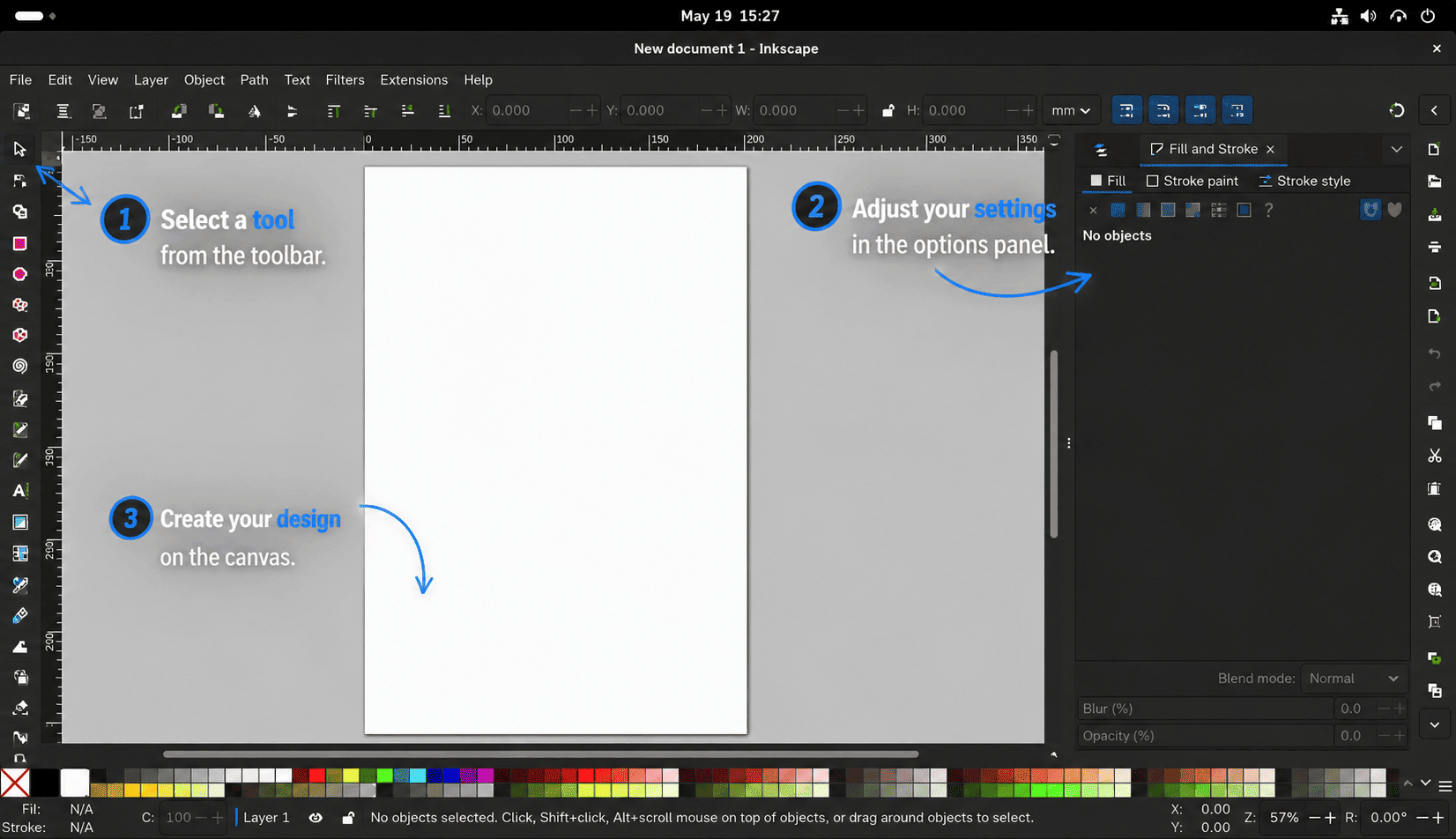
Start with a new SVG document before importing complex artwork. Inkscape’s native SVG format keeps layers, paths, text objects, and editable effects available for later changes.

- Open
File>Document Propertiesbefore serious work so the page size, display units, and background match the target output. - Keep editable projects in SVG, then export a copy to PNG, PDF, or another delivery format when the design is finished.
- Use
Edit>Preferencesto adjust the interface, keyboard shortcuts, and extension paths for the current user. - When using the Flatpak build, remember that app settings and app data live under the Flatpak app ID, separate from the native RPM method.

Update or Remove Inkscape on Fedora Linux
Update the DNF Installation
The DNF package updates with the rest of Fedora. To refresh metadata and target only the installed Inkscape package, run:
sudo dnf upgrade --refresh inkscapeIf DNF reports nothing to do, the installed RPM is already current for the enabled Fedora repositories.
Update the Flatpak Installation
The Flatpak package updates through Flathub, not through DNF. Update only Inkscape with:
sudo flatpak update org.inkscape.InkscapeTo update all system Flatpak apps and runtimes instead, omit the app ID.
sudo flatpak updateRemove the DNF Installation
Remove the Fedora RPM when you no longer want the native package. DNF also reviews unused dependencies that were installed only for Inkscape.
sudo dnf remove inkscapeConfirm the RPM is no longer installed.
rpm -q inkscape || echo "inkscape is not installed"Remove the Flatpak Installation
Remove the Flathub app with Flatpak. This removes the app package, while user data under ~/.var/app/org.inkscape.Inkscape/ can remain for future use or manual cleanup.
sudo flatpak uninstall org.inkscape.InkscapeVerify the system-scope app is gone.
flatpak list --system --app --columns=application | grep -Fx org.inkscape.Inkscape || echo "org.inkscape.Inkscape is not installed"Flatpak may leave unused runtimes after removing a graphical app. Review and remove unused system runtimes with:
sudo flatpak uninstall --unusedTroubleshoot Inkscape on Fedora Linux
DNF Stops on Another Repository
If DNF stops before the Inkscape transaction because an unrelated third-party repository has a broken GPG key, signature, or metadata error, fix or disable that repository first. Inkscape itself is available from Fedora’s standard repositories, so a one-time official-repository install can bypass the unrelated source:
sudo dnf --disablerepo='*' --enablerepo=fedora --enablerepo=updates install inkscapeIf all Fedora package downloads are slow rather than failing on one repository, review ways to increase DNF speed on Fedora before changing package sources.
Flathub Is Missing or Disabled
If flatpak remote-info flathub org.inkscape.Inkscape cannot find the app, check whether Flathub exists and is enabled.
flatpak remotes --show-disabled --columns=name,optionsAdd Flathub if it is absent, or re-enable it if the remote exists but is disabled.
sudo flatpak remote-add --if-not-exists flathub https://dl.flathub.org/repo/flathub.flatpakrepo
sudo flatpak remote-modify --enable flathub
The Inkscape Launcher Is Missing
Check the launcher file for the method you used. For DNF, the desktop file should come from the RPM package:
rpm -ql inkscape | grep '/org.inkscape.Inkscape.desktop$'For Flatpak, the launcher should be exported under the system Flatpak export directory:
find /var/lib/flatpak/exports/share -path '*org.inkscape.Inkscape.desktop' -printIf the file exists but Activities still does not show Inkscape, start it once from the terminal command for your method, then sign out and back in to refresh the desktop session.
Conclusion
Inkscape is installed on Fedora through either Fedora-managed RPM packages or Flathub-managed Flatpak updates, with launch, verification, update, and removal paths matched to the source. Start with the DNF package for ordinary Workstation installs, and choose Flatpak when that app model fits your Fedora desktop better.


Formatting tips for your comment
You can use basic HTML to format your comment. Useful tags currently allowed in published comments:
<code>command</code>command<strong>bold</strong><em>italic</em><a href="https://example.com">link</a><blockquote>quote</blockquote>