When DOCX, XLSX, and PPTX files need to round-trip cleanly with Microsoft Office users, ONLYOFFICE Desktop Editors is a practical Fedora option that also handles PDF editing. Fedora does not package ONLYOFFICE in its own repositories, so installing ONLYOFFICE on Fedora means choosing between Flathub, ONLYOFFICE’s RPM repository, or a direct RPM download.
For most Fedora Workstation users, the Flathub build is the easiest path because updates stay with Flatpak. Use the ONLYOFFICE RPM repository on mutable Fedora systems only when you want the upstream Desktop Editors RPM with DNF-managed updates, and use the direct RPM when you prefer a one-off package without a persistent repository. Fedora Atomic desktop users should stay with the Flatpak method unless they deliberately manage host package layering.
Install ONLYOFFICE on Fedora
Pick one install path and keep updates and removal on that same path. These methods install the desktop editor, not ONLYOFFICE Docs, DocSpace, or a self-hosted document server.
| Method | Source or Channel | Update Behavior | Best For | Trade-offs |
|---|---|---|---|---|
| Flatpak | Verified Flathub app | Flatpak app and runtime updates | Most Fedora Workstation users who want simple app maintenance | Uses Flatpak runtimes and broad document access instead of host RPM integration |
| ONLYOFFICE RPM repository | ONLYOFFICE RPM repository | DNF-managed updates from the third-party ONLYOFFICE repo | Mutable Fedora systems that need the upstream Desktop Editors RPM | Uses ONLYOFFICE’s CentOS/RHEL-oriented repo path, not Fedora-native packaging |
| Direct RPM download | ONLYOFFICE download page | Manual download and reinstall for each update | One-off installs where you do not want a persistent repo | You must track new releases yourself |
The Flathub listing and the ONLYOFFICE Desktop Editors RPM packages both publish stable builds for x86_64 and aarch64. If you need a repository-native office suite instead of third-party packaging, install LibreOffice on Fedora from Fedora’s own repositories.
Update Fedora Before Installing ONLYOFFICE
On mutable Fedora installs, refresh package metadata before using DNF or installing Flatpak if the command is missing. If package downloads feel slow on your system, you can also increase DNF speed on Fedora.
sudo dnf upgrade --refreshThese commands use
sudofor system package and system Flatpak changes. If Fedora reports that your user cannot run sudo, set up administrative access first with add a user to sudoers on Fedora.
Install ONLYOFFICE from Flathub
Use the Flatpak when you want the simplest app-maintenance path on Fedora. Flathub publishes ONLYOFFICE Desktop Editors under the app ID org.onlyoffice.desktopeditors.
Fedora Workstation normally includes Flatpak already. On mutable Server, minimal, or custom Fedora installs, install it first if the flatpak command is missing:
sudo dnf install flatpakAdd Flathub as a system remote if it is not already configured. The --if-not-exists flag keeps the command safe on systems where Flathub is already present.
sudo flatpak remote-add --if-not-exists flathub https://dl.flathub.org/repo/flathub.flatpakrepoInstall the ONLYOFFICE Flatpak from Flathub:
sudo flatpak install flathub org.onlyoffice.desktopeditorsConfirm the app ID, branch, version, origin, and install scope:
flatpak info org.onlyoffice.desktopeditors | grep -E '^[[:space:]]*(ID|Ref|Arch|Branch|Version|Origin|Installation):'Example output on a system install includes:
          ID: org.onlyoffice.desktopeditors
         Ref: app/org.onlyoffice.desktopeditors/x86_64/stable
        Arch: x86_64
      Branch: stable
     Version: 9.3.1
      Origin: flathub
Installation: system
The Flathub package already declares host file access for normal document work, so do not add a broad flatpak override command unless you have a specific path or device workflow to fix.
Install ONLYOFFICE from the RPM Repository
Use the ONLYOFFICE RPM repository when you want the upstream Desktop Editors RPM package and DNF-managed application updates. This method adds a third-party repository package named onlyoffice-repo.
This repository comes from ONLYOFFICE’s CentOS/RHEL-oriented RPM feed. Use it only for
onlyoffice-desktopeditorson Fedora. Do not use this repository method to install ONLYOFFICE Docs, Document Server, DocSpace, or server packages from the same repository; those packages have a different dependency surface and can pull packages such asmsttcore-fonts-installer, which needs extra release-upgrade handling on Fedora.
sudo dnf install https://download.onlyoffice.com/repo/centos/main/noarch/onlyoffice-repo.noarch.rpmVerify that Fedora sees the enabled ONLYOFFICE repository. A matching row should appear for the onlyoffice repo.
dnf repo list --enabled | grep -E '^onlyoffice'Install the desktop editor package from that repository. If DNF prompts to import the ONLYOFFICE package key, read the prompt and continue only if it identifies ONLYOFFICE or Ascensio System SIA.
sudo dnf install onlyoffice-desktopeditorsConfirm the installed package name, version, release tag, and architecture:
rpm -q --qf '%{NAME} %{VERSION}-%{RELEASE} %{ARCH}\n' onlyoffice-desktopeditorsonlyoffice-desktopeditors 9.3.1-8.el7 x86_64
The el7 release tag comes from ONLYOFFICE’s RPM build naming. It does not mean you are installing an old Fedora release.
Install ONLYOFFICE from a Direct RPM Download
Use the direct RPM when you want the upstream package without adding the ONLYOFFICE repository. Updates are manual with this method because no repository remains configured afterward.
The command resolves the download to onlyoffice-desktopeditors.x86_64.rpm or onlyoffice-desktopeditors.aarch64.rpm based on your system architecture.
onlyoffice_arch=$(uname -m)
package_file="onlyoffice-desktopeditors.${onlyoffice_arch}.rpm"

case "$onlyoffice_arch" in
x86_64 | aarch64)
  curl -fL -o "$package_file" "https://download.onlyoffice.com/install/desktop/editors/linux/$package_file"
  rpm -qp --qf '%{NAME} %{VERSION}-%{RELEASE} %{ARCH}\n' "$package_file"
  sudo dnf install "./$package_file"
  ;;
*)
  printf 'ONLYOFFICE RPM is not published for %s\n' "$onlyoffice_arch"
  ;;
esac
The curl command uses -f to fail on HTTP errors, -L to follow redirects, and -o to save the RPM under the same filename that DNF installs.
Confirm the installed package after DNF finishes:
rpm -q --qf '%{NAME} %{VERSION}-%{RELEASE} %{ARCH}\n' onlyoffice-desktopeditorsonlyoffice-desktopeditors 9.3.1-8.el7 x86_64
Launch ONLYOFFICE on Fedora
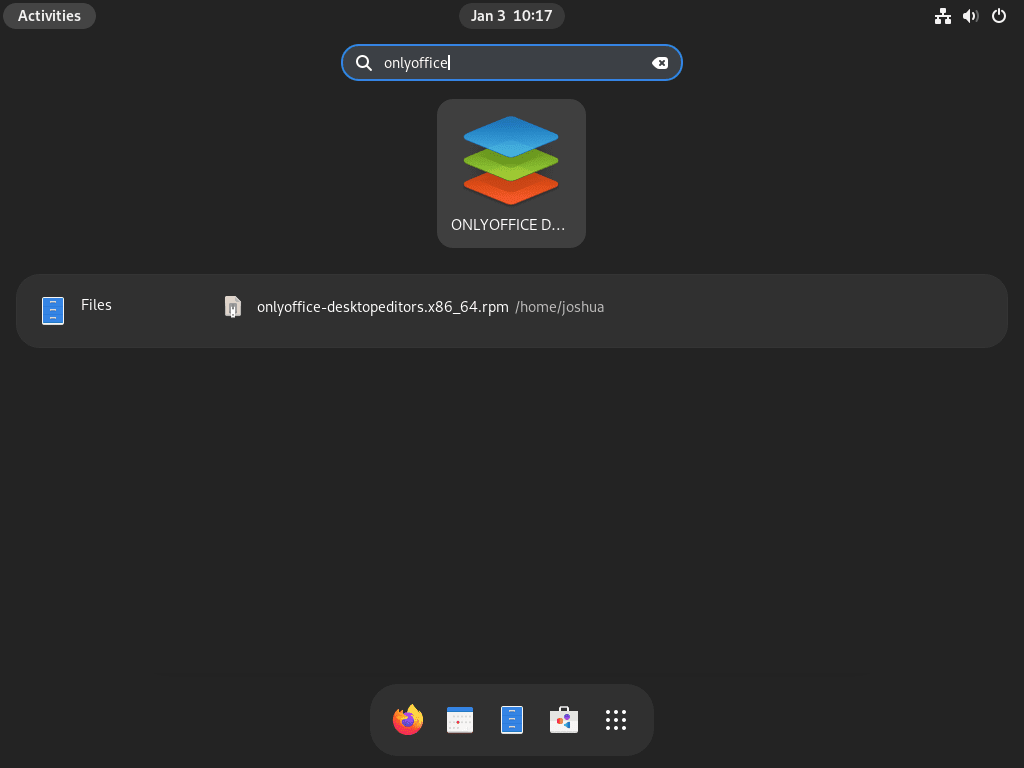
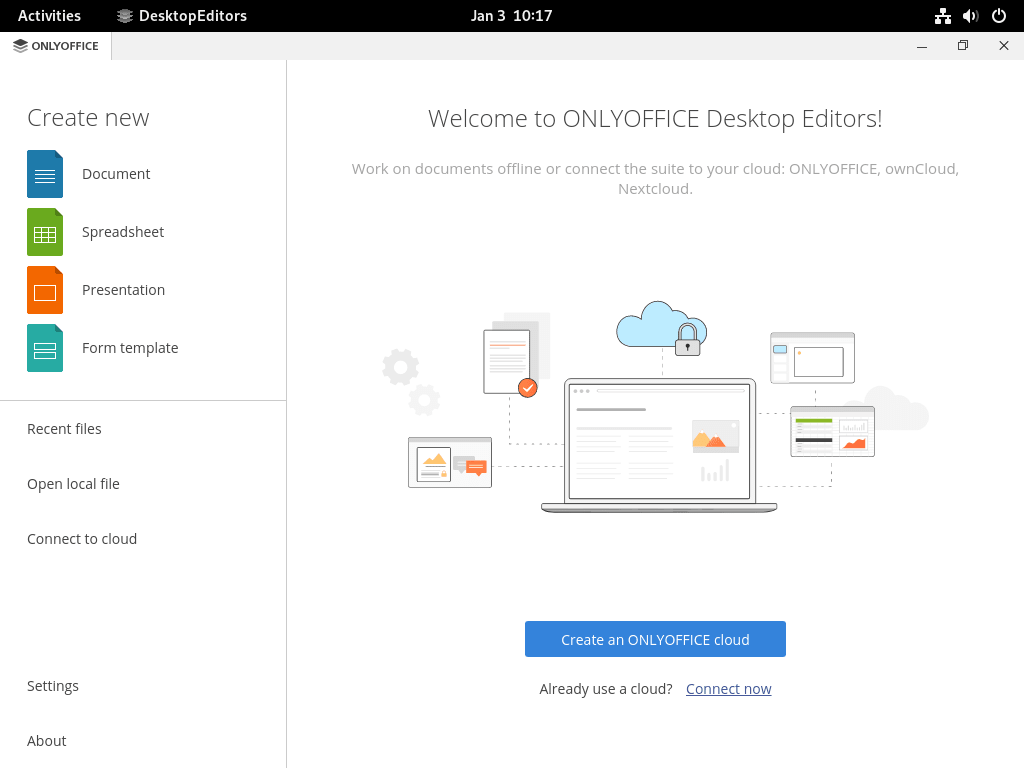
After installation, start ONLYOFFICE from a command or from GNOME’s Activities search. The RPM package exports onlyoffice-desktopeditors and a desktopeditors compatibility command, while the desktop launcher appears as ONLYOFFICE.
Open ONLYOFFICE from the Terminal
Use the command that matches the package format you installed.
onlyoffice-desktopeditorsThe RPM package also provides this compatibility command:
desktopeditorsFor the Flatpak build, launch the app through Flatpak:
flatpak run org.onlyoffice.desktopeditorsOpen ONLYOFFICE from Activities
The desktop entry appears as ONLYOFFICE in GNOME search.
- Open Activities.
- Search for
ONLYOFFICE. - Open the ONLYOFFICE launcher to reach the start center.
If document layout fidelity matters, install Microsoft fonts on Fedora after ONLYOFFICE so documents that expect common Microsoft font families have closer spacing and line breaks.
Update or Remove ONLYOFFICE on Fedora
The maintenance path depends on the install method. Flatpak updates through Flathub, the repository RPM updates through DNF, and the direct RPM needs another manual download.
Update the ONLYOFFICE Flatpak
Update the system-scope Flatpak app from Flathub:
sudo flatpak update org.onlyoffice.desktopeditorsUpdate ONLYOFFICE from the RPM Repository
If you installed the onlyoffice-repo package, DNF owns application updates while that repository remains enabled.
sudo dnf upgrade onlyoffice-desktopeditorsUpdate a Direct ONLYOFFICE RPM Install
For the direct RPM method, repeat the download and local DNF install. DNF replaces the installed package when the downloaded RPM is newer.
onlyoffice_arch=$(uname -m)
package_file="onlyoffice-desktopeditors.${onlyoffice_arch}.rpm"

case "$onlyoffice_arch" in
x86_64 | aarch64)
  curl -fL -o "$package_file" "https://download.onlyoffice.com/install/desktop/editors/linux/$package_file"
  rpm -qp --qf '%{NAME} %{VERSION}-%{RELEASE} %{ARCH}\n' "$package_file"
  sudo dnf install "./$package_file"
  ;;
*)
  printf 'ONLYOFFICE RPM is not published for %s\n' "$onlyoffice_arch"
  ;;
esac
Remove the ONLYOFFICE RPM Package
Remove the desktop editor package first. This command applies to both RPM repository installs and direct RPM installs because both install the same package name.
sudo dnf remove onlyoffice-desktopeditorsVerify that the RPM package is gone:
rpm -q onlyoffice-desktopeditorspackage onlyoffice-desktopeditors is not installed
If you used the repository method and no longer need the ONLYOFFICE repo, remove its repository package too:
sudo dnf remove onlyoffice-repoConfirm that the repository is no longer enabled:
dnf repo list --enabled | grep -E '^onlyoffice' || echo "ONLYOFFICE repository is not enabled"The repository method imports the ONLYOFFICE RPM package key during the first package install. After removing the repository and package, check whether that key remains in the RPM keyring:
rpm -qa gpg-pubkey --qf '%{NAME}-%{VERSION}-%{RELEASE} %{SUMMARY}\n' | grep -Ei 'onlyoffice|ascensio'If the check prints the ONLYOFFICE key and no other ONLYOFFICE RPM repository or package remains on the system, remove that trust entry too:
sudo rpmkeys --delete e09ca29f6e178040ef22b4098320ca65cb2de8e5Confirm the key is gone:
rpm -qa gpg-pubkey --qf '%{NAME}-%{VERSION}-%{RELEASE} %{SUMMARY}\n' | grep -Ei 'onlyoffice|ascensio' || echo "ONLYOFFICE RPM key is not installed"Package removal does not necessarily remove your user profile. Check for ONLYOFFICE user data before deleting anything:
find ~/.config/onlyoffice ~/.local/share/onlyoffice ~/.cache/onlyoffice -maxdepth 0 -print 2>/dev/nullThe next command permanently deletes ONLYOFFICE settings, recent-file state, and cache files for your user account. Back up anything you want to keep before running it.
rm -rf ~/.config/onlyoffice ~/.local/share/onlyoffice ~/.cache/onlyofficeRemove the ONLYOFFICE Flatpak
Remove the system-scope Flatpak app:
sudo flatpak uninstall org.onlyoffice.desktopeditorsVerify that the system Flatpak app is no longer installed:
flatpak list --system --app --columns=application | grep -Fx org.onlyoffice.desktopeditors || echo "NOT_INSTALLED"NOT_INSTALLED
Check for per-user Flatpak data before removing it. No output means there is nothing else to delete for that account.
find ~/.var/app/org.onlyoffice.desktopeditors -maxdepth 0 -print 2>/dev/nullThe next command permanently deletes ONLYOFFICE Flatpak settings and local app data for your user account. Back up anything you want to keep before running it.
rm -rf ~/.var/app/org.onlyoffice.desktopeditorsIf no other Flatpak app needs the runtimes ONLYOFFICE pulled in, remove unused runtimes separately after reviewing Flatpak’s prompt:
sudo flatpak uninstall --unusedTroubleshoot ONLYOFFICE on Fedora
Most install failures come from a missing package source, a Flatpak scope mismatch, or a disabled Flathub remote. Start with the symptom that matches the command you ran.
Fix DNF Cannot Find ONLYOFFICE
Fedora’s own repositories do not provide onlyoffice-desktopeditors. If DNF cannot find the package, either use the Flatpak method or add the ONLYOFFICE repository package first. Keep the repository path limited to the Desktop Editors package on Fedora.
No match for argument: onlyoffice-desktopeditors
sudo dnf install https://download.onlyoffice.com/repo/centos/main/noarch/onlyoffice-repo.noarch.rpm
dnf repo list --enabled | grep -E '^onlyoffice'
sudo dnf install onlyoffice-desktopeditors
Fix ONLYOFFICE Flatpak Permission Errors
If you try to install the Flathub package against a system remote without sudo, Flatpak can fail with this error:
Warning: Flatpak system operation Deploy not allowed for user
error: Failed to install org.freedesktop.Platform: Flatpak system operation Deploy not allowed for user
Use the same system scope for the install command:
sudo flatpak install flathub org.onlyoffice.desktopeditorsThen confirm the application is installed:
flatpak info org.onlyoffice.desktopeditors | grep -E '^[[:space:]]*(ID|Version|Installation):' ID: org.onlyoffice.desktopeditors
Version: 9.3.1
Installation: system
Fix a Disabled Flathub Remote for ONLYOFFICE
If Flathub exists but Fedora has it disabled, Flatpak returns this error:
error: Unable to load summary from remote flathub: Can't fetch summary from disabled remote 'flathub'
Re-enable the system remote, then verify that flathub appears as an active system entry.
sudo flatpak remote-modify --enable flathubflatpak remotes --columns=name,options | grep -E '^flathub[[:space:]]'flathub system
Conclusion
ONLYOFFICE is ready on Fedora through Flathub, the ONLYOFFICE RPM repository, or a direct RPM package. Test a real document after launch; if another Microsoft-format-focused suite fits your workflow better, compare WPS Office on Fedora before settling on one editor.


Formatting tips for your comment
You can use basic HTML to format your comment. Useful tags currently allowed in published comments:
<code>command</code>command<strong>bold</strong><em>italic</em><a href="https://example.com">link</a><blockquote>quote</blockquote>