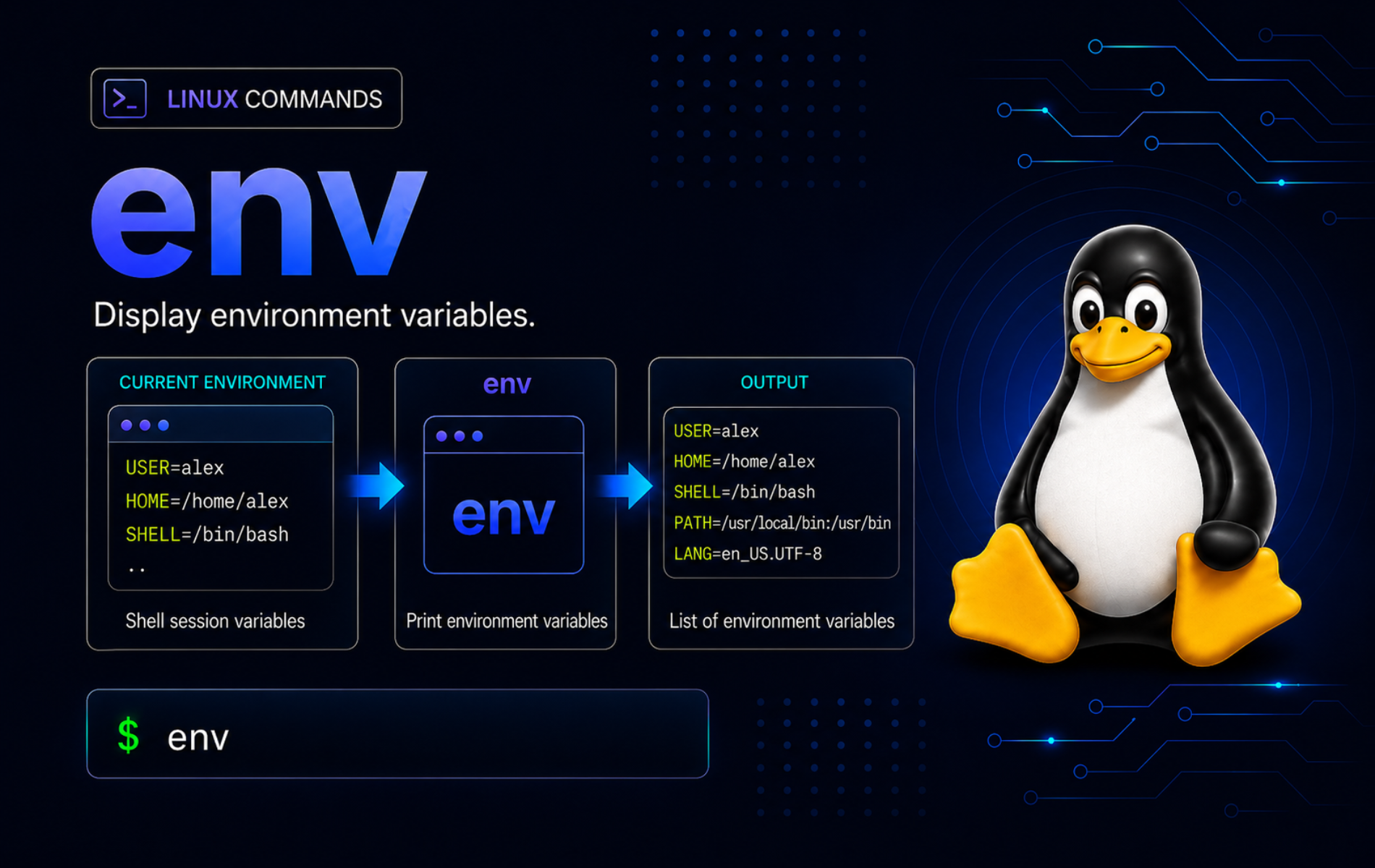
Environment bugs usually show up at process boundaries: a value exists in your terminal, then disappears when a script, build tool, service wrapper, or privileged command starts. The env command in Linux helps you inspect that boundary and run one command with a controlled environment instead of changing the whole shell session.
Use env for temporary variables, clean-room command tests, portable shebangs, PATH-sensitive wrappers, and debugging what a child process actually receives. Use export when later child processes from the current shell should inherit a variable, and use source when the current shell itself must keep changes from a setup file.
Understand the env Command in Linux
The GNU Coreutils env documentation describes env as a command runner for a modified environment. The Linux env manual page documents GNU options such as -i, -u, -C, -S, -0, and --debug. The POSIX env specification covers the portable baseline and exit-status behavior.
env [OPTION]... [NAME=VALUE]... [COMMAND [ARG]...]
env
When COMMAND is present, env builds the environment, searches for the command using PATH, and runs it as a child process. When no command is present, env prints the resulting environment as NAME=VALUE lines.
| Task | Command Pattern | What It Does |
|---|---|---|
| Print the current environment | env | Lists inherited environment variables as NAME=VALUE pairs. |
| Set a variable for one command | env NAME=value command | Runs only that command with the added or changed variable. |
| Start from an empty environment | env -i PATH=/usr/bin:/bin command | Drops inherited variables, then adds only the variables you specify. |
| Remove one variable | env -u NAME command | Runs a command without a selected inherited variable. |
| Use a temporary command path | env PATH=/custom/bin:$PATH command | Searches a one-command path without exporting it to the parent shell. |
| Change the child working directory | env -C /path command | Runs the child process from another directory without changing your shell. |
| Use multiple shebang arguments | #!/usr/bin/env -S bash -eu | Splits interpreter arguments in a script header on GNU systems. |
| Debug env processing | env --debug NAME=value command | Shows how env processes variables and command arguments before execution. |
Compare env, export, printenv, and source
These tools touch environment variables at different layers. Choosing the wrong layer is the usual reason a value appears in one place but not another.
| Tool | Best Use | Boundary |
|---|---|---|
env | Run one command with temporary, removed, or cleaned variables. | Changes only the child command and its descendants. |
| export command examples | Mark a shell variable so later child processes inherit it. | Changes the current shell’s export table until unset or changed. |
printenv | Print one or more environment variables without running another command. | Inspects the current process environment visible to the command. |
| source command usage | Load shell assignments, aliases, or functions into the current shell. | Runs the file in the current shell, not a child process. |
Print Environment Variables with env
A bare env prints every environment variable inherited by the command. For examples and troubleshooting, filter for a known demo variable instead of dumping a full real environment that may include credentials, tokens, proxy settings, or private paths.
LC_ENV_PRINT=shown env | grep '^LC_ENV_PRINT='LC_ENV_PRINT=shown
The assignment before env belongs to the shell, so the env process receives LC_ENV_PRINT=shown and prints it with the rest of its environment.
Print env Output with NUL Separators
GNU env -0 ends each printed variable with a NUL byte instead of a newline. That matters when a value could contain embedded newlines and another program must parse the stream safely.
env -0 LC_ENV_NUL=one | tr '\0' '\n' | grep '^LC_ENV_NUL='LC_ENV_NUL=one
The tr command converts NUL bytes back to newlines only so the demo is readable in a terminal. A script that consumes NUL-separated output should keep the NUL delimiters.
Do not publish or paste full
envoutput from real systems into tickets, chats, or public logs. Environment dumps can expose credentials, internal hostnames, proxy URLs, license data, API endpoints, and user-specific paths.
Run One Command with Temporary Variables
Use env NAME=value command when one command needs a variable but the current shell should not keep it afterward.
unset LC_ENV_MODE
env LC_ENV_MODE=demo sh -c 'printf "child=%s\n" "$LC_ENV_MODE"'
printf 'current shell=%s\n' "${LC_ENV_MODE:-unset}"
child=demo current shell=unset
The child shell receives LC_ENV_MODE=demo. The parent shell still reports the variable as unset because env did not modify the parent process.
Pass Values with Spaces
Quote assignments when the value contains spaces or shell-sensitive characters. The quotes protect the shell parsing step before env receives the assignment.
env LC_ENV_GREETING="hello from env" sh -c 'printf "%s\n" "$LC_ENV_GREETING"'hello from env
If the same variable appears more than once in the env operand list, the later assignment wins on GNU systems.
env LC_ENV_DUP=first LC_ENV_DUP=second sh -c 'printf "%s\n" "$LC_ENV_DUP"'second
Start with a Clean Environment
The -i or --ignore-environment option starts the child process with an empty environment. Add back only the variables the command needs. For portable command lookup, set a deliberate PATH instead of assuming the implementation will find basic utilities when PATH is absent.
env -i LC_ALL=C PATH="/usr/bin:/bin" sh -c 'printf "HOME=%s\nPATH=%s\n" "${HOME:-unset}" "$PATH"'HOME=unset PATH=/usr/bin:/bin
This pattern is useful for testing whether a build, script, or CLI tool accidentally depends on variables from your login session. Keep the clean environment small, but include required locale, path, proxy, compiler, or tool-specific variables when the child command needs them.
Run a Command with a Temporary PATH
Use env PATH=... when a project-local tool, version-manager shim, or wrapper directory should affect one command only. This avoids leaving a troubleshooting path in the current shell after the test finishes.
demo=$(mktemp -d "${TMPDIR:-/tmp}/lc-env-path.XXXXXX")
mkdir -p "$demo/bin"
cat <<'SCRIPT' > "$demo/bin/lc-env-tool"
#!/bin/sh
printf 'tool=%s\n' "$(basename "$0")"
SCRIPT
chmod +x "$demo/bin/lc-env-tool"
env PATH="$demo/bin:$PATH" lc-env-tool
command -v lc-env-tool >/dev/null 2>&1 || printf 'parent PATH unchanged\n'
rm -rf "$demo"
tool=lc-env-tool parent PATH unchanged
The child process finds lc-env-tool because env changes PATH before command lookup. The parent shell still cannot find that demo command, so the temporary path did not leak into later commands.
Remove or Override Variables for One Command
Use -u or --unset when a variable exists in the parent shell but one child command should run without it.
export LC_ENV_REMOVE=secret
env -u LC_ENV_REMOVE sh -c 'printf "inside=%s\n" "${LC_ENV_REMOVE:-unset}"'
printf 'outside=%s\n' "$LC_ENV_REMOVE"
unset LC_ENV_REMOVE
inside=unset outside=secret
The child process cannot see LC_ENV_REMOVE, but the parent shell still has it until the cleanup line removes it. This is safer than editing a shell startup file when only one command needs a different environment.
Change Directory for a Child Process with env
GNU env -C changes the working directory for the child command only. It does not change the directory of your interactive shell.
demo=$(mktemp -d "${TMPDIR:-/tmp}/lc-env-demo.XXXXXX")
mkdir -p "$demo/app"
env -C "$demo/app" sh -c 'printf "child PWD=%s\n" "$(basename "$PWD")"'
rm -rf "$demo"
child PWD=app
This is cleaner than wrapping a command in sh -c 'cd /path && command' when all you need is a child process with a different working directory. Some distributions also ship an external /usr/bin/cd helper, but that still runs in a subprocess and cannot move the shell you are typing in.
Use env in Shebang Lines
The shebang form #!/usr/bin/env bash asks env to find bash through the script runner’s PATH. This is useful when the interpreter location can vary between systems, user-local toolchains, containers, or managed development environments.
A shebang that uses
/usr/bin/envstill depends onenvexisting at/usr/bin/env. That path is common on Linux systems, but it is not the same as a guarantee that the target interpreter, such aspython3,node,perl, orbash, exists in the runtimePATH.
Use -S or --split-string when a GNU env shebang needs multiple interpreter arguments. Without -S, many systems pass everything after the first space as one interpreter argument, so bash -eu is searched as one command name.
demo=$(mktemp -d "${TMPDIR:-/tmp}/lc-env-shebang.XXXXXX")
cat <<'SCRIPT' > "$demo/env-split-demo"
#!/usr/bin/env -S bash -eu
printf 'args=%s\n' "$#"
printf 'first=%s\n' "${1:-none}"
SCRIPT
chmod +x "$demo/env-split-demo"
"$demo/env-split-demo" alpha
rm -rf "$demo"
args=1 first=alpha
For scripts that must run on systems without GNU env -S, keep the shebang simple and put strict shell options inside the script body, or use the known absolute interpreter path for that environment.
Bypass Shell Functions and Aliases with env
Because env runs an external command through process execution, it does not use shell aliases and ordinary shell functions that shadow a command name. That makes it useful when you need the external utility rather than a shell wrapper.
printf() { command printf 'function wrapper\n'; }
printf
env printf '%s\n' external
unset -f printf
function wrapper external
The first call uses the shell function. The second call runs the external printf command found through PATH. If you are debugging command lookup, pair this with which command examples or whereis command usage to separate shell resolution from installed file locations.
Debug env Command Processing
GNU env --debug prints each processing step before the child command runs. Force LC_ALL=C when you want stable ASCII diagnostics across systems and locales.
LC_ALL=C env --debug LC_ENV_DEBUG=1 printf '%s\n' ok 2>&1setenv: LC_ENV_DEBUG=1 executing: printf arg[0]= 'printf' arg[1]= '%s\\n' arg[2]= 'ok' ok
The diagnostic lines show the variable assignment and the final argument vector. The final ok line comes from the child printf command, not from env itself.
Set argv0 for Wrapper Tests
The -a or --argv0 option sets the zeroth argument passed to the child command. Most interactive users do not need it, but wrapper scripts and compatibility tests sometimes inspect $0 or process names.
env -a lc-env-name sh -c 'printf "argv0=%s\n" "$0"'argv0=lc-env-name
Keep --argv0 out of ordinary application launch commands unless the program documents a reason for changing its process name or mode selection.
Use env Carefully with sudo and Secrets
sudo often resets most inherited variables. When a privileged process really needs one controlled variable, pass it at the privileged boundary with a narrow sudo env NAME=value command pattern instead of relying on an earlier export or broad sudo -E. The exact variables allowed through sudo still depend on the system’s sudoers policy.
Do not use environment variables as a casual secret transport. Environment values can appear in process inspection tools, logs, crash reports, shell history, wrapper scripts, or debugging output depending on the command and platform. Prefer tool-native credential stores, protected config files, prompts, or secret managers when the value is sensitive.
Troubleshoot Common env Errors
Variable Is Empty After env NAME=value echo
The shell expands "$LC_ENV_ECHO" before env starts the child command. Put the expansion inside a child shell when the child environment should supply the value.
unset LC_ENV_ECHO
env LC_ENV_ECHO=visible printf '%s\n' "${LC_ENV_ECHO:-expanded-before-env}"
env LC_ENV_ECHO=visible sh -c 'printf "%s\n" "$LC_ENV_ECHO"'
expanded-before-env visible
The first command proves the parent shell expanded the variable too early. The second command moves expansion into the child shell that receives LC_ENV_ECHO=visible.
Shebang Reports No Such File or Directory
A script that starts with #!/usr/bin/env bash -eu can fail because the system passes bash -eu as one command name. On GNU systems, use #!/usr/bin/env -S bash -eu, or keep the shebang as #!/usr/bin/env bash and place set -eu inside the script body.
demo=$(mktemp -d "${TMPDIR:-/tmp}/lc-env-bad.XXXXXX")
cat <<'SCRIPT' > "$demo/env-bad-demo"
#!/usr/bin/env bash -eu
printf 'bad should not run\n'
SCRIPT
chmod +x "$demo/env-bad-demo"
LC_ALL=C "$demo/env-bad-demo" 2>&1 | sed 's|.*/env:|env:|' || true
rm -rf "$demo"
env: 'bash -eu': No such file or directory env: use -[v]S to pass options in shebang lines
Check whether the local GNU env supports split shebang arguments before using -S in scripts that must run across several systems.
LC_ALL=C env --help | grep -o -- '--split-string=S'--split-string=S
If the output contains --split-string=S, the local env supports -S. If it does not, avoid multi-argument env shebangs on that system.
Clean Environment Cannot Find a Command
A clean environment removes variables the command may rely on, including PATH. Some GNU/Linux builds can still find basic utilities through an implementation default when PATH is missing, but portable scripts should set the command search path explicitly.
env -i LC_ALL=C PATH="/usr/bin:/bin" sh -c 'printf "ready\n"'ready
Adjust the PATH for commands outside /usr/bin and /bin, especially user-local tools under ~/.local/bin, language version managers, or application-specific wrappers.
env Does Not Change the Current Shell
env starts a child process. It cannot persistently change the current shell’s directory, aliases, functions, exported variables, shell options, or resource limits. Use shell builtins such as cd, export, unset, or ulimit when the current shell must change, and use source for trusted setup files that should affect the current session.
demo=$(mktemp -d "${TMPDIR:-/tmp}/lc-env-shell.XXXXXX")
mkdir -p "$demo/app"
before=$PWD
env -C "$demo/app" sh -c 'printf "child=%s\n" "$(basename "$PWD")"'
[ "$PWD" = "$before" ] && printf 'parent unchanged\n'
rm -rf "$demo"
child=app parent unchanged
If the parent shell is unchanged, env is working as designed. Run the shell builtin directly when you want the current shell to change, or use source when a trusted setup file must modify the current session.
Conclusion
The env command gives Linux users a controlled child-process environment for one command at a time. With -i, -u, -C, -S, -0, --debug, and temporary PATH assignments, you can isolate variables, test wrappers, write safer shebangs, and prove what a program receives without making broad shell or system changes.


Formatting tips for your comment
You can use basic HTML to format your comment. Useful tags currently allowed in published comments:
<code>command</code>command<strong>bold</strong><em>italic</em><a href="https://example.com">link</a><blockquote>quote</blockquote>