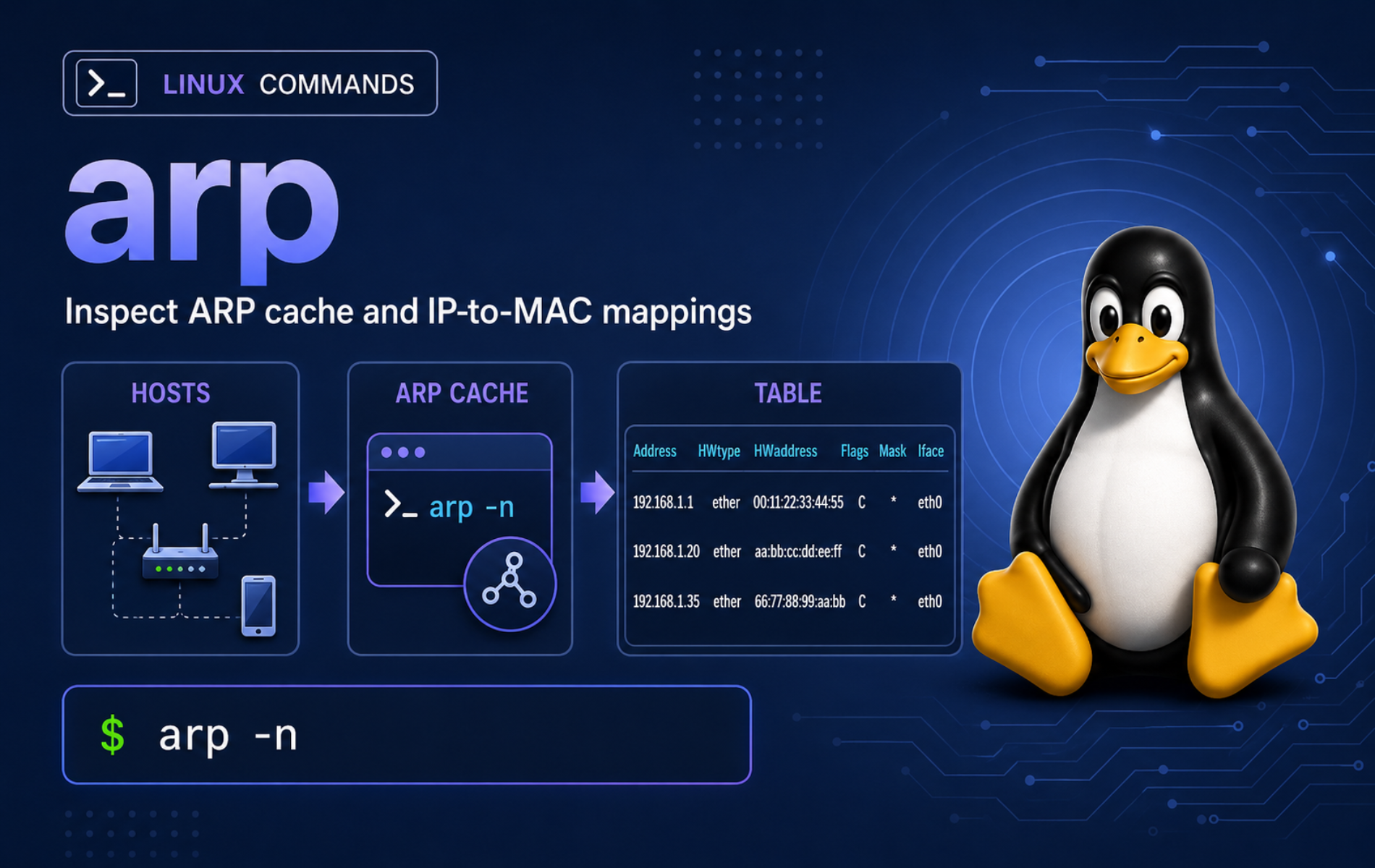
Local network failures often start below DNS, routing, and ports. The arp command in Linux lets you inspect and change the IPv4 neighbor cache that maps nearby IP addresses to MAC addresses, which is useful when a gateway moved, a virtual machine reused an address, or an older runbook still depends on net-tools.
arp is legacy tooling. Modern Linux systems normally expose the same neighbor-cache workflow through ip neigh from iproute2, and some current distributions package the old command separately or omit it from the main networking tools. Use arp when you need compatibility with older notes, and use ip neigh for new scripts and troubleshooting.
Understand the arp Command in Linux
arp displays, adds, and deletes entries in the kernel IPv4 neighbor cache, as documented in the Linux arp manual page. ARP works only on the local IPv4 link. It does not resolve DNS names, show routes across the internet, scan every host by itself, or manage IPv6 neighbor discovery.
arp vs ip neigh
arp comes from the net-tools family, while ip neigh comes from iproute2. Modern neighbor commands cover IPv4 ARP entries and IPv6 neighbor-discovery entries through one command family, as documented in the ip-neighbour manual page.
| Task | Legacy arp Command | Modern ip neigh Command |
|---|---|---|
| Show neighbor cache | arp -n | ip neigh show |
| Show one IPv4 neighbor | arp -n 192.0.2.20 | ip neigh get 192.0.2.20 dev eth0 |
| Filter by interface | arp -n -i eth0 | ip neigh show dev eth0 |
| Add a static mapping | sudo arp -i eth0 -s 192.0.2.30 02:00:00:00:00:30 | sudo ip neigh replace 192.0.2.30 lladdr 02:00:00:00:00:30 dev eth0 nud permanent |
| Delete one mapping | sudo arp -i eth0 -d 192.0.2.30 | sudo ip neigh del 192.0.2.30 dev eth0 |
Replace sample interface names such as eth0 or lc-arp-v0 with the device name from your own system. Use ip -br link show when you need to confirm the interface before adding or deleting ARP entries.
ARP entries are local-link IPv4 state. If the destination is outside your subnet, your system resolves the MAC address of the next-hop gateway, not the final remote server. Use route checks and the traceroute command in Linux when you need to inspect path selection beyond the local network.
arp Command Syntax
arp [-vn] [-H type] [-i interface] [-ae] [hostname]
arp [-v] [-i interface] -d hostname [pub]
arp [-v] [-H type] [-i interface] -s hostname hw_addr [temp]
The common display flags control how much name resolution and formatting the command performs:
-n: Show numeric addresses and skip reverse lookups, which keeps output fast and predictable.-a: Show BSD-style output such as? (192.0.2.20) at ....-e: Show the default Linux table format with fixed columns.-i: Limit display, add, or delete work to one interface.-s: Add a manual mapping from an IPv4 address to a hardware address.-d: Delete an entry by IPv4 address or hostname.
arp Command Quick Reference
| Task | Command | What It Does |
|---|---|---|
| Show current entries | arp -n | Displays the IPv4 ARP cache without reverse DNS lookups. |
| Show BSD-style entries | arp -a | Prints each entry in a compact sentence-like format. |
| Show one address | arp -n 192.0.2.20 | Limits output to one IPv4 neighbor. |
| Show one interface | arp -n -i eth0 | Lists ARP entries attached to a specific interface. |
| Add a manual entry | sudo arp -i eth0 -s 192.0.2.30 02:00:00:00:00:30 | Adds a static cache entry to the selected interface until it is removed or reset. |
| Add a temporary entry | sudo arp -i eth0 -s 192.0.2.31 02:00:00:00:00:31 temp | Adds an entry that can expire instead of staying marked permanent. |
| Delete one entry | sudo arp -i eth0 -d 192.0.2.30 | Removes a stale or manually added mapping from that interface. |
| Read raw kernel table | cat /proc/net/arp | Shows the same IPv4 cache in a script-friendly file. |
Install or Verify the arp Command
Check whether your shell can already find arp before installing anything:
command -v arpCommon paths include /usr/sbin/arp on Debian, Ubuntu, and Rocky Linux systems, and /usr/bin/arp on Fedora, Arch, and Manjaro systems. If the command returns no path, install the package for your distribution or use ip neigh instead.
| Distribution Family | Package | Install Command | Notes |
|---|---|---|---|
| Debian and Ubuntu | net-tools | sudo apt install net-tools | Install from the default repositories when the legacy command is missing. |
| DNF-based systems | net-tools | sudo dnf install net-tools | Fedora and Rocky Linux package the installed arp binary through net-tools. |
| Arch and Manjaro | net-tools | sudo pacman -S net-tools | The Arch package file list includes /usr/bin/arp. |
| openSUSE Leap 16 | net-tools-deprecated | sudo zypper install net-tools-deprecated | Leap 16 separates deprecated commands such as arp, ifconfig, netstat, and route from the base net-tools package. |
Package-manager updates and removal stay with the distribution tool that installed the package. Removing net-tools or net-tools-deprecated can also remove other legacy networking commands, so keep the package when older scripts still call ifconfig, netstat, or route.
The ifconfig command in Linux has the same legacy-tool boundary: many older examples still use it, but current network administration should usually start with ip, ss, and related iproute2 tools.
View ARP Cache Entries with arp
Use -n for the first look at the ARP cache. Numeric output avoids slow or misleading name lookups while you are troubleshooting a local network problem:
arp -nExample output from a simple Ethernet-style link looks like this:
Address                  HWtype  HWaddress           Flags Mask            Iface
192.0.2.20               ether   2a:84:b8:e2:42:90   C                     lc-arp-v0
The sample output uses documentation IPv4 space and a demonstration interface name. On a real host, replace lc-arp-v0 with the interface reported by ip -br link show, such as enp1s0, eth0, or wlan0.
| Column | Meaning | Useful Check |
|---|---|---|
Address | IPv4 address for the neighbor entry | Confirm this is the host or gateway you are troubleshooting. |
HWtype | Hardware type, usually ether for Ethernet-like links | Unexpected types usually mean you are on a special network medium. |
HWaddress | MAC address learned or configured for that IPv4 address | Compare it with switch, router, VM, or DHCP records when debugging duplicates. |
Flags | Status flags such as C, M, or P | C means complete, M means permanent, and P means published proxy ARP. |
Iface | Local interface attached to the neighbor entry | Use this to catch entries learned on the wrong VLAN, bridge, or adapter. |
Show BSD-Style ARP Output
The -a flag prints a compact BSD-style line for each entry:
arp -a? (192.0.2.20) at 2a:84:b8:e2:42:90 [ether] on lc-arp-v0
This format is easy to read at a glance, but the fixed-column arp -n output is usually better when you need to compare fields or paste a short diagnostic into a support note.
Read the Raw ARP Table from procfs
The kernel also exposes the IPv4 ARP cache through /proc/net/arp:
cat /proc/net/arpIP address HW type Flags HW address Mask Device 192.0.2.20 0x1 0x2 2a:84:b8:e2:42:90 * lc-arp-v0
Use /proc/net/arp when a script needs a simple file read, but prefer ip neigh show for new tools because it reports neighbor states such as REACHABLE, STALE, FAILED, and INCOMPLETE.
Filter ARP Entries by Address or Interface
Filter by address when you know the host or gateway that might have a stale MAC address:
arp -n 192.0.2.20Address HWtype HWaddress Flags Mask Iface 192.0.2.20 ether 2a:84:b8:e2:42:90 C lc-arp-v0
Filter by interface when a host has multiple adapters, VLANs, bridges, VPNs, or virtual networks:
arp -n -i lc-arp-v0For normal systems, discover the interface name first:
ip -br link showIf NetworkManager controls the connection, the nmcli command in Linux can show the connection profile behind the device name. That matters when the same laptop moves between wired, Wi-Fi, VPN, and bridge profiles.
Add and Delete ARP Cache Entries
Manual ARP entries are a troubleshooting tool, not a normal network configuration method. They can help prove that a stale or missing MAC mapping is the immediate problem, but they can also hide DHCP mistakes, duplicate addresses, or broken switch behavior if you leave them in place.
Add or delete ARP entries only on systems you administer. A wrong static mapping can break local connectivity for that address until the entry is removed or the interface state resets.
Add a Static ARP Entry
Use -s with an IPv4 address and MAC address when you need a manual mapping. Include -i on multi-interface systems so the entry lands on the interface that owns the local subnet:
sudo arp -i lc-arp-v0 -s 192.0.2.30 02:00:00:00:00:30Replace the interface, IPv4 address, and MAC address with values from your own local link. The target address must be directly reachable on that interface, not routed through a gateway.
Verify the new entry:
arp -n 192.0.2.30Address HWtype HWaddress Flags Mask Iface 192.0.2.30 ether 02:00:00:00:00:30 CM lc-arp-v0
The M flag means the entry is marked permanent in the neighbor cache. It does not create a durable distro network configuration file, so do not treat arp -s as a reboot-proof fix.
Add a Temporary ARP Entry
Add temp when the mapping should be eligible for normal cache aging instead of staying permanent in the cache:
sudo arp -i lc-arp-v0 -s 192.0.2.31 02:00:00:00:00:31 tempUse a different test address from any static entry you already added. Temporary entries are better for short diagnostics because the kernel can age them out after normal neighbor-cache timing instead of keeping them marked with M.
Delete an ARP Entry
Delete a stale or manual mapping by address. Include the interface when you used one to create the entry or when the same address could appear on more than one local segment:
sudo arp -i lc-arp-v0 -d 192.0.2.30Retest the entry after deletion:
arp -n 192.0.2.30192.0.2.30 (192.0.2.30) -- no entry
If traffic to the address resumes, the kernel can learn a fresh dynamic mapping. If the entry returns with the wrong MAC address, check for duplicate IP addresses, stale DHCP leases, a VM clone with a reused address, or the wrong VLAN.
Use ip neigh as the Modern ARP Replacement
Use ip neigh show when you want the modern neighbor-cache view:
ip neigh show192.0.2.20 dev lc-arp-v0 lladdr 2a:84:b8:e2:42:90 REACHABLE
The state at the end of the line is the main advantage over old arp output. REACHABLE means the kernel recently confirmed the neighbor. STALE means the mapping exists but needs confirmation before fresh use. FAILED or INCOMPLETE points to unresolved neighbor discovery, disconnected hosts, wrong subnets, VLAN issues, or blocked local traffic.
Use a targeted modern lookup when you know the destination and interface:
ip neigh get 192.0.2.20 dev lc-arp-v0Use ip neigh del for a modern delete operation:
sudo ip neigh del 192.0.2.20 dev lc-arp-v0Keep arp examples in older scripts only when compatibility matters. For new work, ip neigh handles IPv4 and IPv6 neighbor entries, exposes useful state names, and matches the rest of the current ip command family.
Troubleshoot Common arp Command Problems
arp Command Not Found
Start by proving whether the command is missing or only outside your current PATH:
command -v arp
ip neigh show
If command -v arp returns nothing but ip neigh show works, your system already has the modern replacement. Install the legacy package only when an old script, training material, or vendor procedure specifically requires arp.
On openSUSE Leap 16, install net-tools-deprecated for the old binary rather than the base net-tools package:
sudo zypper install net-tools-deprecatedARP Table Is Empty
An empty ARP table does not automatically mean the network is broken. The kernel learns ARP entries after local IPv4 traffic needs them, and old entries can age out.
Find the next-hop gateway for a destination outside your local subnet:
ip route get 203.0.113.10Example output includes a via address when the destination uses a gateway:
203.0.113.10 via 192.0.2.1 dev enp1s0 src 192.0.2.50 uid 1000
Replace 192.0.2.1 with the local via address from your own output, not the remote internet address, then check the cache again:
ping -c 1 192.0.2.1
arp -n 192.0.2.1
ARP cannot discover an off-link host directly; it only resolves neighbors on the local link.
Wrong MAC Address Appears for a Host
A wrong MAC address usually points to duplicate IPv4 addresses, stale cache after a device replacement, VM cloning, a bridge or VLAN mistake, or a router answering through proxy ARP.
Replace lc-arp-v0 and 192.0.2.20 with the affected interface and suspect local IPv4 address, delete that one entry, generate fresh traffic, and recheck the mapping:
sudo arp -i lc-arp-v0 -d 192.0.2.20
ping -c 1 192.0.2.20
arp -n 192.0.2.20
If the same wrong MAC returns, do not keep deleting the cache entry. Inspect DHCP leases, static IP assignments, hypervisor network settings, and switch or router records. For packet-level proof, use tcpdump to capture ARP traffic on the affected interface.
SIOCSARP: Network Is Unreachable
The error SIOCSARP: Network is unreachable appears when arp cannot place the requested IPv4 address on a local link. This usually means the address is remote, the route points through a gateway, or the intended interface does not own that subnet.
sudo arp -s 198.51.100.30 02:00:00:00:00:30SIOCSARP: Network is unreachable
Check how the kernel would route that address before forcing a static entry:
ip route get 198.51.100.30198.51.100.30 via 192.0.2.1 dev enp1s0 src 192.0.2.50 uid 1000
A via address means ARP belongs to the gateway or another same-subnet neighbor, not the final remote IP. Use a local IPv4 address from the interface subnet, or fix the route, VLAN, bridge, or IP assignment that made the target unreachable.
Permission Denied When Adding or Deleting Entries
Reading the cache is normally unprivileged. Adding or deleting entries changes kernel neighbor state, so use sudo or another account with the required network administration capability:
sudo arp -i lc-arp-v0 -d 192.0.2.20If sudo is unavailable, use the read-only checks and ask an administrator to remove the stale entry or correct the underlying IP conflict.
arp Does Not Scan the Whole Network
arp -n shows what the kernel has already learned or what you manually added. It is not a subnet scanner. To discover hosts on a network you administer, use an authorized scanner such as Nmap commands for beginner network checks, then use arp or ip neigh to inspect the local neighbor mappings that result.
Conclusion
The ARP cache is visible, filterable, and repairable from the terminal. Use arp -n when legacy notes require the old command, delete only the stale entry you mean to refresh, and prefer ip neigh for new Linux workflows because it exposes clearer neighbor states and covers the modern replacement path.


Formatting tips for your comment
You can use basic HTML to format your comment. Useful tags currently allowed in published comments:
<code>command</code>command<strong>bold</strong><em>italic</em><a href="https://example.com">link</a><blockquote>quote</blockquote>